Ext.chart.series.Column
Alternate names
Ext.chart.ColumnChartExt.chart.ColumnSeriesExt.chart.StackedColumnChartHierarchy
Ext.BaseExt.chart.series.SeriesExt.chart.series.CartesianExt.chart.series.BarExt.chart.series.ColumnInherited mixins
Files
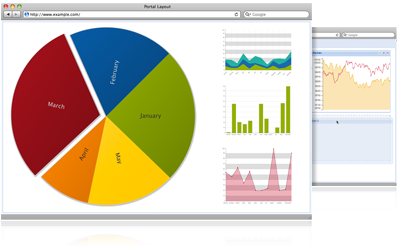
Creates a Column Chart. Much of the methods are inherited from Bar. A Column Chart is a useful visualization technique to display quantitative information for different categories that can show some progression (or regression) in the data set. As with all other series, the Column Series must be appended in the series Chart array configuration. See the Chart documentation for more information. A typical configuration object for the column series could be:
var store = Ext.create('Ext.data.JsonStore', {
fields: ['name', 'data'],
data: [
{ 'name': 'metric one', 'data':10 },
{ 'name': 'metric two', 'data': 7 },
{ 'name': 'metric three', 'data': 5 },
{ 'name': 'metric four', 'data': 2 },
{ 'name': 'metric five', 'data':27 }
]
});
Ext.create('Ext.chart.Chart', {
renderTo: Ext.getBody(),
width: 500,
height: 300,
animate: true,
store: store,
axes: [
{
type: 'Numeric',
position: 'left',
fields: ['data'],
label: {
renderer: Ext.util.Format.numberRenderer('0,0')
},
title: 'Sample Values',
grid: true,
minimum: 0
},
{
type: 'Category',
position: 'bottom',
fields: ['name'],
title: 'Sample Metrics'
}
],
series: [
{
type: 'column',
axis: 'left',
highlight: true,
tips: {
trackMouse: true,
width: 140,
height: 28,
renderer: function(storeItem, item) {
this.setTitle(storeItem.get('name') + ': ' + storeItem.get('data') + ' $');
}
},
label: {
display: 'insideEnd',
'text-anchor': 'middle',
field: 'data',
renderer: Ext.util.Format.numberRenderer('0'),
orientation: 'vertical',
color: '#333'
},
xField: 'name',
yField: 'data'
}
]
});
In this configuration we set column as the series type, bind the values of the bars to the bottom axis,
set highlight to true so that bars are smoothly highlighted when hovered and bind the xField or category
field to the data store name property and the yField as the data1 property of a store element.
Available since: 3.4.0
Config options
The position of the axis to bind the values to. Possible values are 'left', 'bottom', 'top' and 'right'. You must explicitly set this value to bind the values of the column series to the ones in the axis, otherwise a relative scale will be used.
Available since: 4.0.6
Overrides: Ext.chart.series.Cartesian.axis
Whether to set the visualization as column chart or horizontal bar chart.
Defaults to: true
Available since: 4.0.0
Overrides: Ext.chart.series.Bar.column
The gutter space between groups of bars, as a percentage of the bar width
Defaults to: 38.2
Available since: 4.0.0
The gutter space between single bars, as a percentage of the bar width
Defaults to: 38.2
Available since: 4.0.0
If set to true it will highlight the markers or the series when hovering
with the mouse. This parameter can also be an object with the same style
properties you would apply to a Ext.draw.Sprite to apply custom
styles to markers and series.
Available since: 4.0.0
Overrides: Ext.chart.Highlight.highlight
Object with the following properties:
display : String
Specifies the presence and position of labels for each pie slice. Either "rotate", "middle", "insideStart", "insideEnd", "outside", "over", "under", or "none" to prevent label rendering. Default value: 'none'.
color : String
The color of the label text. Default value: '#000' (black).
contrast : Boolean
True to render the label in contrasting color with the backround. Default value: false.
field : String
The name of the field to be displayed in the label. Default value: 'name'.
minMargin : Number
Specifies the minimum distance from a label to the origin of the visualization. This parameter is useful when using PieSeries width variable pie slice lengths. Default value: 50.
font : String
The font used for the labels. Default value: "11px Helvetica, sans-serif".
orientation : String
Either "horizontal" or "vertical". Dafault value: "horizontal".
renderer : Function
Optional function for formatting the label into a displayable value. Default value: function(v) { return v; }
Available since: 4.0.5
An (optional) object with event callbacks. All event callbacks get the target item as first parameter. The callback functions are:
- itemclick
- itemmouseover
- itemmouseout
- itemmousedown
- itemmouseup
Available since: 4.0.0
Overrides: Ext.util.Observable.listeners
A function that can be overridden to set custom styling properties to each rendered element. Passes in (sprite, record, attributes, index, store) to the function.
Available since: 4.0.0
Whether to show this series in the legend.
Defaults to: true
Available since: 4.0.0
If set to true then bars for multiple yField values will be rendered stacked on top of one another.
Otherwise, they will be rendered side-by-side. Defaults to false.
Available since: Ext JS 4.1.3
Style properties that will override the theming series styles.
Defaults to: {}
Available since: 3.4.0
Add tooltips to the visualization's markers. The options for the tips are the same configuration used with Ext.tip.ToolTip. For example:
tips: {
trackMouse: true,
width: 140,
height: 28,
renderer: function(storeItem, item) {
this.setTitle(storeItem.get('name') + ': ' + storeItem.get('data1') + ' views');
}
},
Available since: 4.0.0
The human-readable name of the series.
Available since: 4.0.0
End Definitions
The type of series. Set in subclasses.
Defaults to: 'column'
Available since: 4.0.0
Overrides: Ext.chart.series.Bar.type
The name of the data Model field corresponding to the x-axis value.
Available since: Ext JS 4.1.3
Padding between the left/right axes and the bars
Defaults to: 10
Available since: 4.0.0
Overrides: Ext.chart.series.Bar.xPadding
The name(s) of the data Model field(s) corresponding to the y-axis value(s).
Available since: Ext JS 4.1.3
Padding between the top/bottom axes and the bars
Defaults to: 0
Available since: 4.0.0
Overrides: Ext.chart.series.Bar.yPadding
Properties
Instance Properties boundColumn : Booleanprivateprivate: true if the columns are bound to a numerical x-axis; otherwise they are evenly distributed along the axis ...private: true if the columns are bound to a numerical x-axis; otherwise they are evenly distributed along the axis
Defaults to: false
Available since: 4.1.2
colorStringRe : RegExpprivatea regex to parse url type colors. ...a regex to parse url type colors.
Defaults to: /url\s*\(\s*#([^\/)]+)\s*\)/
Available since: 4.0.0
eventsSuspended : NumberprivateInitial suspended call count. ...Initial suspended call count. Incremented when suspendEvents is called, decremented when resumeEvents is called.
Defaults to: 0
Available since: 4.1.1
hasListeners : ObjectreadonlyThis object holds a key for any event that has a listener. ...This object holds a key for any event that has a listener. The listener may be set
directly on the instance, or on its class or a super class (via observe) or
on the MVC EventBus. The values of this object are truthy
(a non-zero number) and falsy (0 or undefined). They do not represent an exact count
of listeners. The value for an event is truthy if the event must be fired and is
falsy if there is no need to fire the event.
The intended use of this property is to avoid the expense of fireEvent calls when
there are no listeners. This can be particularly helpful when one would otherwise
have to call fireEvent hundreds or thousands of times. It is used like this:
if (this.hasListeners.foo) {
this.fireEvent('foo', this, arg1);
}
Available since: 4.1.0
The default properties to apply as a highight. ...The default properties to apply as a highight. Value is
{
fill: '#fdd',
"stroke-width": 5,
stroke: "#f55'
}
Defaults to: {fill: '#fdd', "stroke-width": 5, stroke: '#f55'}
Available since: 4.0.2
true in this class to identify an object as an instantiated Observable, or subclass thereof. ...true in this class to identify an object as an instantiated Observable, or subclass thereof.
Defaults to: true
Available since: 4.0.0
Get the reference to the current class from which this object was instantiated. ...Get the reference to the current class from which this object was instantiated. Unlike statics,
this.self is scope-dependent and it's meant to be used for dynamic inheritance. See statics
for a detailed comparison
Ext.define('My.Cat', {
statics: {
speciesName: 'Cat' // My.Cat.speciesName = 'Cat'
},
constructor: function() {
alert(this.self.speciesName); // dependent on 'this'
},
clone: function() {
return new this.self();
}
});
Ext.define('My.SnowLeopard', {
extend: 'My.Cat',
statics: {
speciesName: 'Snow Leopard' // My.SnowLeopard.speciesName = 'Snow Leopard'
}
});
var cat = new My.Cat(); // alerts 'Cat'
var snowLeopard = new My.SnowLeopard(); // alerts 'Snow Leopard'
var clone = snowLeopard.clone();
alert(Ext.getClassName(clone)); // alerts 'My.SnowLeopard'
Available since: 4.0.0
private: true if the columns are bound to a numerical x-axis; otherwise they are evenly distributed along the axis
Defaults to: false
Available since: 4.1.2
a regex to parse url type colors.
Defaults to: /url\s*\(\s*#([^\/)]+)\s*\)/
Available since: 4.0.0
Initial suspended call count. Incremented when suspendEvents is called, decremented when resumeEvents is called.
Defaults to: 0
Available since: 4.1.1
This object holds a key for any event that has a listener. The listener may be set directly on the instance, or on its class or a super class (via observe) or on the MVC EventBus. The values of this object are truthy (a non-zero number) and falsy (0 or undefined). They do not represent an exact count of listeners. The value for an event is truthy if the event must be fired and is falsy if there is no need to fire the event.
The intended use of this property is to avoid the expense of fireEvent calls when there are no listeners. This can be particularly helpful when one would otherwise have to call fireEvent hundreds or thousands of times. It is used like this:
if (this.hasListeners.foo) {
this.fireEvent('foo', this, arg1);
}
Available since: 4.1.0
The default properties to apply as a highight. Value is
{
fill: '#fdd',
"stroke-width": 5,
stroke: "#f55'
}
Defaults to: {fill: '#fdd', "stroke-width": 5, stroke: '#f55'}
Available since: 4.0.2
true in this class to identify an object as an instantiated Observable, or subclass thereof.
Defaults to: true
Available since: 4.0.0
Get the reference to the current class from which this object was instantiated. Unlike statics,
this.self is scope-dependent and it's meant to be used for dynamic inheritance. See statics
for a detailed comparison
Ext.define('My.Cat', {
statics: {
speciesName: 'Cat' // My.Cat.speciesName = 'Cat'
},
constructor: function() {
alert(this.self.speciesName); // dependent on 'this'
},
clone: function() {
return new this.self();
}
});
Ext.define('My.SnowLeopard', {
extend: 'My.Cat',
statics: {
speciesName: 'Snow Leopard' // My.SnowLeopard.speciesName = 'Snow Leopard'
}
});
var cat = new My.Cat(); // alerts 'Cat'
var snowLeopard = new My.SnowLeopard(); // alerts 'Snow Leopard'
var clone = snowLeopard.clone();
alert(Ext.getClassName(clone)); // alerts 'My.SnowLeopard'
Available since: 4.0.0
Static Properties
Methods
Instance Methods ... addEvents( eventNames )Adds the specified events to the list of events which this Observable may fire. ...Adds the specified events to the list of events which this Observable may fire.
Available since: 1.1.0
Parameters
Appends an event handler to this object. ...Appends an event handler to this object. For example:
myGridPanel.on("mouseover", this.onMouseOver, this);
The method also allows for a single argument to be passed which is a config object
containing properties which specify multiple events. For example:
myGridPanel.on({
cellClick: this.onCellClick,
mouseover: this.onMouseOver,
mouseout: this.onMouseOut,
scope: this // Important. Ensure "this" is correct during handler execution
});
One can also specify options for each event handler separately:
myGridPanel.on({
cellClick: {fn: this.onCellClick, scope: this, single: true},
mouseover: {fn: panel.onMouseOver, scope: panel}
});
Names of methods in a specified scope may also be used. Note that
scope MUST be specified to use this option:
myGridPanel.on({
cellClick: {fn: 'onCellClick', scope: this, single: true},
mouseover: {fn: 'onMouseOver', scope: panel}
});
Available since: 1.1.0
Parameters
- eventName : String/Object
The name of the event to listen for.
May also be an object who's property names are event names.
- fn : Function (optional)
The method the event invokes, or if scope is specified, the name* of the method within
the specified scope. Will be called with arguments
given to fireEvent plus the options parameter described below.
- scope : Object (optional)
The scope (this reference) in which the handler function is
executed. If omitted, defaults to the object which fired the event.
- options : Object (optional)
An object containing handler configuration.
Note: Unlike in ExtJS 3.x, the options object will also be passed as the last
argument to every event handler.
This object may contain any of the following properties:
- scope : Object
The scope (this reference) in which the handler function is executed. If omitted,
defaults to the object which fired the event.
- delay : Number
The number of milliseconds to delay the invocation of the handler after the event fires.
- single : Boolean
True to add a handler to handle just the next firing of the event, and then remove itself.
- buffer : Number
Causes the handler to be scheduled to run in an Ext.util.DelayedTask delayed
by the specified number of milliseconds. If the event fires again within that time,
the original handler is not invoked, but the new handler is scheduled in its place.
- target : Ext.util.Observable
Only call the handler if the event was fired on the target Observable, not if the event
was bubbled up from a child Observable.
- element : String
This option is only valid for listeners bound to Components.
The name of a Component property which references an element to add a listener to.
This option is useful during Component construction to add DOM event listeners to elements of
Components which will exist only after the Component is rendered.
For example, to add a click listener to a Panel's body:
new Ext.panel.Panel({
title: 'The title',
listeners: {
click: this.handlePanelClick,
element: 'body'
}
});
- destroyable : Boolean (optional)
When specified as true, the function returns A Destroyable object. An object which implements the destroy method which removes all listeners added in this call.
Combining Options
Using the options argument, it is possible to combine different types of listeners:
A delayed, one-time listener.
myPanel.on('hide', this.handleClick, this, {
single: true,
delay: 100
});
Defaults to: false
Returns
- Object
Only when the destroyable option is specified.
A Destroyable object. An object which implements the destroy method which removes all listeners added in this call. For example:
this.btnListeners = = myButton.on({
destroyable: true
mouseover: function() { console.log('mouseover'); },
mouseout: function() { console.log('mouseout'); },
click: function() { console.log('click'); }
});
And when those listeners need to be removed:
Ext.destroy(this.btnListeners);
or
this.btnListeners.destroy();
Overrides: Ext.AbstractComponent.addListener
Adds listeners to any Observable object (or Ext.Element) which are automatically removed when this Component is
destr...Adds listeners to any Observable object (or Ext.Element) which are automatically removed when this Component is
destroyed.
Available since: 4.0.0
Parameters
- item : Ext.util.Observable/Ext.Element
The item to which to add a listener/listeners.
- ename : Object/String
The event name, or an object containing event name properties.
- fn : Function (optional)
If the ename parameter was an event name, this is the handler function.
- scope : Object (optional)
If the ename parameter was an event name, this is the scope (this reference)
in which the handler function is executed.
- options : Object (optional)
If the ename parameter was an event name, this is the
addListener options.
Returns
- Object
Only when the destroyable option is specified.
A Destroyable object. An object which implements the destroy method which removes all listeners added in this call. For example:
this.btnListeners = = myButton.mon({
destroyable: true
mouseover: function() { console.log('mouseover'); },
mouseout: function() { console.log('mouseout'); },
click: function() { console.log('click'); }
});
And when those listeners need to be removed:
Ext.destroy(this.btnListeners);
or
this.btnListeners.destroy();
Call the original method that was previously overridden with override
Ext.define('My.Cat', {
constructor: functi...Call the original method that was previously overridden with override
Ext.define('My.Cat', {
constructor: function() {
alert("I'm a cat!");
}
});
My.Cat.override({
constructor: function() {
alert("I'm going to be a cat!");
this.callOverridden();
alert("Meeeeoooowwww");
}
});
var kitty = new My.Cat(); // alerts "I'm going to be a cat!"
// alerts "I'm a cat!"
// alerts "Meeeeoooowwww"
This method has been deprecated
as of 4.1. Use callParent instead.
Available since: 4.0.0
Parameters
- args : Array/Arguments
The arguments, either an array or the arguments object
from the current method, for example: this.callOverridden(arguments)
Returns
- Object
Returns the result of calling the overridden method
Call the "parent" method of the current method. ...Call the "parent" method of the current method. That is the method previously
overridden by derivation or by an override (see Ext.define).
Ext.define('My.Base', {
constructor: function (x) {
this.x = x;
},
statics: {
method: function (x) {
return x;
}
}
});
Ext.define('My.Derived', {
extend: 'My.Base',
constructor: function () {
this.callParent([21]);
}
});
var obj = new My.Derived();
alert(obj.x); // alerts 21
This can be used with an override as follows:
Ext.define('My.DerivedOverride', {
override: 'My.Derived',
constructor: function (x) {
this.callParent([x*2]); // calls original My.Derived constructor
}
});
var obj = new My.Derived();
alert(obj.x); // now alerts 42
This also works with static methods.
Ext.define('My.Derived2', {
extend: 'My.Base',
statics: {
method: function (x) {
return this.callParent([x*2]); // calls My.Base.method
}
}
});
alert(My.Base.method(10); // alerts 10
alert(My.Derived2.method(10); // alerts 20
Lastly, it also works with overridden static methods.
Ext.define('My.Derived2Override', {
override: 'My.Derived2',
statics: {
method: function (x) {
return this.callParent([x*2]); // calls My.Derived2.method
}
}
});
alert(My.Derived2.method(10); // now alerts 40
To override a method and replace it and also call the superclass method, use
callSuper. This is often done to patch a method to fix a bug.
Available since: 4.0.0
Parameters
- args : Array/Arguments
The arguments, either an array or the arguments object
from the current method, for example: this.callParent(arguments)
Returns
- Object
Returns the result of calling the parent method
This method is used by an override to call the superclass method but bypass any
overridden method. ...This method is used by an override to call the superclass method but bypass any
overridden method. This is often done to "patch" a method that contains a bug
but for whatever reason cannot be fixed directly.
Consider:
Ext.define('Ext.some.Class', {
method: function () {
console.log('Good');
}
});
Ext.define('Ext.some.DerivedClass', {
method: function () {
console.log('Bad');
// ... logic but with a bug ...
this.callParent();
}
});
To patch the bug in DerivedClass.method, the typical solution is to create an
override:
Ext.define('App.paches.DerivedClass', {
override: 'Ext.some.DerivedClass',
method: function () {
console.log('Fixed');
// ... logic but with bug fixed ...
this.callSuper();
}
});
The patch method cannot use callParent to call the superclass method since
that would call the overridden method containing the bug. In other words, the
above patch would only produce "Fixed" then "Good" in the console log, whereas,
using callParent would produce "Fixed" then "Bad" then "Good".
Available since: Ext JS 4.1.3
Parameters
- args : Array/Arguments
The arguments, either an array or the arguments object
from the current method, for example: this.callSuper(arguments)
Returns
- Object
Returns the result of calling the superclass method
Removes all listeners for this object including the managed listeners ...Removes all listeners for this object including the managed listeners
Available since: 4.0.0
Removes all managed listeners for this object. ...Removes all managed listeners for this object.
Available since: 4.0.0
combine( index1, index2 )private continueFireEvent( eventName, args, bubbles )private Creates an event handling function which refires the event from this object as the passed event name. ... destroy( )private ...
Available since: 4.1.1
Overrides: Ext.util.ElementContainer.destroy, Ext.AbstractComponent.destroy, Ext.AbstractPlugin.destroy
drawSeries( )Draws the series for the current chart. ...Draws the series for the current chart.
Available since: 4.0.0
eachRecord( fn, scope )Iterate over each of the records for this series. ...Iterate over each of the records for this series. The default implementation simply iterates
through the entire data store, but individual series implementations can override this to
provide custom handling, e.g. adding/removing records.
Available since: 4.0.7
Parameters
eachYValue( record, fn, scope )protectedIterates over a given record's values for each of this series's yFields,
executing a given function for each value. ...Iterates over a given record's values for each of this series's yFields,
executing a given function for each value. Any yFields that have been combined
via legend drag-drop will be treated as a single value.
Available since: 4.0.7
Parameters
- record : Ext.data.Model
- fn : Function
- scope : Object
enableBubble( eventNames )Enables events fired by this Observable to bubble up an owner hierarchy by calling this.getBubbleTarget() if
present. ...Enables events fired by this Observable to bubble up an owner hierarchy by calling this.getBubbleTarget() if
present. There is no implementation in the Observable base class.
This is commonly used by Ext.Components to bubble events to owner Containers.
See Ext.Component.getBubbleTarget. The default implementation in Ext.Component returns the
Component's immediate owner. But if a known target is required, this can be overridden to access the
required target more quickly.
Example:
Ext.define('Ext.overrides.form.field.Base', {
override: 'Ext.form.field.Base',
// Add functionality to Field's initComponent to enable the change event to bubble
initComponent: function () {
this.callParent();
this.enableBubble('change');
}
});
var myForm = Ext.create('Ext.form.Panel', {
title: 'User Details',
items: [{
...
}],
listeners: {
change: function() {
// Title goes red if form has been modified.
myForm.header.setStyle('color', 'red');
}
}
});
Available since: 3.4.0
Parameters
Fires the specified event with the passed parameters (minus the event name, plus the options object passed
to addList...Fires the specified event with the passed parameters (minus the event name, plus the options object passed
to addListener).
An event may be set to bubble up an Observable parent hierarchy (See Ext.Component.getBubbleTarget) by
calling enableBubble.
Available since: 1.1.0
Parameters
- eventName : String
The name of the event to fire.
- args : Object...
Variable number of parameters are passed to handlers.
Returns
- Boolean
returns false if any of the handlers return false otherwise it returns true.
getBounds( )privateGet chart and data boundaries ...Get chart and data boundaries
Available since: 4.0.0
getBubbleParent( ) : Ext.util.ObservableprivateGets the bubbling parent for an Observable ...Gets the bubbling parent for an Observable
Available since: 4.0.7
Returns
- Ext.util.Observable
The bubble parent. null is returned if no bubble target exists
For a given x/y point relative to the Surface, find a corresponding item from this
series, if any. ...For a given x/y point relative to the Surface, find a corresponding item from this
series, if any.
Available since: 4.0.0
Parameters
Returns
- Object
An object describing the item, or null if there is no matching item.
The exact contents of this object will vary by series type, but should always contain the following:
- series : Ext.chart.series.Series
the Series object to which the item belongs
- value : Object
the value(s) of the item's data point
- point : Array
the x/y coordinates relative to the chart box of a single point
for this data item, which can be used as e.g. a tooltip anchor point.
- sprite : Ext.draw.Sprite
the item's rendering Sprite.
getLabelSize( value )privateGets the dimensions of a given bar label. ...Gets the dimensions of a given bar label. Uses a single hidden sprite to avoid
changing visible sprites.
Available since: 4.0.0
Parameters
- value : Object
getLegendColor( index )Returns a string with the color to be used for the series legend item. ...Returns a string with the color to be used for the series legend item.
Available since: 4.0.0
Parameters
- index : Object
Overrides: Ext.chart.series.Series.getLegendColor
getMinMaxXValues( ) : ArrayCalculate the min and max values for this series's xField. ...Calculate the min and max values for this series's xField.
Available since: 4.0.7
Returns
- Array
[min, max]
getMinMaxYValues( ) : ArrayCalculate the min and max values for this series's yField(s). ...Calculate the min and max values for this series's yField(s). Takes into account yField
combinations, exclusions, and stacking.
Available since: 4.0.7
Returns
- Array
[min, max]
getPaths( )privateBuild an array of paths for the chart ...Build an array of paths for the chart
Available since: 4.0.0
Return the number of records being displayed in this series. ...Return the number of records being displayed in this series. Defaults to the number of
records in the store; individual series implementations can override to provide custom handling.
Available since: 4.0.7
getYValueAccessors( ) : ArrayprotectedReturns an array of functions, each of which returns the value of the yField
corresponding to function's index in the...Returns an array of functions, each of which returns the value of the yField
corresponding to function's index in the array, for a given record (each function takes the
record as its only argument.) If yFields have been combined by the user via legend drag-drop,
this list of accessors will be kept in sync with those combinations.
Available since: 4.0.7
Returns
- Array
array of accessor functions
getYValueCount( ) : NumberprotectedReturns the number of yField values, taking into account fields combined
via legend drag-drop. ...Returns the number of yField values, taking into account fields combined
via legend drag-drop.
Available since: 4.0.7
Returns
Checks to see if this object has any listeners for a specified event, or whether the event bubbles. ...Checks to see if this object has any listeners for a specified event, or whether the event bubbles. The answer
indicates whether the event needs firing or not.
Available since: 1.1.0
Parameters
- eventName : String
The name of the event to check for
Returns
- Boolean
true if the event is being listened for or bubbles, else false
hideAll( )privatehide all markers
Hides all the elements in the series. ...hide all markers
Hides all the elements in the series.
Available since: 4.0.0
Overrides: Ext.chart.series.Series.hideAll
highlightItem( item )Highlight the given series item. ...Highlight the given series item.
Available since: 4.0.2
Parameters
- item : Object
Info about the item; same format as returned by getItemForPoint.
Overrides: Ext.chart.Highlight.highlightItem
Initialize configuration for this class. ...Initialize configuration for this class. a typical example:
Ext.define('My.awesome.Class', {
// The default config
config: {
name: 'Awesome',
isAwesome: true
},
constructor: function(config) {
this.initConfig(config);
}
});
var awesome = new My.awesome.Class({
name: 'Super Awesome'
});
alert(awesome.getName()); // 'Super Awesome'
Available since: 4.0.0
Parameters
- config : Object
Returns
- Ext.Base
this
isExcluded( index )Determines whether the series item at the given index has been excluded, i.e. ...Determines whether the series item at the given index has been excluded, i.e. toggled off in the legend.
Available since: 4.0.7
Parameters
- index : Object
isItemInPoint( x, y, item )private ... Shorthand for addManagedListener. ...Shorthand for addManagedListener.
Adds listeners to any Observable object (or Ext.Element) which are automatically removed when this Component is
destroyed.
Available since: 4.0.2
Parameters
- item : Ext.util.Observable/Ext.Element
The item to which to add a listener/listeners.
- ename : Object/String
The event name, or an object containing event name properties.
- fn : Function (optional)
If the ename parameter was an event name, this is the handler function.
- scope : Object (optional)
If the ename parameter was an event name, this is the scope (this reference)
in which the handler function is executed.
- options : Object (optional)
If the ename parameter was an event name, this is the
addListener options.
Returns
- Object
Only when the destroyable option is specified.
A Destroyable object. An object which implements the destroy method which removes all listeners added in this call. For example:
this.btnListeners = = myButton.mon({
destroyable: true
mouseover: function() { console.log('mouseover'); },
mouseout: function() { console.log('mouseout'); },
click: function() { console.log('click'); }
});
And when those listeners need to be removed:
Ext.destroy(this.btnListeners);
or
this.btnListeners.destroy();
mun( item, ename, [fn], [scope] )Shorthand for removeManagedListener. ...Shorthand for removeManagedListener.
Removes listeners that were added by the mon method.
Available since: 4.0.2
Parameters
- item : Ext.util.Observable/Ext.Element
The item from which to remove a listener/listeners.
- ename : Object/String
The event name, or an object containing event name properties.
- fn : Function (optional)
If the ename parameter was an event name, this is the handler function.
- scope : Object (optional)
If the ename parameter was an event name, this is the scope (this reference)
in which the handler function is executed.
Shorthand for addListener. ...Shorthand for addListener.
Appends an event handler to this object. For example:
myGridPanel.on("mouseover", this.onMouseOver, this);
The method also allows for a single argument to be passed which is a config object
containing properties which specify multiple events. For example:
myGridPanel.on({
cellClick: this.onCellClick,
mouseover: this.onMouseOver,
mouseout: this.onMouseOut,
scope: this // Important. Ensure "this" is correct during handler execution
});
One can also specify options for each event handler separately:
myGridPanel.on({
cellClick: {fn: this.onCellClick, scope: this, single: true},
mouseover: {fn: panel.onMouseOver, scope: panel}
});
Names of methods in a specified scope may also be used. Note that
scope MUST be specified to use this option:
myGridPanel.on({
cellClick: {fn: 'onCellClick', scope: this, single: true},
mouseover: {fn: 'onMouseOver', scope: panel}
});
Available since: 1.1.0
Parameters
- eventName : String/Object
The name of the event to listen for.
May also be an object who's property names are event names.
- fn : Function (optional)
The method the event invokes, or if scope is specified, the name* of the method within
the specified scope. Will be called with arguments
given to fireEvent plus the options parameter described below.
- scope : Object (optional)
The scope (this reference) in which the handler function is
executed. If omitted, defaults to the object which fired the event.
- options : Object (optional)
An object containing handler configuration.
Note: Unlike in ExtJS 3.x, the options object will also be passed as the last
argument to every event handler.
This object may contain any of the following properties:
- scope : Object
The scope (this reference) in which the handler function is executed. If omitted,
defaults to the object which fired the event.
- delay : Number
The number of milliseconds to delay the invocation of the handler after the event fires.
- single : Boolean
True to add a handler to handle just the next firing of the event, and then remove itself.
- buffer : Number
Causes the handler to be scheduled to run in an Ext.util.DelayedTask delayed
by the specified number of milliseconds. If the event fires again within that time,
the original handler is not invoked, but the new handler is scheduled in its place.
- target : Ext.util.Observable
Only call the handler if the event was fired on the target Observable, not if the event
was bubbled up from a child Observable.
- element : String
This option is only valid for listeners bound to Components.
The name of a Component property which references an element to add a listener to.
This option is useful during Component construction to add DOM event listeners to elements of
Components which will exist only after the Component is rendered.
For example, to add a click listener to a Panel's body:
new Ext.panel.Panel({
title: 'The title',
listeners: {
click: this.handlePanelClick,
element: 'body'
}
});
- destroyable : Boolean (optional)
When specified as true, the function returns A Destroyable object. An object which implements the destroy method which removes all listeners added in this call.
Combining Options
Using the options argument, it is possible to combine different types of listeners:
A delayed, one-time listener.
myPanel.on('hide', this.handleClick, this, {
single: true,
delay: 100
});
Defaults to: false
Returns
- Object
Only when the destroyable option is specified.
A Destroyable object. An object which implements the destroy method which removes all listeners added in this call. For example:
this.btnListeners = = myButton.on({
destroyable: true
mouseover: function() { console.log('mouseover'); },
mouseout: function() { console.log('mouseout'); },
click: function() { console.log('click'); }
});
And when those listeners need to be removed:
Ext.destroy(this.btnListeners);
or
this.btnListeners.destroy();
onAnimate( sprite, attr )privateused to animate label, markers and other sprites. ...used to animate label, markers and other sprites.
Available since: 4.0.0
Parameters
Overrides: Ext.chart.series.Series.onAnimate
onConfigUpdate( names, callback, scope )private onCreateCallout( storeItem, item, i, display )private onCreateLabel( storeItem, item, i, display )private onMouseLeave( )privatewrapper for the mouseleave event. ...wrapper for the mouseleave event.
Available since: 4.0.0
onPlaceLabel( label, storeItem, item, i, display, animate, j, index )private prepareClass( T )privatePrepares a given class for observable instances. ...Prepares a given class for observable instances. This method is called when a
class derives from this class or uses this class as a mixin.
Available since: 4.1.0
Parameters
- T : Function
The class constructor to prepare.
Relays selected events from the specified Observable as if the events were fired by this. ...Relays selected events from the specified Observable as if the events were fired by this.
For example if you are extending Grid, you might decide to forward some events from store.
So you can do this inside your initComponent:
this.relayEvents(this.getStore(), ['load']);
The grid instance will then have an observable 'load' event which will be passed the
parameters of the store's load event and any function fired with the grid's load event
would have access to the grid using the this keyword.
Available since: 2.3.0
Parameters
- origin : Object
The Observable whose events this object is to relay.
- events : String[]
Array of event names to relay.
- prefix : String (optional)
A common prefix to prepend to the event names. For example:
this.relayEvents(this.getStore(), ['load', 'clear'], 'store');
Now the grid will forward 'load' and 'clear' events of store as 'storeload' and 'storeclear'.
Returns
- Object
A Destroyable object. An object which implements the destroy method which, when destroyed, removes all relayers. For example:
this.storeRelayers = this.relayEvents(this.getStore(), ['load', 'clear'], 'store');
Can be undone by calling
Ext.destroy(this.storeRelayers);
or
this.store.relayers.destroy();
removeListener( eventName, fn, [scope] )Removes an event handler. ...Removes an event handler.
Available since: 1.1.0
Parameters
- eventName : String
The type of event the handler was associated with.
- fn : Function
The handler to remove. This must be a reference to the function passed into the
addListener call.
- scope : Object (optional)
The scope originally specified for the handler. It must be the same as the
scope argument specified in the original call to addListener or the listener will not be removed.
removeManagedListener( item, ename, [fn], [scope] )Removes listeners that were added by the mon method. ...Removes listeners that were added by the mon method.
Available since: 4.0.0
Parameters
- item : Ext.util.Observable/Ext.Element
The item from which to remove a listener/listeners.
- ename : Object/String
The event name, or an object containing event name properties.
- fn : Function (optional)
If the ename parameter was an event name, this is the handler function.
- scope : Object (optional)
If the ename parameter was an event name, this is the scope (this reference)
in which the handler function is executed.
removeManagedListenerItem( isClear, managedListener )private renderLabels( )privatea method to render all labels in the labelGroup ...a method to render all labels in the labelGroup
Available since: 4.0.0
renderShadows( i, barAttr, baseAttrs, bounds )private resumeEvents( )Resumes firing events (see suspendEvents). ...Resumes firing events (see suspendEvents).
If events were suspended using the queueSuspended parameter, then all events fired
during event suspension will be sent to any listeners now.
Available since: 2.3.0
setTitle( index, title )Changes the value of the title for the series. ...Changes the value of the title for the series.
Arguments can take two forms:
- A single String value: this will be used as the new single title for the series (applies
to series with only one yField)
- A numeric index and a String value: this will set the title for a single indexed yField.
Available since: 4.0.0
Parameters
showAll( )privateshow all markers
Shows all the elements in the series. ...show all markers
Shows all the elements in the series.
Available since: 4.0.0
Overrides: Ext.chart.series.Series.showAll
Get the reference to the class from which this object was instantiated. ...Get the reference to the class from which this object was instantiated. Note that unlike self,
this.statics() is scope-independent and it always returns the class from which it was called, regardless of what
this points to during run-time
Ext.define('My.Cat', {
statics: {
totalCreated: 0,
speciesName: 'Cat' // My.Cat.speciesName = 'Cat'
},
constructor: function() {
var statics = this.statics();
alert(statics.speciesName); // always equals to 'Cat' no matter what 'this' refers to
// equivalent to: My.Cat.speciesName
alert(this.self.speciesName); // dependent on 'this'
statics.totalCreated++;
},
clone: function() {
var cloned = new this.self; // dependent on 'this'
cloned.groupName = this.statics().speciesName; // equivalent to: My.Cat.speciesName
return cloned;
}
});
Ext.define('My.SnowLeopard', {
extend: 'My.Cat',
statics: {
speciesName: 'Snow Leopard' // My.SnowLeopard.speciesName = 'Snow Leopard'
},
constructor: function() {
this.callParent();
}
});
var cat = new My.Cat(); // alerts 'Cat', then alerts 'Cat'
var snowLeopard = new My.SnowLeopard(); // alerts 'Cat', then alerts 'Snow Leopard'
var clone = snowLeopard.clone();
alert(Ext.getClassName(clone)); // alerts 'My.SnowLeopard'
alert(clone.groupName); // alerts 'Cat'
alert(My.Cat.totalCreated); // alerts 3
Available since: 4.0.0
Returns
suspendEvents( queueSuspended )Suspends the firing of all events. ...Suspends the firing of all events. (see resumeEvents)
Available since: 2.3.0
Parameters
- queueSuspended : Boolean
Pass as true to queue up suspended events to be fired
after the resumeEvents call instead of discarding all suspended events.
un( eventName, fn, [scope] )Shorthand for removeListener. ...Shorthand for removeListener.
Removes an event handler.
Available since: 1.1.0
Parameters
- eventName : String
The type of event the handler was associated with.
- fn : Function
The handler to remove. This must be a reference to the function passed into the
addListener call.
- scope : Object (optional)
The scope originally specified for the handler. It must be the same as the
scope argument specified in the original call to addListener or the listener will not be removed.
Un-highlight any existing highlights ...Un-highlight any existing highlights
Available since: 4.0.2
Overrides: Ext.chart.Highlight.unHighlightItem
visibleInLegend( index )privateChecks whether the data field should be visible in the legend ...Checks whether the data field should be visible in the legend
Available since: 4.0.0
Parameters
- index : Number
The index of the current item
Adds the specified events to the list of events which this Observable may fire.
Available since: 1.1.0
Parameters
Appends an event handler to this object. For example:
myGridPanel.on("mouseover", this.onMouseOver, this);
The method also allows for a single argument to be passed which is a config object containing properties which specify multiple events. For example:
myGridPanel.on({
cellClick: this.onCellClick,
mouseover: this.onMouseOver,
mouseout: this.onMouseOut,
scope: this // Important. Ensure "this" is correct during handler execution
});
One can also specify options for each event handler separately:
myGridPanel.on({
cellClick: {fn: this.onCellClick, scope: this, single: true},
mouseover: {fn: panel.onMouseOver, scope: panel}
});
Names of methods in a specified scope may also be used. Note that
scope MUST be specified to use this option:
myGridPanel.on({
cellClick: {fn: 'onCellClick', scope: this, single: true},
mouseover: {fn: 'onMouseOver', scope: panel}
});
Available since: 1.1.0
Parameters
- eventName : String/Object
The name of the event to listen for. May also be an object who's property names are event names.
- fn : Function (optional)
The method the event invokes, or if
scopeis specified, the name* of the method within the specifiedscope. Will be called with arguments given to fireEvent plus theoptionsparameter described below. - scope : Object (optional)
The scope (
thisreference) in which the handler function is executed. If omitted, defaults to the object which fired the event. - options : Object (optional)
An object containing handler configuration.
Note: Unlike in ExtJS 3.x, the options object will also be passed as the last argument to every event handler.
This object may contain any of the following properties:
- scope : Object
The scope (
thisreference) in which the handler function is executed. If omitted, defaults to the object which fired the event. - delay : Number
The number of milliseconds to delay the invocation of the handler after the event fires.
- single : Boolean
True to add a handler to handle just the next firing of the event, and then remove itself.
- buffer : Number
Causes the handler to be scheduled to run in an Ext.util.DelayedTask delayed by the specified number of milliseconds. If the event fires again within that time, the original handler is not invoked, but the new handler is scheduled in its place.
- target : Ext.util.Observable
Only call the handler if the event was fired on the target Observable, not if the event was bubbled up from a child Observable.
- element : String
This option is only valid for listeners bound to Components. The name of a Component property which references an element to add a listener to.
This option is useful during Component construction to add DOM event listeners to elements of Components which will exist only after the Component is rendered. For example, to add a click listener to a Panel's body:
new Ext.panel.Panel({ title: 'The title', listeners: { click: this.handlePanelClick, element: 'body' } }); - destroyable : Boolean (optional)
When specified as
true, the function returns ADestroyableobject. An object which implements thedestroymethod which removes all listeners added in this call.Combining Options
Using the options argument, it is possible to combine different types of listeners:
A delayed, one-time listener.
myPanel.on('hide', this.handleClick, this, { single: true, delay: 100 });Defaults to:
false
- scope : Object
Returns
- Object
Only when the
destroyableoption is specified.A
Destroyableobject. An object which implements thedestroymethod which removes all listeners added in this call. For example:this.btnListeners = = myButton.on({ destroyable: true mouseover: function() { console.log('mouseover'); }, mouseout: function() { console.log('mouseout'); }, click: function() { console.log('click'); } });And when those listeners need to be removed:
Ext.destroy(this.btnListeners);or
this.btnListeners.destroy();
Overrides: Ext.AbstractComponent.addListener
Adds listeners to any Observable object (or Ext.Element) which are automatically removed when this Component is destroyed.
Available since: 4.0.0
Parameters
- item : Ext.util.Observable/Ext.Element
The item to which to add a listener/listeners.
- ename : Object/String
The event name, or an object containing event name properties.
- fn : Function (optional)
If the
enameparameter was an event name, this is the handler function. - scope : Object (optional)
If the
enameparameter was an event name, this is the scope (thisreference) in which the handler function is executed. - options : Object (optional)
If the
enameparameter was an event name, this is the addListener options.
Returns
- Object
Only when the
destroyableoption is specified.A
Destroyableobject. An object which implements thedestroymethod which removes all listeners added in this call. For example:this.btnListeners = = myButton.mon({ destroyable: true mouseover: function() { console.log('mouseover'); }, mouseout: function() { console.log('mouseout'); }, click: function() { console.log('click'); } });And when those listeners need to be removed:
Ext.destroy(this.btnListeners);or
this.btnListeners.destroy();
Call the original method that was previously overridden with override
Ext.define('My.Cat', {
constructor: function() {
alert("I'm a cat!");
}
});
My.Cat.override({
constructor: function() {
alert("I'm going to be a cat!");
this.callOverridden();
alert("Meeeeoooowwww");
}
});
var kitty = new My.Cat(); // alerts "I'm going to be a cat!"
// alerts "I'm a cat!"
// alerts "Meeeeoooowwww"
This method has been deprecated
as of 4.1. Use callParent instead.
Available since: 4.0.0
Parameters
- args : Array/Arguments
The arguments, either an array or the
argumentsobject from the current method, for example:this.callOverridden(arguments)
Returns
- Object
Returns the result of calling the overridden method
Call the "parent" method of the current method. That is the method previously overridden by derivation or by an override (see Ext.define).
Ext.define('My.Base', {
constructor: function (x) {
this.x = x;
},
statics: {
method: function (x) {
return x;
}
}
});
Ext.define('My.Derived', {
extend: 'My.Base',
constructor: function () {
this.callParent([21]);
}
});
var obj = new My.Derived();
alert(obj.x); // alerts 21
This can be used with an override as follows:
Ext.define('My.DerivedOverride', {
override: 'My.Derived',
constructor: function (x) {
this.callParent([x*2]); // calls original My.Derived constructor
}
});
var obj = new My.Derived();
alert(obj.x); // now alerts 42
This also works with static methods.
Ext.define('My.Derived2', {
extend: 'My.Base',
statics: {
method: function (x) {
return this.callParent([x*2]); // calls My.Base.method
}
}
});
alert(My.Base.method(10); // alerts 10
alert(My.Derived2.method(10); // alerts 20
Lastly, it also works with overridden static methods.
Ext.define('My.Derived2Override', {
override: 'My.Derived2',
statics: {
method: function (x) {
return this.callParent([x*2]); // calls My.Derived2.method
}
}
});
alert(My.Derived2.method(10); // now alerts 40
To override a method and replace it and also call the superclass method, use callSuper. This is often done to patch a method to fix a bug.
Available since: 4.0.0
Parameters
- args : Array/Arguments
The arguments, either an array or the
argumentsobject from the current method, for example:this.callParent(arguments)
Returns
- Object
Returns the result of calling the parent method
This method is used by an override to call the superclass method but bypass any overridden method. This is often done to "patch" a method that contains a bug but for whatever reason cannot be fixed directly.
Consider:
Ext.define('Ext.some.Class', {
method: function () {
console.log('Good');
}
});
Ext.define('Ext.some.DerivedClass', {
method: function () {
console.log('Bad');
// ... logic but with a bug ...
this.callParent();
}
});
To patch the bug in DerivedClass.method, the typical solution is to create an
override:
Ext.define('App.paches.DerivedClass', {
override: 'Ext.some.DerivedClass',
method: function () {
console.log('Fixed');
// ... logic but with bug fixed ...
this.callSuper();
}
});
The patch method cannot use callParent to call the superclass method since
that would call the overridden method containing the bug. In other words, the
above patch would only produce "Fixed" then "Good" in the console log, whereas,
using callParent would produce "Fixed" then "Bad" then "Good".
Available since: Ext JS 4.1.3
Parameters
- args : Array/Arguments
The arguments, either an array or the
argumentsobject from the current method, for example:this.callSuper(arguments)
Returns
- Object
Returns the result of calling the superclass method
Removes all listeners for this object including the managed listeners
Available since: 4.0.0
Removes all managed listeners for this object.
Available since: 4.0.0
Available since: 4.1.1
Overrides: Ext.util.ElementContainer.destroy, Ext.AbstractComponent.destroy, Ext.AbstractPlugin.destroy
Draws the series for the current chart.
Available since: 4.0.0
Iterate over each of the records for this series. The default implementation simply iterates through the entire data store, but individual series implementations can override this to provide custom handling, e.g. adding/removing records.
Available since: 4.0.7
Parameters
Iterates over a given record's values for each of this series's yFields, executing a given function for each value. Any yFields that have been combined via legend drag-drop will be treated as a single value.
Available since: 4.0.7
Parameters
- record : Ext.data.Model
- fn : Function
- scope : Object
Enables events fired by this Observable to bubble up an owner hierarchy by calling this.getBubbleTarget() if
present. There is no implementation in the Observable base class.
This is commonly used by Ext.Components to bubble events to owner Containers. See Ext.Component.getBubbleTarget. The default implementation in Ext.Component returns the Component's immediate owner. But if a known target is required, this can be overridden to access the required target more quickly.
Example:
Ext.define('Ext.overrides.form.field.Base', {
override: 'Ext.form.field.Base',
// Add functionality to Field's initComponent to enable the change event to bubble
initComponent: function () {
this.callParent();
this.enableBubble('change');
}
});
var myForm = Ext.create('Ext.form.Panel', {
title: 'User Details',
items: [{
...
}],
listeners: {
change: function() {
// Title goes red if form has been modified.
myForm.header.setStyle('color', 'red');
}
}
});
Available since: 3.4.0
Parameters
Fires the specified event with the passed parameters (minus the event name, plus the options object passed
to addListener).
An event may be set to bubble up an Observable parent hierarchy (See Ext.Component.getBubbleTarget) by calling enableBubble.
Available since: 1.1.0
Parameters
- eventName : String
The name of the event to fire.
- args : Object...
Variable number of parameters are passed to handlers.
Returns
- Boolean
returns false if any of the handlers return false otherwise it returns true.
Get chart and data boundaries
Available since: 4.0.0
Gets the bubbling parent for an Observable
Available since: 4.0.7
Returns
- Ext.util.Observable
The bubble parent. null is returned if no bubble target exists
For a given x/y point relative to the Surface, find a corresponding item from this series, if any.
Available since: 4.0.0
Parameters
Returns
- Object
An object describing the item, or null if there is no matching item. The exact contents of this object will vary by series type, but should always contain the following:
- series : Ext.chart.series.Series
the Series object to which the item belongs
- value : Object
the value(s) of the item's data point
- point : Array
the x/y coordinates relative to the chart box of a single point for this data item, which can be used as e.g. a tooltip anchor point.
- sprite : Ext.draw.Sprite
the item's rendering Sprite.
- series : Ext.chart.series.Series
Gets the dimensions of a given bar label. Uses a single hidden sprite to avoid changing visible sprites.
Available since: 4.0.0
Parameters
- value : Object
Returns a string with the color to be used for the series legend item.
Available since: 4.0.0
Parameters
- index : Object
Overrides: Ext.chart.series.Series.getLegendColor
Calculate the min and max values for this series's xField.
Available since: 4.0.7
Returns
- Array
[min, max]
Calculate the min and max values for this series's yField(s). Takes into account yField combinations, exclusions, and stacking.
Available since: 4.0.7
Returns
- Array
[min, max]
Build an array of paths for the chart
Available since: 4.0.0
Return the number of records being displayed in this series. Defaults to the number of records in the store; individual series implementations can override to provide custom handling.
Available since: 4.0.7
Returns an array of functions, each of which returns the value of the yField corresponding to function's index in the array, for a given record (each function takes the record as its only argument.) If yFields have been combined by the user via legend drag-drop, this list of accessors will be kept in sync with those combinations.
Available since: 4.0.7
Returns
- Array
array of accessor functions
Returns the number of yField values, taking into account fields combined via legend drag-drop.
Available since: 4.0.7
Returns
Checks to see if this object has any listeners for a specified event, or whether the event bubbles. The answer indicates whether the event needs firing or not.
Available since: 1.1.0
Parameters
- eventName : String
The name of the event to check for
Returns
- Boolean
trueif the event is being listened for or bubbles, elsefalse
hide all markers
Hides all the elements in the series.
Available since: 4.0.0
Overrides: Ext.chart.series.Series.hideAll
Highlight the given series item.
Available since: 4.0.2
Parameters
- item : Object
Info about the item; same format as returned by getItemForPoint.
Overrides: Ext.chart.Highlight.highlightItem
Initialize configuration for this class. a typical example:
Ext.define('My.awesome.Class', {
// The default config
config: {
name: 'Awesome',
isAwesome: true
},
constructor: function(config) {
this.initConfig(config);
}
});
var awesome = new My.awesome.Class({
name: 'Super Awesome'
});
alert(awesome.getName()); // 'Super Awesome'
Available since: 4.0.0
Parameters
- config : Object
Returns
- Ext.Base
this
Determines whether the series item at the given index has been excluded, i.e. toggled off in the legend.
Available since: 4.0.7
Parameters
- index : Object
Shorthand for addManagedListener.
Adds listeners to any Observable object (or Ext.Element) which are automatically removed when this Component is destroyed.
Available since: 4.0.2
Parameters
- item : Ext.util.Observable/Ext.Element
The item to which to add a listener/listeners.
- ename : Object/String
The event name, or an object containing event name properties.
- fn : Function (optional)
If the
enameparameter was an event name, this is the handler function. - scope : Object (optional)
If the
enameparameter was an event name, this is the scope (thisreference) in which the handler function is executed. - options : Object (optional)
If the
enameparameter was an event name, this is the addListener options.
Returns
- Object
Only when the
destroyableoption is specified.A
Destroyableobject. An object which implements thedestroymethod which removes all listeners added in this call. For example:this.btnListeners = = myButton.mon({ destroyable: true mouseover: function() { console.log('mouseover'); }, mouseout: function() { console.log('mouseout'); }, click: function() { console.log('click'); } });And when those listeners need to be removed:
Ext.destroy(this.btnListeners);or
this.btnListeners.destroy();
Shorthand for removeManagedListener.
Removes listeners that were added by the mon method.
Available since: 4.0.2
Parameters
- item : Ext.util.Observable/Ext.Element
The item from which to remove a listener/listeners.
- ename : Object/String
The event name, or an object containing event name properties.
- fn : Function (optional)
If the
enameparameter was an event name, this is the handler function. - scope : Object (optional)
If the
enameparameter was an event name, this is the scope (thisreference) in which the handler function is executed.
Shorthand for addListener.
Appends an event handler to this object. For example:
myGridPanel.on("mouseover", this.onMouseOver, this);
The method also allows for a single argument to be passed which is a config object containing properties which specify multiple events. For example:
myGridPanel.on({
cellClick: this.onCellClick,
mouseover: this.onMouseOver,
mouseout: this.onMouseOut,
scope: this // Important. Ensure "this" is correct during handler execution
});
One can also specify options for each event handler separately:
myGridPanel.on({
cellClick: {fn: this.onCellClick, scope: this, single: true},
mouseover: {fn: panel.onMouseOver, scope: panel}
});
Names of methods in a specified scope may also be used. Note that
scope MUST be specified to use this option:
myGridPanel.on({
cellClick: {fn: 'onCellClick', scope: this, single: true},
mouseover: {fn: 'onMouseOver', scope: panel}
});
Available since: 1.1.0
Parameters
- eventName : String/Object
The name of the event to listen for. May also be an object who's property names are event names.
- fn : Function (optional)
The method the event invokes, or if
scopeis specified, the name* of the method within the specifiedscope. Will be called with arguments given to fireEvent plus theoptionsparameter described below. - scope : Object (optional)
The scope (
thisreference) in which the handler function is executed. If omitted, defaults to the object which fired the event. - options : Object (optional)
An object containing handler configuration.
Note: Unlike in ExtJS 3.x, the options object will also be passed as the last argument to every event handler.
This object may contain any of the following properties:
- scope : Object
The scope (
thisreference) in which the handler function is executed. If omitted, defaults to the object which fired the event. - delay : Number
The number of milliseconds to delay the invocation of the handler after the event fires.
- single : Boolean
True to add a handler to handle just the next firing of the event, and then remove itself.
- buffer : Number
Causes the handler to be scheduled to run in an Ext.util.DelayedTask delayed by the specified number of milliseconds. If the event fires again within that time, the original handler is not invoked, but the new handler is scheduled in its place.
- target : Ext.util.Observable
Only call the handler if the event was fired on the target Observable, not if the event was bubbled up from a child Observable.
- element : String
This option is only valid for listeners bound to Components. The name of a Component property which references an element to add a listener to.
This option is useful during Component construction to add DOM event listeners to elements of Components which will exist only after the Component is rendered. For example, to add a click listener to a Panel's body:
new Ext.panel.Panel({ title: 'The title', listeners: { click: this.handlePanelClick, element: 'body' } }); - destroyable : Boolean (optional)
When specified as
true, the function returns ADestroyableobject. An object which implements thedestroymethod which removes all listeners added in this call.Combining Options
Using the options argument, it is possible to combine different types of listeners:
A delayed, one-time listener.
myPanel.on('hide', this.handleClick, this, { single: true, delay: 100 });Defaults to:
false
- scope : Object
Returns
- Object
Only when the
destroyableoption is specified.A
Destroyableobject. An object which implements thedestroymethod which removes all listeners added in this call. For example:this.btnListeners = = myButton.on({ destroyable: true mouseover: function() { console.log('mouseover'); }, mouseout: function() { console.log('mouseout'); }, click: function() { console.log('click'); } });And when those listeners need to be removed:
Ext.destroy(this.btnListeners);or
this.btnListeners.destroy();
used to animate label, markers and other sprites.
Available since: 4.0.0
Parameters
Overrides: Ext.chart.series.Series.onAnimate
wrapper for the mouseleave event.
Available since: 4.0.0
Prepares a given class for observable instances. This method is called when a class derives from this class or uses this class as a mixin.
Available since: 4.1.0
Parameters
- T : Function
The class constructor to prepare.
Relays selected events from the specified Observable as if the events were fired by this.
For example if you are extending Grid, you might decide to forward some events from store. So you can do this inside your initComponent:
this.relayEvents(this.getStore(), ['load']);
The grid instance will then have an observable 'load' event which will be passed the
parameters of the store's load event and any function fired with the grid's load event
would have access to the grid using the this keyword.
Available since: 2.3.0
Parameters
- origin : Object
The Observable whose events this object is to relay.
- events : String[]
Array of event names to relay.
- prefix : String (optional)
A common prefix to prepend to the event names. For example:
this.relayEvents(this.getStore(), ['load', 'clear'], 'store');Now the grid will forward 'load' and 'clear' events of store as 'storeload' and 'storeclear'.
Returns
- Object
A
Destroyableobject. An object which implements thedestroymethod which, when destroyed, removes all relayers. For example:this.storeRelayers = this.relayEvents(this.getStore(), ['load', 'clear'], 'store');Can be undone by calling
Ext.destroy(this.storeRelayers);or
this.store.relayers.destroy();
Removes an event handler.
Available since: 1.1.0
Parameters
- eventName : String
The type of event the handler was associated with.
- fn : Function
The handler to remove. This must be a reference to the function passed into the addListener call.
- scope : Object (optional)
The scope originally specified for the handler. It must be the same as the scope argument specified in the original call to addListener or the listener will not be removed.
Removes listeners that were added by the mon method.
Available since: 4.0.0
Parameters
- item : Ext.util.Observable/Ext.Element
The item from which to remove a listener/listeners.
- ename : Object/String
The event name, or an object containing event name properties.
- fn : Function (optional)
If the
enameparameter was an event name, this is the handler function. - scope : Object (optional)
If the
enameparameter was an event name, this is the scope (thisreference) in which the handler function is executed.
a method to render all labels in the labelGroup
Available since: 4.0.0
Resumes firing events (see suspendEvents).
If events were suspended using the queueSuspended parameter, then all events fired
during event suspension will be sent to any listeners now.
Available since: 2.3.0
Changes the value of the title for the series. Arguments can take two forms:
- A single String value: this will be used as the new single title for the series (applies to series with only one yField)
- A numeric index and a String value: this will set the title for a single indexed yField.
Available since: 4.0.0
Parameters
show all markers
Shows all the elements in the series.
Available since: 4.0.0
Overrides: Ext.chart.series.Series.showAll
Get the reference to the class from which this object was instantiated. Note that unlike self,
this.statics() is scope-independent and it always returns the class from which it was called, regardless of what
this points to during run-time
Ext.define('My.Cat', {
statics: {
totalCreated: 0,
speciesName: 'Cat' // My.Cat.speciesName = 'Cat'
},
constructor: function() {
var statics = this.statics();
alert(statics.speciesName); // always equals to 'Cat' no matter what 'this' refers to
// equivalent to: My.Cat.speciesName
alert(this.self.speciesName); // dependent on 'this'
statics.totalCreated++;
},
clone: function() {
var cloned = new this.self; // dependent on 'this'
cloned.groupName = this.statics().speciesName; // equivalent to: My.Cat.speciesName
return cloned;
}
});
Ext.define('My.SnowLeopard', {
extend: 'My.Cat',
statics: {
speciesName: 'Snow Leopard' // My.SnowLeopard.speciesName = 'Snow Leopard'
},
constructor: function() {
this.callParent();
}
});
var cat = new My.Cat(); // alerts 'Cat', then alerts 'Cat'
var snowLeopard = new My.SnowLeopard(); // alerts 'Cat', then alerts 'Snow Leopard'
var clone = snowLeopard.clone();
alert(Ext.getClassName(clone)); // alerts 'My.SnowLeopard'
alert(clone.groupName); // alerts 'Cat'
alert(My.Cat.totalCreated); // alerts 3
Available since: 4.0.0
Returns
Suspends the firing of all events. (see resumeEvents)
Available since: 2.3.0
Parameters
- queueSuspended : Boolean
Pass as true to queue up suspended events to be fired after the resumeEvents call instead of discarding all suspended events.
Shorthand for removeListener.
Removes an event handler.
Available since: 1.1.0
Parameters
- eventName : String
The type of event the handler was associated with.
- fn : Function
The handler to remove. This must be a reference to the function passed into the addListener call.
- scope : Object (optional)
The scope originally specified for the handler. It must be the same as the scope argument specified in the original call to addListener or the listener will not be removed.
Un-highlight any existing highlights
Available since: 4.0.2
Overrides: Ext.chart.Highlight.unHighlightItem
Checks whether the data field should be visible in the legend
Available since: 4.0.0
Parameters
- index : Number
The index of the current item
Static Methods addMember( name, member )chainableprivatestatic addMembers( members )chainablestaticAdd methods / properties to the prototype of this class. ...Add methods / properties to the prototype of this class.
Ext.define('My.awesome.Cat', {
constructor: function() {
...
}
});
My.awesome.Cat.addMembers({
meow: function() {
alert('Meowww...');
}
});
var kitty = new My.awesome.Cat;
kitty.meow();
Available since: 4.1.0
Parameters
- members : Object
Add / override static properties of this class. ...Add / override static properties of this class.
Ext.define('My.cool.Class', {
...
});
My.cool.Class.addStatics({
someProperty: 'someValue', // My.cool.Class.someProperty = 'someValue'
method1: function() { ... }, // My.cool.Class.method1 = function() { ... };
method2: function() { ... } // My.cool.Class.method2 = function() { ... };
});
Available since: 4.0.2
Parameters
- members : Object
Returns
- Ext.Base
this
Borrow another class' members to the prototype of this class. ...Borrow another class' members to the prototype of this class.
Ext.define('Bank', {
money: '$$$',
printMoney: function() {
alert('$$$$$$$');
}
});
Ext.define('Thief', {
...
});
Thief.borrow(Bank, ['money', 'printMoney']);
var steve = new Thief();
alert(steve.money); // alerts '$$$'
steve.printMoney(); // alerts '$$$$$$$'
Available since: 4.0.2
Parameters
- fromClass : Ext.Base
The class to borrow members from
- members : Array/String
The names of the members to borrow
Returns
- Ext.Base
this
Create a new instance of this Class. ...Create a new instance of this Class.
Ext.define('My.cool.Class', {
...
});
My.cool.Class.create({
someConfig: true
});
All parameters are passed to the constructor of the class.
Available since: 4.0.2
Returns
- Object
the created instance.
createAlias( alias, origin )staticCreate aliases for existing prototype methods. ...Create aliases for existing prototype methods. Example:
Ext.define('My.cool.Class', {
method1: function() { ... },
method2: function() { ... }
});
var test = new My.cool.Class();
My.cool.Class.createAlias({
method3: 'method1',
method4: 'method2'
});
test.method3(); // test.method1()
My.cool.Class.createAlias('method5', 'method3');
test.method5(); // test.method3() -> test.method1()
Available since: 4.0.2
Parameters
- alias : String/Object
The new method name, or an object to set multiple aliases. See
flexSetter
- origin : String/Object
The original method name
Get the current class' name in string format. ...Get the current class' name in string format.
Ext.define('My.cool.Class', {
constructor: function() {
alert(this.self.getName()); // alerts 'My.cool.Class'
}
});
My.cool.Class.getName(); // 'My.cool.Class'
Available since: 4.0.4
Returns
- String
className
implement( )deprecatedstaticAdds members to class. ...Adds members to class.
This method has been deprecated since 4.1
Use addMembers instead.
Available since: 4.0.2
mixin( name, mixinClass )chainableprivatestatic onExtended( fn, scope )chainableprivatestatic Override members of this class. ...Override members of this class. Overridden methods can be invoked via
callParent.
Ext.define('My.Cat', {
constructor: function() {
alert("I'm a cat!");
}
});
My.Cat.override({
constructor: function() {
alert("I'm going to be a cat!");
this.callParent(arguments);
alert("Meeeeoooowwww");
}
});
var kitty = new My.Cat(); // alerts "I'm going to be a cat!"
// alerts "I'm a cat!"
// alerts "Meeeeoooowwww"
As of 4.1, direct use of this method is deprecated. Use Ext.define
instead:
Ext.define('My.CatOverride', {
override: 'My.Cat',
constructor: function() {
alert("I'm going to be a cat!");
this.callParent(arguments);
alert("Meeeeoooowwww");
}
});
The above accomplishes the same result but can be managed by the Ext.Loader
which can properly order the override and its target class and the build process
can determine whether the override is needed based on the required state of the
target class (My.Cat).
This method has been deprecated since 4.1.0
Use Ext.define instead
Available since: 4.0.2
Parameters
- members : Object
The properties to add to this class. This should be
specified as an object literal containing one or more properties.
Returns
- Ext.Base
this class
Add methods / properties to the prototype of this class.
Ext.define('My.awesome.Cat', {
constructor: function() {
...
}
});
My.awesome.Cat.addMembers({
meow: function() {
alert('Meowww...');
}
});
var kitty = new My.awesome.Cat;
kitty.meow();
Available since: 4.1.0
Parameters
- members : Object
Add / override static properties of this class.
Ext.define('My.cool.Class', {
...
});
My.cool.Class.addStatics({
someProperty: 'someValue', // My.cool.Class.someProperty = 'someValue'
method1: function() { ... }, // My.cool.Class.method1 = function() { ... };
method2: function() { ... } // My.cool.Class.method2 = function() { ... };
});
Available since: 4.0.2
Parameters
- members : Object
Returns
- Ext.Base
this
Borrow another class' members to the prototype of this class.
Ext.define('Bank', {
money: '$$$',
printMoney: function() {
alert('$$$$$$$');
}
});
Ext.define('Thief', {
...
});
Thief.borrow(Bank, ['money', 'printMoney']);
var steve = new Thief();
alert(steve.money); // alerts '$$$'
steve.printMoney(); // alerts '$$$$$$$'
Available since: 4.0.2
Parameters
- fromClass : Ext.Base
The class to borrow members from
- members : Array/String
The names of the members to borrow
Returns
- Ext.Base
this
Create a new instance of this Class.
Ext.define('My.cool.Class', {
...
});
My.cool.Class.create({
someConfig: true
});
All parameters are passed to the constructor of the class.
Available since: 4.0.2
Returns
- Object
the created instance.
Create aliases for existing prototype methods. Example:
Ext.define('My.cool.Class', {
method1: function() { ... },
method2: function() { ... }
});
var test = new My.cool.Class();
My.cool.Class.createAlias({
method3: 'method1',
method4: 'method2'
});
test.method3(); // test.method1()
My.cool.Class.createAlias('method5', 'method3');
test.method5(); // test.method3() -> test.method1()
Available since: 4.0.2
Parameters
- alias : String/Object
The new method name, or an object to set multiple aliases. See flexSetter
- origin : String/Object
The original method name
Get the current class' name in string format.
Ext.define('My.cool.Class', {
constructor: function() {
alert(this.self.getName()); // alerts 'My.cool.Class'
}
});
My.cool.Class.getName(); // 'My.cool.Class'
Available since: 4.0.4
Returns
- String
className
Adds members to class.
This method has been deprecated since 4.1
Use addMembers instead.
Available since: 4.0.2
Override members of this class. Overridden methods can be invoked via callParent.
Ext.define('My.Cat', {
constructor: function() {
alert("I'm a cat!");
}
});
My.Cat.override({
constructor: function() {
alert("I'm going to be a cat!");
this.callParent(arguments);
alert("Meeeeoooowwww");
}
});
var kitty = new My.Cat(); // alerts "I'm going to be a cat!"
// alerts "I'm a cat!"
// alerts "Meeeeoooowwww"
As of 4.1, direct use of this method is deprecated. Use Ext.define instead:
Ext.define('My.CatOverride', {
override: 'My.Cat',
constructor: function() {
alert("I'm going to be a cat!");
this.callParent(arguments);
alert("Meeeeoooowwww");
}
});
The above accomplishes the same result but can be managed by the Ext.Loader which can properly order the override and its target class and the build process can determine whether the override is needed based on the required state of the target class (My.Cat).
This method has been deprecated since 4.1.0
Use Ext.define instead
Available since: 4.0.2
Parameters
- members : Object
The properties to add to this class. This should be specified as an object literal containing one or more properties.
Returns
- Ext.Base
this class
Events
Fires when the series title is changed via setTitle.
Available since: 4.0.0
Parameters
- title : String
The new title value
- index : Number
The index in the collection of titles
- eOpts : Object
The options object passed to Ext.util.Observable.addListener.