Ext.chart.Chart
Hierarchy
Ext.BaseExt.AbstractComponentExt.ComponentExt.draw.ComponentExt.chart.ChartMixins
Inherited mixins
Requires
Uses
Files
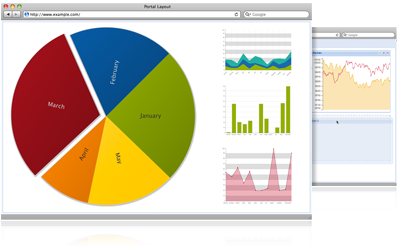
Charts provide a flexible way to achieve a wide range of data visualization capablitities. Each Chart gets its data directly from a Store, and automatically updates its display whenever data in the Store changes. In addition, the look and feel of a Chart can be customized using Themes.
Creating a Simple Chart
Every Chart has three key parts - a Store that contains the data, an array of Axes which define the boundaries of the Chart, and one or more Series to handle the visual rendering of the data points.
1. Creating a Store
The first step is to create a Model that represents the type of data that will be displayed in the Chart. For example the data for a chart that displays a weather forecast could be represented as a series of "WeatherPoint" data points with two fields - "temperature", and "date":
Ext.define('WeatherPoint', {
extend: 'Ext.data.Model',
fields: ['temperature', 'date']
});
Next a Store must be created. The store contains a collection of "WeatherPoint" Model instances. The data could be loaded dynamically, but for sake of ease this example uses inline data:
var store = Ext.create('Ext.data.Store', {
model: 'WeatherPoint',
data: [
{ temperature: 58, date: new Date(2011, 1, 1, 8) },
{ temperature: 63, date: new Date(2011, 1, 1, 9) },
{ temperature: 73, date: new Date(2011, 1, 1, 10) },
{ temperature: 78, date: new Date(2011, 1, 1, 11) },
{ temperature: 81, date: new Date(2011, 1, 1, 12) }
]
});
For additional information on Models and Stores please refer to the Data Guide.
2. Creating the Chart object
Now that a Store has been created it can be used in a Chart:
Ext.create('Ext.chart.Chart', {
renderTo: Ext.getBody(),
width: 400,
height: 300,
store: store
});
That's all it takes to create a Chart instance that is backed by a Store. However, if the above code is run in a browser, a blank screen will be displayed. This is because the two pieces that are responsible for the visual display, the Chart's axes and series, have not yet been defined.
3. Configuring the Axes
Axes are the lines that define the boundaries of the data points that a Chart can display. This example uses one of the most common Axes configurations - a horizontal "x" axis, and a vertical "y" axis:
Ext.create('Ext.chart.Chart', {
...
axes: [
{
title: 'Temperature',
type: 'Numeric',
position: 'left',
fields: ['temperature'],
minimum: 0,
maximum: 100
},
{
title: 'Time',
type: 'Time',
position: 'bottom',
fields: ['date'],
dateFormat: 'ga'
}
]
});
The "Temperature" axis is a vertical Numeric Axis and is positioned on the left edge of the Chart. It represents the bounds of the data contained in the "WeatherPoint" Model's "temperature" field that was defined above. The minimum value for this axis is "0", and the maximum is "100".
The horizontal axis is a Time Axis and is positioned on the bottom edge of the Chart. It represents the bounds of the data contained in the "WeatherPoint" Model's "date" field. The dateFormat configuration tells the Time Axis how to format it's labels.
Here's what the Chart looks like now that it has its Axes configured:

4. Configuring the Series
The final step in creating a simple Chart is to configure one or more Series. Series are responsible for the visual representation of the data points contained in the Store. This example only has one Series:
Ext.create('Ext.chart.Chart', {
...
axes: [
...
],
series: [
{
type: 'line',
xField: 'date',
yField: 'temperature'
}
]
});
This Series is a Line Series, and it uses the "date" and "temperature" fields from the "WeatherPoint" Models in the Store to plot its data points:

See the Line Charts Example for a live demo.
Themes
The color scheme for a Chart can be easily changed using the theme configuration option:
Ext.create('Ext.chart.Chart', {
...
theme: 'Green',
...
});

For more information on Charts please refer to the Drawing and Charting Guide.
Available since: 3.4.0
Config options
True for the default animation (easing: 'ease' and duration: 500) or a standard animation config object to be used for default chart animations. Defaults to false.
Defaults to: false
Available since: 4.0.0
A tag name or DomHelper spec used to create the Element which will encapsulate this Component.
You do not normally need to specify this. For the base classes Ext.Component and Ext.container.Container, this defaults to 'div'. The more complex Sencha classes use a more complex DOM structure specified by their own renderTpls.
This is intended to allow the developer to create application-specific utility Components encapsulated by different DOM elements. Example usage:
{
xtype: 'component',
autoEl: {
tag: 'img',
src: 'http://www.example.com/example.jpg'
}
}, {
xtype: 'component',
autoEl: {
tag: 'blockquote',
html: 'autoEl is cool!'
}
}, {
xtype: 'container',
autoEl: 'ul',
cls: 'ux-unordered-list',
items: {
xtype: 'component',
autoEl: 'li',
html: 'First list item'
}
}
Available since: 2.3.0
An alias for loader config which also allows to specify just a string which will be used as the url that's automatically loaded:
Ext.create('Ext.Component', {
autoLoad: 'content.html',
renderTo: Ext.getBody()
});
The above is the same as:
Ext.create('Ext.Component', {
loader: {
url: 'content.html',
autoLoad: true
},
renderTo: Ext.getBody()
});
Don't use it together with loader config.
This cfg has been deprecated since 4.1.1
Use loader config instead.
Available since: 4.1.1
This config is intended mainly for non-floating Components which may or may not be shown. Instead of using
renderTo in the configuration, and rendering upon construction, this allows a Component to render itself
upon first show. If floating is true, the value of this config is omitted as if it is true.
Specify as true to have this Component render to the document body upon first show.
Specify as an element, or the ID of an element to have this Component render to a specific element upon first show.
Defaults to: false
Available since: 4.0.0
true to automatically show the component upon creation. This config option may only be used for
floating components or components that use autoRender.
Defaults to: false
Available since: 2.3.0
Turn on autoSize support which will set the bounding div's size to the natural size of the contents.
Defaults to: false
Available since: 4.0.0
Array of Axis instances or config objects. For example:
axes: [{
type: 'Numeric',
position: 'left',
fields: ['data1'],
title: 'Number of Hits',
minimum: 0,
//one minor tick between two major ticks
minorTickSteps: 1
}, {
type: 'Category',
position: 'bottom',
fields: ['name'],
title: 'Month of the Year'
}]
Available since: 4.0.4
The chart background. This can be a gradient object, image, or color. Defaults to false for no
background. For example, if background were to be a color we could set the object as
background: {
//color string
fill: '#ccc'
}
You can specify an image by using:
background: {
image: 'http://path.to.image/'
}
Also you can specify a gradient by using the gradient object syntax:
background: {
gradient: {
id: 'gradientId',
angle: 45,
stops: {
0: {
color: '#555'
}
100: {
color: '#ddd'
}
}
}
}
Defaults to: false
Available since: 4.0.0
The base CSS class to apply to this component's element. This will also be prepended to elements within this
component like Panel's body will get a class x-panel-body. This means that if you create a subclass of Panel, and
you want it to get all the Panels styling for the element and the body, you leave the baseCls x-panel and use
componentCls to add specific styling for this component.
Defaults to: Ext.baseCSSPrefix + 'surface'
Available since: 4.0.0
Overrides: Ext.AbstractComponent.baseCls
Specifies the border size for this component. The border can be a single numeric value to apply to all sides or it can be a CSS style specification for each style, for example: '10 5 3 10' (top, right, bottom, left).
For components that have no border by default, setting this won't make the border appear by itself. You also need to specify border color and style:
border: 5,
style: {
borderColor: 'red',
borderStyle: 'solid'
}
To turn off the border, use border: false.
Available since: 4.0.0
An array describing the child elements of the Component. Each member of the array is an object with these properties:
name- The property name on the Component for the child element.itemId- The id to combine with the Component's id that is the id of the child element.id- The id of the child element.
If the array member is a string, it is equivalent to { name: m, itemId: m }.
For example, a Component which renders a title and body text:
Ext.create('Ext.Component', {
renderTo: Ext.getBody(),
renderTpl: [
'<h1 id="{id}-title">{title}</h1>',
'<p>{msg}</p>',
],
renderData: {
title: "Error",
msg: "Something went wrong"
},
childEls: ["title"],
listeners: {
afterrender: function(cmp){
// After rendering the component will have a title property
cmp.title.setStyle({color: "red"});
}
}
});
A more flexible, but somewhat slower, approach is renderSelectors.
Available since: 4.0.5
An optional extra CSS class that will be added to this component's Element. This can be useful for adding customized styles to the component or any of its children using standard CSS rules.
Defaults to: ''
Available since: 1.1.0
Defines the column width inside column layout.
Can be specified as a number or as a percentage.
Available since: 4.1.1
CSS Class to be added to a components root level element to give distinction to it via styling.
Available since: 4.0.0
The sizing and positioning of a Component's internal Elements is the responsibility of the Component's layout manager which sizes a Component's internal structure in response to the Component being sized.
Generally, developers will not use this configuration as all provided Components which need their internal elements sizing (Such as input fields) come with their own componentLayout managers.
The default layout manager will be used on instances of the base Ext.Component class which simply sizes the Component's encapsulating element to the height and width specified in the setSize method.
Defaults to: 'draw'
Available since: 4.0.0
Overrides: Ext.AbstractComponent.componentLayout
A Region (or an element from which a Region measurement will be read) which is used to constrain the component. Only applies when the component is floating.
Available since: 4.1.2
Specify an existing HTML element, or the id of an existing HTML element to use as the content for this component.
This config option is used to take an existing HTML element and place it in the layout element of a new component (it simply moves the specified DOM element after the Component is rendered to use as the content.
Notes:
The specified HTML element is appended to the layout element of the component after any configured HTML has been inserted, and so the document will not contain this element at the time the render event is fired.
The specified HTML element used will not participate in any layout
scheme that the Component may use. It is just HTML. Layouts operate on child
items.
Add either the x-hidden or the x-hide-display CSS class to prevent a brief flicker of the content before it
is rendered to the panel.
Available since: 3.4.0
The default Ext.Element#getAlignToXY anchor position value for this menu relative to its element of origin. Used in conjunction with showBy.
Defaults to: "tl-bl?"
Available since: Ext JS 4.1.3
true to disable the component.
Defaults to: false
Available since: 2.3.0
CSS class to add when the Component is disabled.
Defaults to: 'x-item-disabled'
Available since: 4.0.0
Specify as true to make a floating Component draggable using the Component's encapsulating element as the drag handle.
This may also be specified as a config object for the ComponentDragger which is instantiated to perform dragging.
For example to create a Component which may only be dragged around using a certain internal element as the drag handle, use the delegate option:
new Ext.Component({
constrain: true,
floating: true,
style: {
backgroundColor: '#fff',
border: '1px solid black'
},
html: '<h1 style="cursor:move">The title</h1><p>The content</p>',
draggable: {
delegate: 'h1'
}
}).show();
Defaults to: false
Available since: 4.0.0
Overrides: Ext.AbstractComponent.draggable
Defines the priority order for which Surface implementation to use. The first one supported by the current environment will be used.
Defaults to: ['Svg', 'Vml']
Available since: 4.0.0
Specify as true to float the Component outside of the document flow using CSS absolute positioning.
Components such as Windows and Menus are floating by default.
Floating Components that are programatically rendered will register themselves with the global ZIndexManager
Floating Components as child items of a Container
A floating Component may be used as a child item of a Container. This just allows the floating Component to seek a ZIndexManager by examining the ownerCt chain.
When configured as floating, Components acquire, at render time, a ZIndexManager which manages a stack of related floating Components. The ZIndexManager brings a single floating Component to the top of its stack when the Component's toFront method is called.
The ZIndexManager is found by traversing up the ownerCt chain to find an ancestor which itself is floating. This is so that descendant floating Components of floating Containers (Such as a ComboBox dropdown within a Window) can have its zIndex managed relative to any siblings, but always above that floating ancestor Container.
If no floating ancestor is found, a floating Component registers itself with the default ZIndexManager.
Floating components do not participate in the Container's layout. Because of this, they are not rendered until you explicitly show them.
After rendering, the ownerCt reference is deleted, and the floatParent property is set to the found floating ancestor Container. If no floating ancestor Container was found the floatParent property will not be set.
Defaults to: false
Available since: 4.0.0
Overrides: Ext.AbstractComponent.floating
Specifies whether the floated component should be automatically focused when it is brought to the front.
Defaults to: true
Available since: 4.0.0
When inside FormPanel, any component configured with formBind: true will
be enabled/disabled depending on the validity state of the form.
See Ext.form.Panel for more information and example.
Defaults to: false
Available since: 4.1.1
Specify as true to have the Component inject framing elements within the Component at render time to provide a
graphical rounded frame around the Component content.
This is only necessary when running on outdated, or non standard-compliant browsers such as Microsoft's Internet Explorer prior to version 9 which do not support rounded corners natively.
The extra space taken up by this framing is available from the read only property frameSize.
Available since: 4.0.0
Define a set of gradients that can be used as fill property in sprites. The gradients array is an
array of objects with the following properties:
- id - string - The unique name of the gradient.
- angle - number, optional - The angle of the gradient in degrees.
- stops - object - An object with numbers as keys (from 0 to 100) and style objects as values
For example:
gradients: [{
id: 'gradientId',
angle: 45,
stops: {
0: {
color: '#555'
},
100: {
color: '#ddd'
}
}
}, {
id: 'gradientId2',
angle: 0,
stops: {
0: {
color: '#590'
},
20: {
color: '#599'
},
100: {
color: '#ddd'
}
}
}]
Then the sprites can use gradientId and gradientId2 by setting the fill attributes to those ids, for example:
sprite.setAttributes({
fill: 'url(#gradientId)'
}, true);
Available since: 4.0.0
Overrides: Ext.draw.Component.gradients
The height of this component in pixels.
Available since: 4.0.0
A String which specifies how this Component's encapsulating DOM element will be hidden. Values may be:
'display': The Component will be hidden using thedisplay: nonestyle.'visibility': The Component will be hidden using thevisibility: hiddenstyle.'offsets': The Component will be hidden by absolutely positioning it out of the visible area of the document. This is useful when a hidden Component must maintain measurable dimensions. Hiding usingdisplayresults in a Component having zero dimensions.
Defaults to: 'display'
Available since: 1.1.0
An HTML fragment, or a DomHelper specification to use as the layout element content. The HTML content is added after the component is rendered, so the document will not contain this HTML at the time the render event is fired. This content is inserted into the body before any configured contentEl is appended.
Defaults to: ''
Available since: 3.4.0
The unique id of this component instance.
It should not be necessary to use this configuration except for singleton objects in your application. Components
created with an id may be accessed globally using Ext.getCmp.
Instead of using assigned ids, use the itemId config, and ComponentQuery which provides selector-based searching for Sencha Components analogous to DOM querying. The Container class contains shortcut methods to query its descendant Components by selector.
Note that this id will also be used as the element id for the containing HTML element that is rendered to the
page for this component. This allows you to write id-based CSS rules to style the specific instance of this
component uniquely, and also to select sub-elements using this component's id as the parent.
Note: To avoid complications imposed by a unique id also see itemId.
Note: To access the container of a Component see ownerCt.
Defaults to an auto-assigned id.
Available since: 1.1.0
The amount of inset padding in pixels for the chart. Defaults to 10.
Defaults to: 10
Available since: 4.0.0
An itemId can be used as an alternative way to get a reference to a component when no object reference is
available. Instead of using an id with Ext.getCmp, use itemId with
Ext.container.Container.getComponent which will retrieve
itemId's or id's. Since itemId's are an index to the container's internal MixedCollection, the
itemId is scoped locally to the container -- avoiding potential conflicts with Ext.ComponentManager
which requires a unique id.
var c = new Ext.panel.Panel({ //
height: 300,
renderTo: document.body,
layout: 'auto',
items: [
{
itemId: 'p1',
title: 'Panel 1',
height: 150
},
{
itemId: 'p2',
title: 'Panel 2',
height: 150
}
]
})
p1 = c.getComponent('p1'); // not the same as Ext.getCmp()
p2 = p1.ownerCt.getComponent('p2'); // reference via a sibling
Also see id, Ext.container.Container.query, Ext.container.Container.down and
Ext.container.Container.child.
Note: to access the container of an item see ownerCt.
Available since: 3.4.0
Array of sprites or sprite config objects to add initially to the surface.
Available since: 4.1.1
True for the default legend display or a legend config object. Defaults to false.
Defaults to: false
Available since: 4.0.0
A config object containing one or more event handlers to be added to this object during initialization. This should be a valid listeners config object as specified in the addListener example for attaching multiple handlers at once.
DOM events from Ext JS Components
While some Ext JS Component classes export selected DOM events (e.g. "click", "mouseover" etc), this is usually
only done when extra value can be added. For example the DataView's itemclick event passing the node clicked on. To access DOM events directly from a
child element of a Component, we need to specify the element option to identify the Component property to add a
DOM listener to:
new Ext.panel.Panel({
width: 400,
height: 200,
dockedItems: [{
xtype: 'toolbar'
}],
listeners: {
click: {
element: 'el', //bind to the underlying el property on the panel
fn: function(){ console.log('click el'); }
},
dblclick: {
element: 'body', //bind to the underlying body property on the panel
fn: function(){ console.log('dblclick body'); }
}
}
});
Available since: 1.1.0
A configuration object or an instance of a Ext.ComponentLoader to load remote content for this Component.
Ext.create('Ext.Component', {
loader: {
url: 'content.html',
autoLoad: true
},
renderTo: Ext.getBody()
});
Available since: 4.0.0
Specifies the margin for this component. The margin can be a single numeric value to apply to all sides or it can be a CSS style specification for each style, for example: '10 5 3 10' (top, right, bottom, left).
Available since: 4.0.0
Enables selecting a region on chart. True to enable any selection, 'horizontal' or 'vertical' to restrict the selection to X or Y axis.
The mask in itself will do nothing but fire 'select' event. See Ext.chart.Mask for example.
Available since: 4.1.0
The maximum value in pixels which this Component will set its height to.
Warning: This will override any size management applied by layout managers.
Available since: 4.0.0
The maximum value in pixels which this Component will set its width to.
Warning: This will override any size management applied by layout managers.
Available since: 4.0.0
The minimum value in pixels which this Component will set its height to.
Warning: This will override any size management applied by layout managers.
Available since: 4.0.0
The minimum value in pixels which this Component will set its width to.
Warning: This will override any size management applied by layout managers.
Available since: 4.0.0
An optional extra CSS class that will be added to this component's Element when the mouse moves over the Element, and removed when the mouse moves out. This can be useful for adding customized 'active' or 'hover' styles to the component or any of its children using standard CSS rules.
Defaults to: ''
Available since: 2.3.0
Possible values are:
* 'auto' to enable automatic horizontal scrollbar (overflow-x: 'auto').
* 'scroll' to always enable horizontal scrollbar (overflow-x: 'scroll').
The default is overflow-x: 'hidden'. This should not be combined with autoScroll.
Available since: 4.1.0
Possible values are:
* 'auto' to enable automatic vertical scrollbar (overflow-y: 'auto').
* 'scroll' to always enable vertical scrollbar (overflow-y: 'scroll').
The default is overflow-y: 'hidden'. This should not be combined with autoScroll.
Available since: 4.1.0
Specifies the padding for this component. The padding can be a single numeric value to apply to all sides or it can be a CSS style specification for each style, for example: '10 5 3 10' (top, right, bottom, left).
Available since: 4.0.0
An array of plugins to be added to this component. Can also be just a single plugin instead of array.
Plugins provide custom functionality for a component. The only requirement for
a valid plugin is that it contain an init method that accepts a reference of type Ext.Component. When a component
is created, if any plugins are available, the component will call the init method on each plugin, passing a
reference to itself. Each plugin can then call methods or respond to events on the component as needed to provide
its functionality.
Plugins can be added to component by either directly referencing the plugin instance:
plugins: [Ext.create('Ext.grid.plugin.CellEditing', {clicksToEdit: 1})],
By using config object with ptype:
plugins: [{ptype: 'cellediting', clicksToEdit: 1}],
Or with just a ptype:
plugins: ['cellediting', 'gridviewdragdrop'],
See Ext.enums.Plugin for list of all ptypes.
Available since: 2.3.0
Defines the region inside border layout.
Possible values:
- north - Positions component at top.
- south - Positions component at bottom.
- east - Positions component at right.
- west - Positions component at left.
- center - Positions component at the remaining space.
There must be a component with
region: "center"in every border layout.
Available since: 4.1.1
The data used by renderTpl in addition to the following property values of the component:
- id
- ui
- uiCls
- baseCls
- componentCls
- frame
See renderSelectors and childEls for usage examples.
Available since: 4.0.7
An object containing properties specifying DomQuery selectors which identify child elements created by the render process.
After the Component's internal structure is rendered according to the renderTpl, this object is iterated through,
and the found Elements are added as properties to the Component using the renderSelector property name.
For example, a Component which renders a title and description into its element:
Ext.create('Ext.Component', {
renderTo: Ext.getBody(),
renderTpl: [
'<h1 class="title">{title}</h1>',
'<p>{desc}</p>'
],
renderData: {
title: "Error",
desc: "Something went wrong"
},
renderSelectors: {
titleEl: 'h1.title',
descEl: 'p'
},
listeners: {
afterrender: function(cmp){
// After rendering the component will have a titleEl and descEl properties
cmp.titleEl.setStyle({color: "red"});
}
}
});
For a faster, but less flexible, alternative that achieves the same end result (properties for child elements on the Component after render), see childEls and addChildEls.
Available since: 4.0.0
Specify the id of the element, a DOM element or an existing Element that this component will be rendered into.
Notes:
Do not use this option if the Component is to be a child item of a Container. It is the responsibility of the Container's layout manager to render and manage its child items.
When using this config, a call to render() is not required.
See also: render.
Available since: 2.3.0
An XTemplate used to create the internal structure inside this Component's encapsulating Element.
You do not normally need to specify this. For the base classes Ext.Component and
Ext.container.Container, this defaults to null which means that they will be initially rendered
with no internal structure; they render their Element empty. The more specialized Ext JS and Sencha Touch
classes which use a more complex DOM structure, provide their own template definitions.
This is intended to allow the developer to create application-specific utility Components with customized internal structure.
Upon rendering, any created child elements may be automatically imported into object properties using the renderSelectors and childEls options.
Defaults to: '{%this.renderContent(out,values)%}'
Available since: 4.0.0
Specify as true to apply a Resizer to this Component after rendering.
May also be specified as a config object to be passed to the constructor of Resizer
to override any defaults. By default the Component passes its minimum and maximum size, and uses
Ext.resizer.Resizer.dynamic: false
Available since: 4.0.0
A valid Ext.resizer.Resizer handles config string. Only applies when resizable = true.
Defaults to: 'all'
Available since: 4.0.0
A buffer to be applied if many state events are fired within a short period.
Defaults to: 100
Available since: 4.0.6
Array of Series instances or config objects. For example:
series: [{
type: 'column',
axis: 'left',
listeners: {
'afterrender': function() {
console('afterrender');
}
},
xField: 'category',
yField: 'data1'
}]
Available since: 4.0.4
Specifies whether the floating component should be given a shadow. Set to true to automatically create an Ext.Shadow, or a string indicating the shadow's display Ext.Shadow.mode. Set to false to disable the shadow.
Defaults to: 'sides'
Available since: 4.0.0
Number of pixels to offset the shadow.
Available since: 4.1.0
If this property is a number, it is interpreted as follows:
- 0: Neither width nor height depend on content. This is equivalent to
false. - 1: Width depends on content (shrink wraps), but height does not.
- 2: Height depends on content (shrink wraps), but width does not. The default.
- 3: Both width and height depend on content (shrink wrap). This is equivalent to
true.
In CSS terms, shrink-wrap width is analogous to an inline-block element as opposed to a block-level element. Some container layouts always shrink-wrap their children, effectively ignoring this property (e.g., Ext.layout.container.HBox, Ext.layout.container.VBox, Ext.layout.component.Dock).
Defaults to: 3
Available since: 4.1.0
Overrides: Ext.AbstractComponent.shrinkWrap
An array of events that, when fired, should trigger this object to
save its state. Defaults to none. stateEvents may be any type
of event supported by this object, including browser or custom events
(e.g., ['click', 'customerchange']).
See stateful for an explanation of saving and
restoring object state.
Available since: 4.0.0
The unique id for this object to use for state management purposes.
See stateful for an explanation of saving and restoring state.
Available since: 4.0.0
A flag which causes the object to attempt to restore the state of internal properties from a saved state on startup. The object must have a stateId for state to be managed.
Auto-generated ids are not guaranteed to be stable across page loads and cannot be relied upon to save and restore the same state for a object.
For state saving to work, the state manager's provider must have been set to an implementation of Ext.state.Provider which overrides the set and get methods to save and recall name/value pairs. A built-in implementation, Ext.state.CookieProvider is available.
To set the state provider for the current page:
Ext.state.Manager.setProvider(new Ext.state.CookieProvider({
expires: new Date(new Date().getTime()+(1000*60*60*24*7)), //7 days from now
}));
A stateful object attempts to save state when one of the events listed in the stateEvents configuration fires.
To save state, a stateful object first serializes its state by calling getState.
The Component base class implements getState to save its width and height within the state only if they were initially configured, and have changed from the configured value.
The Panel class saves its collapsed state in addition to that.
The Grid class saves its column state in addition to its superclass state.
If there is more application state to be save, the developer must provide an implementation which first calls the superclass method to inherit the above behaviour, and then injects new properties into the returned object.
The value yielded by getState is passed to Ext.state.Manager.set which uses the configured Ext.state.Provider to save the object keyed by the stateId.
During construction, a stateful object attempts to restore its state by calling Ext.state.Manager.get passing the stateId
The resulting object is passed to applyState*. The default implementation of applyState simply copies properties into the object, but a developer may override this to support restoration of more complex application state.
You can perform extra processing on state save and restore by attaching handlers to the beforestaterestore, staterestore, beforestatesave and statesave events.
Defaults to: false
Available since: 4.0.0
The store that supplies data to this chart.
Available since: 4.0.4
A custom style specification to be applied to this component's Element. Should be a valid argument to Ext.Element.applyStyles.
new Ext.panel.Panel({
title: 'Some Title',
renderTo: Ext.getBody(),
width: 400, height: 300,
layout: 'form',
items: [{
xtype: 'textarea',
style: {
width: '95%',
marginBottom: '10px'
}
},
new Ext.button.Button({
text: 'Send',
minWidth: '100',
style: {
marginBottom: '10px'
}
})
]
});
Available since: 1.1.0
The class that is added to the content target when you set styleHtmlContent to true.
Defaults to: 'x-html'
Available since: 4.0.0
true to automatically style the HTML inside the content target of this component (body for panels).
Defaults to: false
Available since: 4.0.0
The name of the theme to be used. A theme defines the colors and other visual displays of tick marks on axis, text, title text, line colors, marker colors and styles, etc. Possible theme values are 'Base', 'Green', 'Sky', 'Red', 'Purple', 'Blue', 'Yellow' and also six category themes 'Category1' to 'Category6'. Default value is 'Base'.
Available since: 4.0.0
An Ext.Template, Ext.XTemplate or an array of strings to form an Ext.XTemplate. Used in
conjunction with the data and tplWriteMode configurations.
Available since: 3.4.0
The Ext.(X)Template method to use when updating the content area of the Component.
See Ext.XTemplate.overwrite for information on default mode.
Defaults to: 'overwrite'
Available since: 3.4.0
A UI style for a component.
Defaults to: 'default'
Available since: 4.0.0
An array of of classNames which are currently applied to this component.
Defaults to: []
Available since: 4.0.0
Turn on view box support which will scale and position items in the draw component to fit to the component while maintaining aspect ratio. Note that this scaling can override other sizing settings on your items.
Defaults to: false
Available since: 4.0.0
Overrides: Ext.draw.Component.viewBox
The width of this component in pixels.
Available since: 4.0.0
This property provides a shorter alternative to creating objects than using a full
class name. Using xtype is the most common way to define component instances,
especially in a container. For example, the items in a form containing text fields
could be created explicitly like so:
items: [
Ext.create('Ext.form.field.Text', {
fieldLabel: 'Foo'
}),
Ext.create('Ext.form.field.Text', {
fieldLabel: 'Bar'
}),
Ext.create('Ext.form.field.Number', {
fieldLabel: 'Num'
})
]
But by using xtype, the above becomes:
items: [
{
xtype: 'textfield',
fieldLabel: 'Foo'
},
{
xtype: 'textfield',
fieldLabel: 'Bar'
},
{
xtype: 'numberfield',
fieldLabel: 'Num'
}
]
When the xtype is common to many items, Ext.container.AbstractContainer.defaultType
is another way to specify the xtype for all items that don't have an explicit xtype:
defaultType: 'textfield',
items: [
{ fieldLabel: 'Foo' },
{ fieldLabel: 'Bar' },
{ fieldLabel: 'Num', xtype: 'numberfield' }
]
Each member of the items array is now just a "configuration object". These objects
are used to create and configure component instances. A configuration object can be
manually used to instantiate a component using Ext.widget:
var text1 = Ext.create('Ext.form.field.Text', {
fieldLabel: 'Foo'
});
// or alternatively:
var text1 = Ext.widget({
xtype: 'textfield',
fieldLabel: 'Foo'
});
This conversion of configuration objects into instantiated components is done when
a container is created as part of its {Ext.container.AbstractContainer.initComponent}
process. As part of the same process, the items array is converted from its raw
array form into a Ext.util.MixedCollection instance.
You can define your own xtype on a custom component by specifying
the xtype property in Ext.define. For example:
Ext.define('MyApp.PressMeButton', {
extend: 'Ext.button.Button',
xtype: 'pressmebutton',
text: 'Press Me'
});
Care should be taken when naming an xtype in a custom component because there is
a single, shared scope for all xtypes. Third part components should consider using
a prefix to avoid collisions.
Ext.define('Foo.form.CoolButton', {
extend: 'Ext.button.Button',
xtype: 'ux-coolbutton',
text: 'Cool!'
});
See Ext.enums.Widget for list of all available xtypes.
Available since: 2.3.0
Properties
Instance Properties _isLayoutRoot : BooleanprotectedSetting this property to true causes the isLayoutRoot method to return
true and stop the search for the top-most comp...Setting this property to true causes the isLayoutRoot method to return
true and stop the search for the top-most component for a layout.
Defaults to: false
Available since: 4.1.0
true indicates an id was auto-generated rather than provided by configuration. ...true indicates an id was auto-generated rather than provided by configuration.
Defaults to: false
Available since: 4.1.0
componentLayoutCounter : NumberprivateThe number of component layout calls made on this object. ...The number of component layout calls made on this object.
Defaults to: 0
Available since: 4.0.3
Indicates whether or not the component can be dragged. ...Indicates whether or not the component can be dragged.
Defaults to: false
Available since: 4.0.0
eventsSuspended : NumberprivateInitial suspended call count. ...Initial suspended call count. Incremented when suspendEvents is called, decremented when resumeEvents is called.
Defaults to: 0
Available since: 4.1.1
floatParent : Ext.ContainerreadonlyOnly present for floating Components which were inserted as child items of Containers. ...Only present for floating Components which were inserted as child items of Containers.
There are other similar relationships such as the button which activates a menu, or the
menu item which activated a submenu, or the
column header which activated the column menu.
These differences are abstracted away by the up method.
Floating Components that are programatically rendered will not have a floatParent
property.
See floating and zIndexManager
Available since: 4.0.0
frameElNames : Arrayprivate ...
Defaults to: ['TL', 'TC', 'TR', 'ML', 'MC', 'MR', 'BL', 'BC', 'BR']
Available since: 4.1.0
frameElementCls : Objectprivate ...
Defaults to: {tl: [], tc: [], tr: [], ml: [], mc: [], mr: [], bl: [], bc: [], br: []}
Available since: 4.1.0
frameElementsArray : Arrayprivate ...
Defaults to: ['tl', 'tc', 'tr', 'ml', 'mc', 'mr', 'bl', 'bc', 'br']
Available since: 4.1.0
frameInfoCache : ObjectprivateCache the frame information object so as not to cause style recalculations ...Cache the frame information object so as not to cause style recalculations
Defaults to: {}
Available since: 4.1.0
Indicates the width of any framing elements which were added within the encapsulating element
to provide graphical, r...Indicates the width of any framing elements which were added within the encapsulating element
to provide graphical, rounded borders. See the frame config.
This is an object containing the frame width in pixels for all four sides of the Component containing the
following properties:
Defaults to: {left: 0, top: 0, right: 0, bottom: 0, width: 0, height: 0}
Available since: 4.0.0
- top : Number (optional)
The width of the top framing element in pixels.
Defaults to: 0
- right : Number (optional)
The width of the right framing element in pixels.
Defaults to: 0
- bottom : Number (optional)
The width of the bottom framing element in pixels.
Defaults to: 0
- left : Number (optional)
The width of the left framing element in pixels.
Defaults to: 0
- width : Number (optional)
The total width of the left and right framing elements in pixels.
Defaults to: 0
- height : Number (optional)
The total height of the top and right bottom elements in pixels.
Defaults to: 0
frameTableTpl : Arrayprivate ...
Defaults to: ['{%this.renderDockedItems(out,values,0);%}', '<table><tbody>', '<tpl if="top">', '<tr>', '<tpl if="left"><td id="{fgid}TL" class="{frameCls}-tl {baseCls}-tl {baseCls}-{ui}-tl<tpl for="uiCls"> {parent.baseCls}-{parent.ui}-{.}-tl</tpl>" style="background-position: {tl}; padding-left:{frameWidth}px" role="presentation"></td></tpl>', '<td id="{fgid}TC" class="{frameCls}-tc {baseCls}-tc {baseCls}-{ui}-tc<tpl for="uiCls"> {parent.baseCls}-{parent.ui}-{.}-tc</tpl>" style="background-position: {tc}; height: {frameWidth}px" role="presentation"></td>', '<tpl if="right"><td id="{fgid}TR" class="{frameCls}-tr {baseCls}-tr {baseCls}-{ui}-tr<tpl for="uiCls"> {parent.baseCls}-{parent.ui}-{.}-tr</tpl>" style="background-position: {tr}; padding-left: {frameWidth}px" role="presentation"></td></tpl>', '</tr>', '</tpl>', '<tr>', '<tpl if="left"><td id="{fgid}ML" class="{frameCls}-ml {baseCls}-ml {baseCls}-{ui}-ml<tpl for="uiCls"> {parent.baseCls}-{parent.ui}-{.}-ml</tpl>" style="background-position: {ml}; padding-left: {frameWidth}px" role="presentation"></td></tpl>', '<td id="{fgid}MC" class="{frameCls}-mc {baseCls}-mc {baseCls}-{ui}-mc<tpl for="uiCls"> {parent.baseCls}-{parent.ui}-{.}-mc</tpl>" style="background-position: 0 0;" role="presentation">', '{%this.applyRenderTpl(out, values)%}', '</td>', '<tpl if="right"><td id="{fgid}MR" class="{frameCls}-mr {baseCls}-mr {baseCls}-{ui}-mr<tpl for="uiCls"> {parent.baseCls}-{parent.ui}-{.}-mr</tpl>" style="background-position: {mr}; padding-left: {frameWidth}px" role="presentation"></td></tpl>', '</tr>', '<tpl if="bottom">', '<tr>', '<tpl if="left"><td id="{fgid}BL" class="{frameCls}-bl {baseCls}-bl {baseCls}-{ui}-bl<tpl for="uiCls"> {parent.baseCls}-{parent.ui}-{.}-bl</tpl>" style="background-position: {bl}; padding-left: {frameWidth}px" role="presentation"></td></tpl>', '<td id="{fgid}BC" class="{frameCls}-bc {baseCls}-bc {baseCls}-{ui}-bc<tpl for="uiCls"> {parent.baseCls}-{parent.ui}-{.}-bc</tpl>" style="background-position: {bc}; height: {frameWidth}px" role="presentation"></td>', '<tpl if="right"><td id="{fgid}BR" class="{frameCls}-br {baseCls}-br {baseCls}-{ui}-br<tpl for="uiCls"> {parent.baseCls}-{parent.ui}-{.}-br</tpl>" style="background-position: {br}; padding-left: {frameWidth}px" role="presentation"></td></tpl>', '</tr>', '</tpl>', '</tbody></table>', '{%this.renderDockedItems(out,values,1);%}']
Available since: 4.1.0
...
Defaults to: ['{%this.renderDockedItems(out,values,0);%}', '<tpl if="top">', '<tpl if="left"><div id="{fgid}TL" class="{frameCls}-tl {baseCls}-tl {baseCls}-{ui}-tl<tpl for="uiCls"> {parent.baseCls}-{parent.ui}-{.}-tl</tpl>" style="background-position: {tl}; padding-left: {frameWidth}px" role="presentation"></tpl>', '<tpl if="right"><div id="{fgid}TR" class="{frameCls}-tr {baseCls}-tr {baseCls}-{ui}-tr<tpl for="uiCls"> {parent.baseCls}-{parent.ui}-{.}-tr</tpl>" style="background-position: {tr}; padding-right: {frameWidth}px" role="presentation"></tpl>', '<div id="{fgid}TC" class="{frameCls}-tc {baseCls}-tc {baseCls}-{ui}-tc<tpl for="uiCls"> {parent.baseCls}-{parent.ui}-{.}-tc</tpl>" style="background-position: {tc}; height: {frameWidth}px" role="presentation"></div>', '<tpl if="right"></div></tpl>', '<tpl if="left"></div></tpl>', '</tpl>', '<tpl if="left"><div id="{fgid}ML" class="{frameCls}-ml {baseCls}-ml {baseCls}-{ui}-ml<tpl for="uiCls"> {parent.baseCls}-{parent.ui}-{.}-ml</tpl>" style="background-position: {ml}; padding-left: {frameWidth}px" role="presentation"></tpl>', '<tpl if="right"><div id="{fgid}MR" class="{frameCls}-mr {baseCls}-mr {baseCls}-{ui}-mr<tpl for="uiCls"> {parent.baseCls}-{parent.ui}-{.}-mr</tpl>" style="background-position: {mr}; padding-right: {frameWidth}px" role="presentation"></tpl>', '<div id="{fgid}MC" class="{frameCls}-mc {baseCls}-mc {baseCls}-{ui}-mc<tpl for="uiCls"> {parent.baseCls}-{parent.ui}-{.}-mc</tpl>" role="presentation">', '{%this.applyRenderTpl(out, values)%}', '</div>', '<tpl if="right"></div></tpl>', '<tpl if="left"></div></tpl>', '<tpl if="bottom">', '<tpl if="left"><div id="{fgid}BL" class="{frameCls}-bl {baseCls}-bl {baseCls}-{ui}-bl<tpl for="uiCls"> {parent.baseCls}-{parent.ui}-{.}-bl</tpl>" style="background-position: {bl}; padding-left: {frameWidth}px" role="presentation"></tpl>', '<tpl if="right"><div id="{fgid}BR" class="{frameCls}-br {baseCls}-br {baseCls}-{ui}-br<tpl for="uiCls"> {parent.baseCls}-{parent.ui}-{.}-br</tpl>" style="background-position: {br}; padding-right: {frameWidth}px" role="presentation"></tpl>', '<div id="{fgid}BC" class="{frameCls}-bc {baseCls}-bc {baseCls}-{ui}-bc<tpl for="uiCls"> {parent.baseCls}-{parent.ui}-{.}-bc</tpl>" style="background-position: {bc}; height: {frameWidth}px" role="presentation"></div>', '<tpl if="right"></div></tpl>', '<tpl if="left"></div></tpl>', '</tpl>', '{%this.renderDockedItems(out,values,1);%}']
Available since: 4.1.0
hasListeners : ObjectreadonlyThis object holds a key for any event that has a listener. ...This object holds a key for any event that has a listener. The listener may be set
directly on the instance, or on its class or a super class (via observe) or
on the MVC EventBus. The values of this object are truthy
(a non-zero number) and falsy (0 or undefined). They do not represent an exact count
of listeners. The value for an event is truthy if the event must be fired and is
falsy if there is no need to fire the event.
The intended use of this property is to avoid the expense of fireEvent calls when
there are no listeners. This can be particularly helpful when one would otherwise
have to call fireEvent hundreds or thousands of times. It is used like this:
if (this.hasListeners.foo) {
this.fireEvent('foo', this, arg1);
}
Available since: 4.1.0
true in this class to identify an object as an instantiated Component, or subclass thereof. ...true in this class to identify an object as an instantiated Component, or subclass thereof.
Defaults to: true
Available since: 4.0.0
true in this class to identify an object as an instantiated Observable, or subclass thereof. ...true in this class to identify an object as an instantiated Observable, or subclass thereof.
Defaults to: true
Available since: 4.0.0
This is an internal flag that you use when creating custom components. ...This is an internal flag that you use when creating custom components. By default this is set to true which means
that every component gets a mask when it's disabled. Components like FieldContainer, FieldSet, Field, Button, Tab
override this property to false since they want to implement custom disable logic.
Defaults to: true
Available since: 4.0.0
offsetsCls : Stringprivate ...
Defaults to: Ext.baseCSSPrefix + 'hide-offsets'
Available since: 4.1.2
ownerCt : Ext.ContainerreadonlyThis Component's owner Container (is set automatically
when this Component is added to a Container). ...This Component's owner Container (is set automatically
when this Component is added to a Container).
Important. This is not a universal upwards navigation pointer. It indicates the Container which owns and manages
this Component if any. There are other similar relationships such as the button which activates a menu, or the
menu item which activated a submenu, or the
column header which activated the column menu.
These differences are abstracted away by the up method.
Note: to access items within the Container see itemId.
Available since: 2.3.0
Indicates whether or not the component has been rendered. ...Indicates whether or not the component has been rendered.
Defaults to: false
Available since: 1.1.0
Get the reference to the current class from which this object was instantiated. ...Get the reference to the current class from which this object was instantiated. Unlike statics,
this.self is scope-dependent and it's meant to be used for dynamic inheritance. See statics
for a detailed comparison
Ext.define('My.Cat', {
statics: {
speciesName: 'Cat' // My.Cat.speciesName = 'Cat'
},
constructor: function() {
alert(this.self.speciesName); // dependent on 'this'
},
clone: function() {
return new this.self();
}
});
Ext.define('My.SnowLeopard', {
extend: 'My.Cat',
statics: {
speciesName: 'Snow Leopard' // My.SnowLeopard.speciesName = 'Snow Leopard'
}
});
var cat = new My.Cat(); // alerts 'Cat'
var snowLeopard = new My.SnowLeopard(); // alerts 'Snow Leopard'
var clone = snowLeopard.clone();
alert(Ext.getClassName(clone)); // alerts 'My.SnowLeopard'
Available since: 4.0.0
The Surface instance managed by this component.
Available since: 4.1.1
zIndexManager : Ext.ZIndexManagerreadonlyOnly present for floating Components after they have been rendered. ...Only present for floating Components after they have been rendered.
A reference to the ZIndexManager which is managing this Component's z-index.
The ZIndexManager maintains a stack of floating Component z-indices, and also provides
a single modal mask which is insert just beneath the topmost visible modal floating Component.
Floating Components may be brought to the front or sent to the back of the
z-index stack.
This defaults to the global ZIndexManager for floating Components that are
programatically rendered.
For floating Components which are added to a Container, the ZIndexManager is acquired from the first
ancestor Container found which is floating. If no floating ancestor is found, the global ZIndexManager is
used.
See floating and zIndexParent
Available since: 4.0.0
zIndexParent : Ext.ContainerreadonlyOnly present for floating Components which were inserted as child items of Containers, and which have a floating
Cont...Only present for floating Components which were inserted as child items of Containers, and which have a floating
Container in their containment ancestry.
For floating Components which are child items of a Container, the zIndexParent will be a floating
ancestor Container which is responsible for the base z-index value of all its floating descendants. It provides
a ZIndexManager which provides z-indexing services for all its descendant floating
Components.
Floating Components that are programatically rendered will not have a zIndexParent
property.
For example, the dropdown BoundList of a ComboBox which is in a Window will have the
Window as its zIndexParent, and will always show above that Window, wherever the Window is placed in the z-index stack.
See floating and zIndexManager
Available since: 4.1.0
Setting this property to true causes the isLayoutRoot method to return
true and stop the search for the top-most component for a layout.
Defaults to: false
Available since: 4.1.0
true indicates an id was auto-generated rather than provided by configuration.
Defaults to: false
Available since: 4.1.0
The number of component layout calls made on this object.
Defaults to: 0
Available since: 4.0.3
Indicates whether or not the component can be dragged.
Defaults to: false
Available since: 4.0.0
Initial suspended call count. Incremented when suspendEvents is called, decremented when resumeEvents is called.
Defaults to: 0
Available since: 4.1.1
Only present for floating Components which were inserted as child items of Containers.
There are other similar relationships such as the button which activates a menu, or the menu item which activated a submenu, or the column header which activated the column menu.
These differences are abstracted away by the up method.
Floating Components that are programatically rendered will not have a floatParent
property.
See floating and zIndexManager
Available since: 4.0.0
Defaults to: ['TL', 'TC', 'TR', 'ML', 'MC', 'MR', 'BL', 'BC', 'BR']
Available since: 4.1.0
Defaults to: {tl: [], tc: [], tr: [], ml: [], mc: [], mr: [], bl: [], bc: [], br: []}
Available since: 4.1.0
Defaults to: ['tl', 'tc', 'tr', 'ml', 'mc', 'mr', 'bl', 'bc', 'br']
Available since: 4.1.0
Cache the frame information object so as not to cause style recalculations
Defaults to: {}
Available since: 4.1.0
Indicates the width of any framing elements which were added within the encapsulating element to provide graphical, rounded borders. See the frame config.
This is an object containing the frame width in pixels for all four sides of the Component containing the following properties:
Defaults to: {left: 0, top: 0, right: 0, bottom: 0, width: 0, height: 0}
Available since: 4.0.0
- top : Number (optional)
The width of the top framing element in pixels.
Defaults to:
0 - right : Number (optional)
The width of the right framing element in pixels.
Defaults to:
0 - bottom : Number (optional)
The width of the bottom framing element in pixels.
Defaults to:
0 - left : Number (optional)
The width of the left framing element in pixels.
Defaults to:
0 - width : Number (optional)
The total width of the left and right framing elements in pixels.
Defaults to:
0 - height : Number (optional)
The total height of the top and right bottom elements in pixels.
Defaults to:
0
Defaults to: ['{%this.renderDockedItems(out,values,0);%}', '<table><tbody>', '<tpl if="top">', '<tr>', '<tpl if="left"><td id="{fgid}TL" class="{frameCls}-tl {baseCls}-tl {baseCls}-{ui}-tl<tpl for="uiCls"> {parent.baseCls}-{parent.ui}-{.}-tl</tpl>" style="background-position: {tl}; padding-left:{frameWidth}px" role="presentation"></td></tpl>', '<td id="{fgid}TC" class="{frameCls}-tc {baseCls}-tc {baseCls}-{ui}-tc<tpl for="uiCls"> {parent.baseCls}-{parent.ui}-{.}-tc</tpl>" style="background-position: {tc}; height: {frameWidth}px" role="presentation"></td>', '<tpl if="right"><td id="{fgid}TR" class="{frameCls}-tr {baseCls}-tr {baseCls}-{ui}-tr<tpl for="uiCls"> {parent.baseCls}-{parent.ui}-{.}-tr</tpl>" style="background-position: {tr}; padding-left: {frameWidth}px" role="presentation"></td></tpl>', '</tr>', '</tpl>', '<tr>', '<tpl if="left"><td id="{fgid}ML" class="{frameCls}-ml {baseCls}-ml {baseCls}-{ui}-ml<tpl for="uiCls"> {parent.baseCls}-{parent.ui}-{.}-ml</tpl>" style="background-position: {ml}; padding-left: {frameWidth}px" role="presentation"></td></tpl>', '<td id="{fgid}MC" class="{frameCls}-mc {baseCls}-mc {baseCls}-{ui}-mc<tpl for="uiCls"> {parent.baseCls}-{parent.ui}-{.}-mc</tpl>" style="background-position: 0 0;" role="presentation">', '{%this.applyRenderTpl(out, values)%}', '</td>', '<tpl if="right"><td id="{fgid}MR" class="{frameCls}-mr {baseCls}-mr {baseCls}-{ui}-mr<tpl for="uiCls"> {parent.baseCls}-{parent.ui}-{.}-mr</tpl>" style="background-position: {mr}; padding-left: {frameWidth}px" role="presentation"></td></tpl>', '</tr>', '<tpl if="bottom">', '<tr>', '<tpl if="left"><td id="{fgid}BL" class="{frameCls}-bl {baseCls}-bl {baseCls}-{ui}-bl<tpl for="uiCls"> {parent.baseCls}-{parent.ui}-{.}-bl</tpl>" style="background-position: {bl}; padding-left: {frameWidth}px" role="presentation"></td></tpl>', '<td id="{fgid}BC" class="{frameCls}-bc {baseCls}-bc {baseCls}-{ui}-bc<tpl for="uiCls"> {parent.baseCls}-{parent.ui}-{.}-bc</tpl>" style="background-position: {bc}; height: {frameWidth}px" role="presentation"></td>', '<tpl if="right"><td id="{fgid}BR" class="{frameCls}-br {baseCls}-br {baseCls}-{ui}-br<tpl for="uiCls"> {parent.baseCls}-{parent.ui}-{.}-br</tpl>" style="background-position: {br}; padding-left: {frameWidth}px" role="presentation"></td></tpl>', '</tr>', '</tpl>', '</tbody></table>', '{%this.renderDockedItems(out,values,1);%}']
Available since: 4.1.0
Defaults to: ['{%this.renderDockedItems(out,values,0);%}', '<tpl if="top">', '<tpl if="left"><div id="{fgid}TL" class="{frameCls}-tl {baseCls}-tl {baseCls}-{ui}-tl<tpl for="uiCls"> {parent.baseCls}-{parent.ui}-{.}-tl</tpl>" style="background-position: {tl}; padding-left: {frameWidth}px" role="presentation"></tpl>', '<tpl if="right"><div id="{fgid}TR" class="{frameCls}-tr {baseCls}-tr {baseCls}-{ui}-tr<tpl for="uiCls"> {parent.baseCls}-{parent.ui}-{.}-tr</tpl>" style="background-position: {tr}; padding-right: {frameWidth}px" role="presentation"></tpl>', '<div id="{fgid}TC" class="{frameCls}-tc {baseCls}-tc {baseCls}-{ui}-tc<tpl for="uiCls"> {parent.baseCls}-{parent.ui}-{.}-tc</tpl>" style="background-position: {tc}; height: {frameWidth}px" role="presentation"></div>', '<tpl if="right"></div></tpl>', '<tpl if="left"></div></tpl>', '</tpl>', '<tpl if="left"><div id="{fgid}ML" class="{frameCls}-ml {baseCls}-ml {baseCls}-{ui}-ml<tpl for="uiCls"> {parent.baseCls}-{parent.ui}-{.}-ml</tpl>" style="background-position: {ml}; padding-left: {frameWidth}px" role="presentation"></tpl>', '<tpl if="right"><div id="{fgid}MR" class="{frameCls}-mr {baseCls}-mr {baseCls}-{ui}-mr<tpl for="uiCls"> {parent.baseCls}-{parent.ui}-{.}-mr</tpl>" style="background-position: {mr}; padding-right: {frameWidth}px" role="presentation"></tpl>', '<div id="{fgid}MC" class="{frameCls}-mc {baseCls}-mc {baseCls}-{ui}-mc<tpl for="uiCls"> {parent.baseCls}-{parent.ui}-{.}-mc</tpl>" role="presentation">', '{%this.applyRenderTpl(out, values)%}', '</div>', '<tpl if="right"></div></tpl>', '<tpl if="left"></div></tpl>', '<tpl if="bottom">', '<tpl if="left"><div id="{fgid}BL" class="{frameCls}-bl {baseCls}-bl {baseCls}-{ui}-bl<tpl for="uiCls"> {parent.baseCls}-{parent.ui}-{.}-bl</tpl>" style="background-position: {bl}; padding-left: {frameWidth}px" role="presentation"></tpl>', '<tpl if="right"><div id="{fgid}BR" class="{frameCls}-br {baseCls}-br {baseCls}-{ui}-br<tpl for="uiCls"> {parent.baseCls}-{parent.ui}-{.}-br</tpl>" style="background-position: {br}; padding-right: {frameWidth}px" role="presentation"></tpl>', '<div id="{fgid}BC" class="{frameCls}-bc {baseCls}-bc {baseCls}-{ui}-bc<tpl for="uiCls"> {parent.baseCls}-{parent.ui}-{.}-bc</tpl>" style="background-position: {bc}; height: {frameWidth}px" role="presentation"></div>', '<tpl if="right"></div></tpl>', '<tpl if="left"></div></tpl>', '</tpl>', '{%this.renderDockedItems(out,values,1);%}']
Available since: 4.1.0
This object holds a key for any event that has a listener. The listener may be set directly on the instance, or on its class or a super class (via observe) or on the MVC EventBus. The values of this object are truthy (a non-zero number) and falsy (0 or undefined). They do not represent an exact count of listeners. The value for an event is truthy if the event must be fired and is falsy if there is no need to fire the event.
The intended use of this property is to avoid the expense of fireEvent calls when there are no listeners. This can be particularly helpful when one would otherwise have to call fireEvent hundreds or thousands of times. It is used like this:
if (this.hasListeners.foo) {
this.fireEvent('foo', this, arg1);
}
Available since: 4.1.0
true in this class to identify an object as an instantiated Component, or subclass thereof.
Defaults to: true
Available since: 4.0.0
true in this class to identify an object as an instantiated Observable, or subclass thereof.
Defaults to: true
Available since: 4.0.0
This is an internal flag that you use when creating custom components. By default this is set to true which means
that every component gets a mask when it's disabled. Components like FieldContainer, FieldSet, Field, Button, Tab
override this property to false since they want to implement custom disable logic.
Defaults to: true
Available since: 4.0.0
Defaults to: Ext.baseCSSPrefix + 'hide-offsets'
Available since: 4.1.2
This Component's owner Container (is set automatically when this Component is added to a Container).
Important. This is not a universal upwards navigation pointer. It indicates the Container which owns and manages this Component if any. There are other similar relationships such as the button which activates a menu, or the menu item which activated a submenu, or the column header which activated the column menu.
These differences are abstracted away by the up method.
Note: to access items within the Container see itemId.
Available since: 2.3.0
Indicates whether or not the component has been rendered.
Defaults to: false
Available since: 1.1.0
Get the reference to the current class from which this object was instantiated. Unlike statics,
this.self is scope-dependent and it's meant to be used for dynamic inheritance. See statics
for a detailed comparison
Ext.define('My.Cat', {
statics: {
speciesName: 'Cat' // My.Cat.speciesName = 'Cat'
},
constructor: function() {
alert(this.self.speciesName); // dependent on 'this'
},
clone: function() {
return new this.self();
}
});
Ext.define('My.SnowLeopard', {
extend: 'My.Cat',
statics: {
speciesName: 'Snow Leopard' // My.SnowLeopard.speciesName = 'Snow Leopard'
}
});
var cat = new My.Cat(); // alerts 'Cat'
var snowLeopard = new My.SnowLeopard(); // alerts 'Snow Leopard'
var clone = snowLeopard.clone();
alert(Ext.getClassName(clone)); // alerts 'My.SnowLeopard'
Available since: 4.0.0
The Surface instance managed by this component.
Available since: 4.1.1
Only present for floating Components after they have been rendered.
A reference to the ZIndexManager which is managing this Component's z-index.
The ZIndexManager maintains a stack of floating Component z-indices, and also provides a single modal mask which is insert just beneath the topmost visible modal floating Component.
Floating Components may be brought to the front or sent to the back of the z-index stack.
This defaults to the global ZIndexManager for floating Components that are programatically rendered.
For floating Components which are added to a Container, the ZIndexManager is acquired from the first ancestor Container found which is floating. If no floating ancestor is found, the global ZIndexManager is used.
See floating and zIndexParent
Available since: 4.0.0
Only present for floating Components which were inserted as child items of Containers, and which have a floating Container in their containment ancestry.
For floating Components which are child items of a Container, the zIndexParent will be a floating ancestor Container which is responsible for the base z-index value of all its floating descendants. It provides a ZIndexManager which provides z-indexing services for all its descendant floating Components.
Floating Components that are programatically rendered will not have a zIndexParent
property.
For example, the dropdown BoundList of a ComboBox which is in a Window will have the
Window as its zIndexParent, and will always show above that Window, wherever the Window is placed in the z-index stack.
See floating and zIndexManager
Available since: 4.1.0
Static Properties
Methods
Instance Methods Creates new Mask. ...Creates new Mask.
Available since: 4.0.0
Parameters
- config : Object (optional)
Config object.
Returns
Overrides: Ext.Component.constructor
addChildEls( )Adds each argument passed to this method to the childEls array. ...Adds each argument passed to this method to the childEls array.
Available since: 4.1.0
Adds a CSS class to the top level element representing this component. ...Adds a CSS class to the top level element representing this component.
This method has been deprecated since 4.1
Use addCls instead.
Available since: 2.3.0
Parameters
Returns
- Ext.Component
Returns the Component to allow method chaining.
Adds a CSS class to the top level element representing this component. ...Adds a CSS class to the top level element representing this component.
Available since: 4.0.0
Parameters
Returns
- Ext.Component
Returns the Component to allow method chaining.
addClsWithUI( classes, skip )Adds a cls to the uiCls array, which will also call addUIClsToElement and adds to all elements of this
component. ...Adds a cls to the uiCls array, which will also call addUIClsToElement and adds to all elements of this
component.
Available since: 4.0.0
Parameters
addEvents( eventNames )Adds the specified events to the list of events which this Observable may fire. ...Adds the specified events to the list of events which this Observable may fire.
Available since: 1.1.0
Parameters
addFocusListener( )privateSets up the focus listener on this Component's focusEl if it has one. ...Sets up the focus listener on this Component's focusEl if it has one.
Form Components which must implicitly participate in tabbing order usually have a naturally focusable
element as their focusEl, and it is the DOM event of that receiving focus which drives
the Component's onFocus handling, and the DOM event of it being blurred which drives the onBlur handling.
If the focusEl is not naturally focusable, then the listeners are only added
if the FocusManager is enabled.
Available since: 4.1.0
Appends an event handler to this object. ...Appends an event handler to this object. For example:
myGridPanel.on("mouseover", this.onMouseOver, this);
The method also allows for a single argument to be passed which is a config object
containing properties which specify multiple events. For example:
myGridPanel.on({
cellClick: this.onCellClick,
mouseover: this.onMouseOver,
mouseout: this.onMouseOut,
scope: this // Important. Ensure "this" is correct during handler execution
});
One can also specify options for each event handler separately:
myGridPanel.on({
cellClick: {fn: this.onCellClick, scope: this, single: true},
mouseover: {fn: panel.onMouseOver, scope: panel}
});
Names of methods in a specified scope may also be used. Note that
scope MUST be specified to use this option:
myGridPanel.on({
cellClick: {fn: 'onCellClick', scope: this, single: true},
mouseover: {fn: 'onMouseOver', scope: panel}
});
Available since: 1.1.0
Parameters
- eventName : String/Object
The name of the event to listen for.
May also be an object who's property names are event names.
- fn : Function (optional)
The method the event invokes, or if scope is specified, the name* of the method within
the specified scope. Will be called with arguments
given to fireEvent plus the options parameter described below.
- scope : Object (optional)
The scope (this reference) in which the handler function is
executed. If omitted, defaults to the object which fired the event.
- options : Object (optional)
An object containing handler configuration.
Note: Unlike in ExtJS 3.x, the options object will also be passed as the last
argument to every event handler.
This object may contain any of the following properties:
- scope : Object
The scope (this reference) in which the handler function is executed. If omitted,
defaults to the object which fired the event.
- delay : Number
The number of milliseconds to delay the invocation of the handler after the event fires.
- single : Boolean
True to add a handler to handle just the next firing of the event, and then remove itself.
- buffer : Number
Causes the handler to be scheduled to run in an Ext.util.DelayedTask delayed
by the specified number of milliseconds. If the event fires again within that time,
the original handler is not invoked, but the new handler is scheduled in its place.
- target : Ext.util.Observable
Only call the handler if the event was fired on the target Observable, not if the event
was bubbled up from a child Observable.
- element : String
This option is only valid for listeners bound to Components.
The name of a Component property which references an element to add a listener to.
This option is useful during Component construction to add DOM event listeners to elements of
Components which will exist only after the Component is rendered.
For example, to add a click listener to a Panel's body:
new Ext.panel.Panel({
title: 'The title',
listeners: {
click: this.handlePanelClick,
element: 'body'
}
});
- destroyable : Boolean (optional)
When specified as true, the function returns A Destroyable object. An object which implements the destroy method which removes all listeners added in this call.
Combining Options
Using the options argument, it is possible to combine different types of listeners:
A delayed, one-time listener.
myPanel.on('hide', this.handleClick, this, {
single: true,
delay: 100
});
Defaults to: false
Returns
- Object
Only when the destroyable option is specified.
A Destroyable object. An object which implements the destroy method which removes all listeners added in this call. For example:
this.btnListeners = = myButton.on({
destroyable: true
mouseover: function() { console.log('mouseover'); },
mouseout: function() { console.log('mouseout'); },
click: function() { console.log('click'); }
});
And when those listeners need to be removed:
Ext.destroy(this.btnListeners);
or
this.btnListeners.destroy();
Overrides: Ext.AbstractComponent.addListener
Adds listeners to any Observable object (or Ext.Element) which are automatically removed when this Component is
destr...Adds listeners to any Observable object (or Ext.Element) which are automatically removed when this Component is
destroyed.
Available since: 4.0.0
Parameters
- item : Ext.util.Observable/Ext.Element
The item to which to add a listener/listeners.
- ename : Object/String
The event name, or an object containing event name properties.
- fn : Function (optional)
If the ename parameter was an event name, this is the handler function.
- scope : Object (optional)
If the ename parameter was an event name, this is the scope (this reference)
in which the handler function is executed.
- options : Object (optional)
If the ename parameter was an event name, this is the
addListener options.
Returns
- Object
Only when the destroyable option is specified.
A Destroyable object. An object which implements the destroy method which removes all listeners added in this call. For example:
this.btnListeners = = myButton.mon({
destroyable: true
mouseover: function() { console.log('mouseover'); },
mouseout: function() { console.log('mouseout'); },
click: function() { console.log('click'); }
});
And when those listeners need to be removed:
Ext.destroy(this.btnListeners);
or
this.btnListeners.destroy();
Save a property to the given state object if it is not its default or configured
value. ...Save a property to the given state object if it is not its default or configured
value.
Available since: 4.1.0
Parameters
- state : Object
The state object.
- propName : String
The name of the property on this object to save.
- value : String (optional)
The value of the state property (defaults to this[propName]).
Returns
- Boolean
The state object or a new object if state was null and the property
was saved.
addStateEvents( events )Add events that will trigger the state to be saved. ...Add events that will trigger the state to be saved. If the first argument is an
array, each element of that array is the name of a state event. Otherwise, each
argument passed to this method is the name of a state event.
Available since: 4.0.0
Parameters
addUIClsToElement( ui )Method which adds a specified UI + uiCls to the components element. ...Method which adds a specified UI + uiCls to the components element. Can be overridden to remove the UI from more
than just the components element.
Available since: 4.0.0
Parameters
- ui : String
The UI to remove from the element.
addUIToElement( )privateMethod which adds a specified UI to the components element. ...Method which adds a specified UI to the components element.
Available since: 4.0.0
afterComponentLayout( width, height, oldWidth, oldHeight )privateprotectedtemplateoverrides the component method to set the correct dimensions to the chart. ...overrides the component method to set the correct dimensions to the chart.
Called by the layout system after the Component has been laid out.
Available since: 4.0.0
This is a template method.
a hook into the functionality of this class.
Feel free to override it in child classes.
Parameters
- width : Number
The width that was set
- height : Number
The height that was set
- oldWidth : Number/undefined
The old width, or undefined if this was the initial layout.
- oldHeight : Number/undefined
The old height, or undefined if this was the initial layout.
Overrides: Ext.Component.afterComponentLayout
afterFirstLayout( width, height )private afterHide( [callback], [scope] )protectedtemplateInvoked after the Component has been hidden. ...Invoked after the Component has been hidden.
Gets passed the same callback and scope parameters that onHide received.
Available since: 4.0.0
This is a template method.
a hook into the functionality of this class.
Feel free to override it in child classes.
Parameters
afterRender( )privateprotectedtemplateset the store after rendering the chart. ...set the store after rendering the chart.
Allows addition of behavior after rendering is complete. At this stage the Component’s Element
will have been styled according to the configuration, will have had any configured CSS class
names added, and will be in the configured visibility and the configured enable state.
Available since: 3.4.0
This is a template method.
a hook into the functionality of this class.
Feel free to override it in child classes.
Overrides: Ext.Component.afterRender
afterSetPosition( x, y )protectedtemplateTemplate method called after a Component has been positioned. ...Template method called after a Component has been positioned.
Available since: 4.0.0
This is a template method.
a hook into the functionality of this class.
Feel free to override it in child classes.
Parameters
Overrides: Ext.AbstractComponent.afterSetPosition
afterShow( [animateTarget], [callback], [scope] )protectedtemplateInvoked after the Component is shown (after onShow is called). ...Invoked after the Component is shown (after onShow is called).
Gets passed the same parameters as show.
Available since: 4.0.0
This is a template method.
a hook into the functionality of this class.
Feel free to override it in child classes.
Parameters
- animateTarget : String/Ext.Element (optional)
- callback : Function (optional)
- scope : Object (optional)
alignAxes( )privateAdjust the dimensions and positions of each axis and the chart body area after accounting
for the space taken up on e...Adjust the dimensions and positions of each axis and the chart body area after accounting
for the space taken up on each side by the axes and legend.
Available since: 4.0.0
Aligns this floating Component to the specified element ...Aligns this floating Component to the specified element
Available since: 4.0.0
Parameters
- element : Ext.Component/Ext.Element/HTMLElement/String
The element or Ext.Component to align to. If passing a component, it must be a
component instance. If a string id is passed, it will be used as an element id.
- position : String (optional)
The position to align to
(see Ext.Element.alignTo for more details).
Defaults to: "tl-bl?"
- offsets : Number[] (optional)
Offset the positioning by [x, y]
Returns
- Ext.Component
this
Performs custom animation on this object. ...Performs custom animation on this object.
This method is applicable to both the Component class and the Sprite
class. It performs animated transitions of certain properties of this object over a specified timeline.
Animating a Component
When animating a Component, the following properties may be specified in from, to, and keyframe objects:
x - The Component's page X position in pixels.
y - The Component's page Y position in pixels
left - The Component's left value in pixels.
top - The Component's top value in pixels.
width - The Component's width value in pixels.
dynamic - Specify as true to update the Component's layout (if it is a Container) at every frame of the animation.
Use sparingly as laying out on every intermediate size change is an expensive operation.
For example, to animate a Window to a new size, ensuring that its internal layout and any shadow is correct:
myWindow = Ext.create('Ext.window.Window', {
title: 'Test Component animation',
width: 500,
height: 300,
layout: {
type: 'hbox',
align: 'stretch'
},
items: [{
title: 'Left: 33%',
margins: '5 0 5 5',
flex: 1
}, {
title: 'Left: 66%',
margins: '5 5 5 5',
flex: 2
}]
});
myWindow.show();
myWindow.header.el.on('click', function() {
myWindow.animate({
to: {
width: (myWindow.getWidth() == 500) ? 700 : 500,
height: (myWindow.getHeight() == 300) ? 400 : 300
}
});
});
For performance reasons, by default, the internal layout is only updated when the Window reaches its final "to"
size. If dynamic updating of the Window's child Components is required, then configure the animation with
dynamic: true and the two child items will maintain their proportions during the animation.
Available since: 4.0.0
Parameters
- config : Object
Configuration for Ext.fx.Anim.
Note that the to config is required.
Returns
- Object
this
Overrides: Ext.util.Animate.animate
applyChildEls( el, id )private applyRenderSelectors( )privateSets references to elements inside the component. ...Sets references to elements inside the component. This applies renderSelectors
as well as childEls.
Available since: 4.1.0
applyState( state )Applies the state to the object. ...Applies the state to the object. This should be overridden in subclasses to do
more complex state operations. By default it applies the state properties onto
the current object.
Available since: 4.0.0
Parameters
- state : Object
The state
beforeBlur( e )protectedTemplate method to do any pre-blur processing. ...Template method to do any pre-blur processing.
Available since: 4.1.0
Parameters
- e : Ext.EventObject
The event object
beforeComponentLayout( adjWidth, adjHeight )protectedtemplateOccurs before componentLayout is run. ...Occurs before componentLayout is run. Returning false from this method will prevent the componentLayout from
being executed.
Available since: 4.0.0
This is a template method.
a hook into the functionality of this class.
Feel free to override it in child classes.
Parameters
beforeDestroy( )protectedtemplateInvoked before the Component is destroyed. ...Invoked before the Component is destroyed.
Available since: 4.0.0
This is a template method.
a hook into the functionality of this class.
Feel free to override it in child classes.
beforeFocus( e )protectedTemplate method to do any pre-focus processing. ...Template method to do any pre-focus processing.
Available since: 4.1.2
Parameters
- e : Ext.EventObject
The event object
beforeSetPosition( x, y, animate )privateTemplate method called before a Component is positioned. ...Template method called before a Component is positioned.
Available since: 4.1.0
Parameters
Overrides: Ext.AbstractComponent.beforeSetPosition
beforeShow( )protectedtemplateInvoked before the Component is shown. ...Invoked before the Component is shown.
Available since: 4.0.0
This is a template method.
a hook into the functionality of this class.
Feel free to override it in child classes.
bindStore( [store], [initial] )Binds a store to this instance. ...Binds a store to this instance.
Available since: 3.4.0
Parameters
- store : Ext.data.AbstractStore/String (optional)
The store to bind or ID of the store.
When no store given (or when null or undefined passed), unbinds the existing store.
- initial : Boolean (optional)
True to not remove listeners from existing store.
Defaults to: false
Overrides: Ext.util.Bindable.bindStore
bindStoreListeners( store )protectedBinds listeners for this component to the store. ...Binds listeners for this component to the store. By default it will add
anything bound by the getStoreListeners method, however it can be overridden
in a subclass to provide any more complicated handling.
Available since: 4.1.0
Parameters
- store : Ext.data.AbstractStore
The store to bind to
Bubbles up the component/container heirarchy, calling the specified function with each component. ...Bubbles up the component/container heirarchy, calling the specified function with each component. The scope
(this) of function call will be the scope provided or the current component. The arguments to the function will
be the args provided or the current component. If the function returns false at any point, the bubble is stopped.
Available since: 3.4.0
Parameters
- fn : Function
The function to call
- scope : Object (optional)
The scope of the function. Defaults to current node.
- args : Array (optional)
The args to call the function with. Defaults to passing the current component.
Returns
- Ext.Component
this
Call the original method that was previously overridden with override
Ext.define('My.Cat', {
constructor: functi...Call the original method that was previously overridden with override
Ext.define('My.Cat', {
constructor: function() {
alert("I'm a cat!");
}
});
My.Cat.override({
constructor: function() {
alert("I'm going to be a cat!");
this.callOverridden();
alert("Meeeeoooowwww");
}
});
var kitty = new My.Cat(); // alerts "I'm going to be a cat!"
// alerts "I'm a cat!"
// alerts "Meeeeoooowwww"
This method has been deprecated
as of 4.1. Use callParent instead.
Available since: 4.0.0
Parameters
- args : Array/Arguments
The arguments, either an array or the arguments object
from the current method, for example: this.callOverridden(arguments)
Returns
- Object
Returns the result of calling the overridden method
Call the "parent" method of the current method. ...Call the "parent" method of the current method. That is the method previously
overridden by derivation or by an override (see Ext.define).
Ext.define('My.Base', {
constructor: function (x) {
this.x = x;
},
statics: {
method: function (x) {
return x;
}
}
});
Ext.define('My.Derived', {
extend: 'My.Base',
constructor: function () {
this.callParent([21]);
}
});
var obj = new My.Derived();
alert(obj.x); // alerts 21
This can be used with an override as follows:
Ext.define('My.DerivedOverride', {
override: 'My.Derived',
constructor: function (x) {
this.callParent([x*2]); // calls original My.Derived constructor
}
});
var obj = new My.Derived();
alert(obj.x); // now alerts 42
This also works with static methods.
Ext.define('My.Derived2', {
extend: 'My.Base',
statics: {
method: function (x) {
return this.callParent([x*2]); // calls My.Base.method
}
}
});
alert(My.Base.method(10); // alerts 10
alert(My.Derived2.method(10); // alerts 20
Lastly, it also works with overridden static methods.
Ext.define('My.Derived2Override', {
override: 'My.Derived2',
statics: {
method: function (x) {
return this.callParent([x*2]); // calls My.Derived2.method
}
}
});
alert(My.Derived2.method(10); // now alerts 40
To override a method and replace it and also call the superclass method, use
callSuper. This is often done to patch a method to fix a bug.
Available since: 4.0.0
Parameters
- args : Array/Arguments
The arguments, either an array or the arguments object
from the current method, for example: this.callParent(arguments)
Returns
- Object
Returns the result of calling the parent method
This method is used by an override to call the superclass method but bypass any
overridden method. ...This method is used by an override to call the superclass method but bypass any
overridden method. This is often done to "patch" a method that contains a bug
but for whatever reason cannot be fixed directly.
Consider:
Ext.define('Ext.some.Class', {
method: function () {
console.log('Good');
}
});
Ext.define('Ext.some.DerivedClass', {
method: function () {
console.log('Bad');
// ... logic but with a bug ...
this.callParent();
}
});
To patch the bug in DerivedClass.method, the typical solution is to create an
override:
Ext.define('App.paches.DerivedClass', {
override: 'Ext.some.DerivedClass',
method: function () {
console.log('Fixed');
// ... logic but with bug fixed ...
this.callSuper();
}
});
The patch method cannot use callParent to call the superclass method since
that would call the overridden method containing the bug. In other words, the
above patch would only produce "Fixed" then "Good" in the console log, whereas,
using callParent would produce "Fixed" then "Bad" then "Good".
Available since: Ext JS 4.1.3
Parameters
- args : Array/Arguments
The arguments, either an array or the arguments object
from the current method, for example: this.callSuper(arguments)
Returns
- Object
Returns the result of calling the superclass method
cancelFocus( )protectedCancel any deferred focus on this component ...Cancel any deferred focus on this component
Available since: 4.1.0
Removes all listeners for this object including the managed listeners ...Removes all listeners for this object including the managed listeners
Available since: 4.0.0
Removes all managed listeners for this object. ...Removes all managed listeners for this object.
Available since: 4.0.0
Clone the current component using the original config values passed into this instance by default. ...Clone the current component using the original config values passed into this instance by default.
Available since: 2.3.0
Parameters
- overrides : Object
A new config containing any properties to override in the cloned version.
An id property can be passed on this object, otherwise one will be generated to avoid duplicates.
Returns
- Ext.Component
clone The cloned copy of this component
constructPlugins( )privateReturns an array of fully constructed plugin instances. ...Returns an array of fully constructed plugin instances. This converts any configs into their
appropriate instances.
It does not mutate the plugins array. It creates a new array.
Available since: 4.0.5
continueFireEvent( eventName, args, bubbles )private convertPosition( pos, withUnits )privateThis method converts an {x: x, y: y} object to a {left: x+'px', top: y+'px'} object. ... Creates an event handling function which refires the event from this object as the passed event name. ... createSurface( )privateCreate the Surface instance. ...Create the Surface instance. Resolves the correct Surface implementation to
instantiate based on the 'enginePriority' config. Once the Surface instance is
created you can use the handle to that instance to add sprites. For example:
drawComponent.surface.add(sprite);
Available since: 4.0.0
delayRefresh( )privatebuffered refresh for when we update the store ...buffered refresh for when we update the store
Available since: 3.4.0
disable( [silent] )Disable the component. ...Disable the component.
Available since: 1.1.0
Parameters
- silent : Boolean (optional)
Passing true will suppress the disable event from being fired.
Defaults to: false
doApplyRenderTpl( out, values )privateCalled from the selected frame generation template to insert this Component's inner structure inside the framing stru...Called from the selected frame generation template to insert this Component's inner structure inside the framing structure.
When framing is used, a selected frame generation template is used as the primary template of the getElConfig instead
of the configured renderTpl. The renderTpl is invoked by this method which is injected into the framing template.
Available since: 4.1.0
Parameters
doAutoRender( )Handles autoRender. ...Handles autoRender.
Floating Components may have an ownerCt. If they are asking to be constrained, constrain them within that
ownerCt, and have their z-index managed locally. Floating Components are always rendered to document.body
Available since: 4.1.0
doComponentLayout( ) : Ext.container.ContainerchainableThis method needs to be called whenever you change something on this component that requires the Component's
layout t...This method needs to be called whenever you change something on this component that requires the Component's
layout to be recalculated.
Available since: 4.0.0
Returns
doConstrain( [constrainTo] )Moves this floating Component into a constrain region. ...Moves this floating Component into a constrain region.
By default, this Component is constrained to be within the container it was added to, or the element it was
rendered to.
An alternative constraint may be passed.
Available since: 4.0.0
Parameters
- constrainTo : String/HTMLElement/Ext.Element/Ext.util.Region (optional)
The Element or Region
into which this Component is to be constrained. Defaults to the element into which this floating Component
was rendered.
doRenderContent( out, renderData )private doRenderFramingDockedItems( out, renderData, after )private enable( [silent] )Enable the component ...Enable the component
Available since: 1.1.0
Parameters
- silent : Boolean (optional)
Passing true will suppress the enable event from being fired.
Defaults to: false
enableBubble( eventNames )Enables events fired by this Observable to bubble up an owner hierarchy by calling this.getBubbleTarget() if
present. ...Enables events fired by this Observable to bubble up an owner hierarchy by calling this.getBubbleTarget() if
present. There is no implementation in the Observable base class.
This is commonly used by Ext.Components to bubble events to owner Containers.
See Ext.Component.getBubbleTarget. The default implementation in Ext.Component returns the
Component's immediate owner. But if a known target is required, this can be overridden to access the
required target more quickly.
Example:
Ext.define('Ext.overrides.form.field.Base', {
override: 'Ext.form.field.Base',
// Add functionality to Field's initComponent to enable the change event to bubble
initComponent: function () {
this.callParent();
this.enableBubble('change');
}
});
var myForm = Ext.create('Ext.form.Panel', {
title: 'User Details',
items: [{
...
}],
listeners: {
change: function() {
// Title goes red if form has been modified.
myForm.header.setStyle('color', 'red');
}
}
});
Available since: 3.4.0
Parameters
ensureAttachedToBody( [runLayout] )Ensures that this component is attached to document.body. ...Ensures that this component is attached to document.body. If the component was
rendered to Ext.getDetachedBody, then it will be appended to document.body.
Any configured position is also restored.
Available since: 4.1.0
Parameters
- runLayout : Boolean (optional)
True to run the component's layout.
Defaults to: false
Find a container above this component at any level by a custom function. ...Find a container above this component at any level by a custom function. If the passed function returns true, the
container will be returned.
See also the up method.
Available since: 2.3.0
Parameters
- fn : Function
The custom function to call with the arguments (container, this component).
Returns
- Ext.container.Container
The first Container for which the custom function returns true
Find a container above this component at any level by xtype or class
See also the up method. ...Find a container above this component at any level by xtype or class
See also the up method.
Available since: 2.3.0
Parameters
Returns
- Ext.container.Container
The first Container which matches the given xtype or class
finishRender( containerIdx )privateThis method visits the rendered component tree in a "top-down" order. ...This method visits the rendered component tree in a "top-down" order. That is, this
code runs on a parent component before running on a child. This method calls the
onRender method of each component.
Available since: 4.1.0
Parameters
- containerIdx : Number
The index into the Container items of this Component.
Fires the specified event with the passed parameters (minus the event name, plus the options object passed
to addList...Fires the specified event with the passed parameters (minus the event name, plus the options object passed
to addListener).
An event may be set to bubble up an Observable parent hierarchy (See Ext.Component.getBubbleTarget) by
calling enableBubble.
Available since: 1.1.0
Parameters
- eventName : String
The name of the event to fire.
- args : Object...
Variable number of parameters are passed to handlers.
Returns
- Boolean
returns false if any of the handlers return false otherwise it returns true.
Try to focus this component. ...Try to focus this component.
Available since: 1.1.0
Parameters
- selectText : Boolean (optional)
If applicable, true to also select the text in this component
- delay : Boolean/Number (optional)
Delay the focus this number of milliseconds (true for 10 milliseconds).
Returns
- Ext.Component
The focused Component. Usually this Component. Some Containers may
delegate focus to a descendant Component (Windows can do this through their
defaultFocus config option.
forceComponentLayout( )deprecatedForces this component to redo its componentLayout. ...Forces this component to redo its componentLayout.
This method has been deprecated since 4.1.0
Use updateLayout instead.
Available since: 4.0.2
Returns the current animation if this object has any effects actively running or queued, else returns false. ...Returns the current animation if this object has any effects actively running or queued, else returns false.
Available since: 4.0.0
Returns
- Ext.fx.Anim/Boolean
Anim if element has active effects, else false
getBubbleParent( ) : Ext.util.ObservableprivateGets the bubbling parent for an Observable ...Gets the bubbling parent for an Observable
Available since: 4.0.7
Returns
- Ext.util.Observable
The bubble parent. null is returned if no bubble target exists
The up() method uses this to find the immediate owner. ...The up() method uses this to find the immediate owner.
Provides the link for Observable's fireEvent method to bubble up the ownership hierarchy.
Available since: 3.4.0
Returns
- Ext.container.Container
the Container which owns this Component.
Overrides: Ext.AbstractComponent.getBubbleTarget
Gets the x/y offsets to constrain this float ...Gets the x/y offsets to constrain this float
Available since: 4.0.1
Parameters
- constrainTo : String/HTMLElement/Ext.Element/Ext.util.Region (optional)
The Element or Region
into which this Component is to be constrained.
Returns
- Number[]
The x/y constraints
getEl( ) : Ext.dom.ElementRetrieves the top level element representing this component. ...Retrieves the top level element representing this component.
Available since: 1.1.0
Returns
Overrides: Ext.AbstractComponent.getEl
getFocusEl( )privateReturns the focus holder element associated with this Component. ...Returns the focus holder element associated with this Component. At the Component base class level, this function returns undefined.
Subclasses which use embedded focusable elements (such as Window, Field and Button) should override this
for use by the focus method.
Containers which need to participate in the FocusManager's navigation and Container focusing scheme also
need to return a focusEl, although focus is only listened for in this case if the FocusManager is enabled.
Available since: 4.1.0
getFrameInfo( )privateOn render, reads an encoded style attribute, "background-position" from the style of this Component's element. ...On render, reads an encoded style attribute, "background-position" from the style of this Component's element.
This information is memoized based upon the CSS class name of this Component's element.
Because child Components are rendered as textual HTML as part of the topmost Container, a dummy div is inserted
into the document to receive the document element's CSS class name, and therefore style attributes.
Available since: 4.1.0
Retrieves the id of this component. ...Retrieves the id of this component. Will auto-generate an id if one has not already been set.
Available since: 1.1.0
Returns
Overrides: Ext.AbstractComponent.getId
getInsertPosition( position ) : HTMLElementThis function takes the position argument passed to onRender and returns a
DOM element that you can use in the insert...This function takes the position argument passed to onRender and returns a
DOM element that you can use in the insertBefore.
Available since: 4.1.0
Parameters
- position : String/Number/Ext.dom.Element/HTMLElement
Index, element id or element you want
to put this component before.
Returns
- HTMLElement
DOM element that you can use in the insertBefore
Gets the Ext.ComponentLoader for this Component. ...Gets the Ext.ComponentLoader for this Component.
Available since: 4.0.0
Returns
- Ext.ComponentLoader
The loader instance, null if it doesn't exist.
getOverflowStyle( )privateReturns the CSS style object which will set the Component's scroll styles. ...Returns the CSS style object which will set the Component's scroll styles. This must be applied
to the target element.
Available since: 4.1.0
Retrieves a plugin by its pluginId which has been bound to this component. ...Retrieves a plugin by its pluginId which has been bound to this component.
Available since: 4.0.0
Parameters
- pluginId : String
Returns
- Ext.AbstractPlugin
plugin instance.
Gets the current size of the component's underlying element. ...Gets the current size of the component's underlying element.
Available since: 4.0.0
Returns
- Object
An object containing the element's size {width: (element width), height: (element height)}
Returns an object that describes how this component's width and height are managed. ...Returns an object that describes how this component's width and height are managed.
All of these objects are shared and should not be modified.
Available since: 4.1.0
Parameters
- ownerCtSizeModel : Object
Returns
- Object
The size model for this component.
- width : Ext.layout.SizeModel
The size model
for the width.
- height : Ext.layout.SizeModel
The size model
for the height.
The supplied default state gathering method for the AbstractComponent class. ...The supplied default state gathering method for the AbstractComponent class.
This method returns dimension settings such as flex, anchor, width and height along with collapsed
state.
Subclasses which implement more complex state should call the superclass's implementation, and apply their state
to the result if this basic state is to be saved.
Note that Component state will only be saved if the Component has a stateId and there as a StateProvider
configured for the document.
Available since: 4.0.0
Returns
Overrides: Ext.state.Stateful.getState
getStateId( ) : StringprivateGets the state id for this object. ...Gets the state id for this object.
Available since: 4.0.0
Returns
- String
The 'stateId' or the implicit 'id' specified by component configuration.
Gets the current store instance. ...Gets the current store instance.
Available since: 4.1.0
Returns
- Ext.data.AbstractStore
The store, null if one does not exist.
Gets the listeners to bind to a new store. ...Gets the listeners to bind to a new store.
Available since: 4.1.0
Parameters
- store : Ext.data.Store
The Store which is being bound to for which a listeners object should be returned.
Returns
- Object
The listeners to be bound to the store in object literal form. The scope
may be omitted, it is assumed to be the current instance.
Overrides: Ext.util.Bindable.getStoreListeners
getStyleProxy( cls )privateReturns an offscreen div with the same class name as the element this is being rendered. ...Returns an offscreen div with the same class name as the element this is being rendered.
This is because child item rendering takes place in a detached div which, being not part of the document, has no styling.
Available since: 4.1.0
Parameters
- cls : Object
getTargetEl( )privateThis is used to determine where to insert the 'html', 'contentEl' and 'items' in this component. ...This is used to determine where to insert the 'html', 'contentEl' and 'items' in this component.
Available since: 4.0.0
Gets the xtype for this component as registered with Ext.ComponentManager. ...Gets the xtype for this component as registered with Ext.ComponentManager. For a list of all available
xtypes, see the Ext.Component header. Example usage:
var t = new Ext.form.field.Text();
alert(t.getXType()); // alerts 'textfield'
Available since: 2.3.0
Returns
- String
The xtype
Returns this Component's xtype hierarchy as a slash-delimited string. ...Returns this Component's xtype hierarchy as a slash-delimited string. For a list of all available xtypes, see the
Ext.Component header.
If using your own subclasses, be aware that a Component must register its own xtype to participate in
determination of inherited xtypes.
Example usage:
var t = new Ext.form.field.Text();
alert(t.getXTypes()); // alerts 'component/field/textfield'
Available since: 2.3.0
Returns
- String
The xtype hierarchy string
handleClick( name, e )private Returns the current animation if this object has any effects actively running or queued, else returns false. ...Returns the current animation if this object has any effects actively running or queued, else returns false.
This method has been deprecated since 4.0
Replaced by getActiveAnimation
Available since: 4.0.0
Returns
- Ext.fx.Anim/Boolean
Anim if element has active effects, else false
Checks to see if this object has any listeners for a specified event, or whether the event bubbles. ...Checks to see if this object has any listeners for a specified event, or whether the event bubbles. The answer
indicates whether the event needs firing or not.
Available since: 1.1.0
Parameters
- eventName : String
The name of the event to check for
Returns
- Boolean
true if the event is being listened for or bubbles, else false
hasUICls( cls )Checks if there is currently a specified uiCls. ...Checks if there is currently a specified uiCls.
Available since: 4.0.0
Parameters
- cls : String
The cls to check.
Hides this Component, setting it to invisible using the configured hideMode. ...Hides this Component, setting it to invisible using the configured hideMode.
Available since: 1.1.0
Parameters
- animateTarget : String/Ext.Element/Ext.Component (optional)
- callback : Function (optional)
A callback function to call after the Component is hidden.
- scope : Object (optional)
The scope (this reference) in which the callback is executed.
Defaults to this Component.
Returns
- Ext.Component
this
initComponent( )protectedtemplateThe initComponent template method is an important initialization step for a Component. ...The initComponent template method is an important initialization step for a Component. It is intended to be
implemented by each subclass of Ext.Component to provide any needed constructor logic. The
initComponent method of the class being created is called first, with each initComponent method
up the hierarchy to Ext.Component being called thereafter. This makes it easy to implement and,
if needed, override the constructor logic of the Component at any step in the hierarchy.
The initComponent method must contain a call to callParent in order
to ensure that the parent class' initComponent method is also called.
All config options passed to the constructor are applied to this before initComponent is called,
so you can simply access them with this.someOption.
The following example demonstrates using a dynamic string for the text of a button at the time of
instantiation of the class.
Ext.define('DynamicButtonText', {
extend: 'Ext.button.Button',
initComponent: function() {
this.text = new Date();
this.renderTo = Ext.getBody();
this.callParent();
}
});
Ext.onReady(function() {
Ext.create('DynamicButtonText');
});
Available since: 1.1.0
This is a template method.
a hook into the functionality of this class.
Feel free to override it in child classes.
Overrides: Ext.Component.initComponent
Initialize configuration for this class. ...Initialize configuration for this class. a typical example:
Ext.define('My.awesome.Class', {
// The default config
config: {
name: 'Awesome',
isAwesome: true
},
constructor: function(config) {
this.initConfig(config);
}
});
var awesome = new My.awesome.Class({
name: 'Super Awesome'
});
alert(awesome.getName()); // 'Super Awesome'
Available since: 4.0.0
Parameters
- config : Object
Returns
- Ext.Base
this
initEvents( )protectedInitialize any events on this component ...Initialize any events on this component
Available since: 4.0.0
initFramingTpl( table )privatePoke in a reference to applyRenderTpl(frameInfo, out) ...Poke in a reference to applyRenderTpl(frameInfo, out)
Available since: 4.1.0
Parameters
- table : Object
initRenderData( ) : ObjectprotectedInitialized the renderData to be used when rendering the renderTpl. ...Initialized the renderData to be used when rendering the renderTpl.
Available since: 4.1.0
Returns
- Object
Object with keys and values that are going to be applied to the renderTpl
initRenderTpl( ) : Ext.XTemplateprivateInitializes the renderTpl. ...Initializes the renderTpl.
Available since: 4.1.0
Returns
- Ext.XTemplate
The renderTpl XTemplate instance.
initState( )privateInitializes the state of the object upon construction. ...Initializes the state of the object upon construction.
Available since: 4.0.0
initializeSeries( series, idx, themeIndex )private isContainedFloater( )privateUtility method to determine if a Component is floating, and has an owning Container whose coordinate system
it must b...Utility method to determine if a Component is floating, and has an owning Container whose coordinate system
it must be positioned in when using setPosition.
Available since: 4.1.0
Determines whether this component is the descendant of a particular container. ...Determines whether this component is the descendant of a particular container.
Available since: 4.0.0
Parameters
- container : Ext.Container
Returns
- Boolean
true if the component is the descendant of a particular container, otherwise false.
isDisabled( ) : BooleanMethod to determine whether this Component is currently disabled. ...Method to determine whether this Component is currently disabled.
Available since: 4.0.0
Returns
- Boolean
the disabled state of this Component.
isDraggable( ) : BooleanMethod to determine whether this Component is draggable. ...Method to determine whether this Component is draggable.
Available since: 4.0.0
Returns
- Boolean
the draggable state of this component.
isDroppable( ) : BooleanMethod to determine whether this Component is droppable. ...Method to determine whether this Component is droppable.
Available since: 4.0.0
Returns
- Boolean
the droppable state of this component.
isFloating( ) : BooleanMethod to determine whether this Component is floating. ...Method to determine whether this Component is floating.
Available since: 4.0.0
Returns
- Boolean
the floating state of this component.
Method to determine whether this Component is currently set to hidden. ...Method to determine whether this Component is currently set to hidden.
Available since: 4.0.0
Returns
- Boolean
the hidden state of this Component.
isLayoutRoot( )protectedDetermines whether this Component is the root of a layout. ...Determines whether this Component is the root of a layout. This returns true if
this component can run its layout without assistance from or impact on its owner.
If this component cannot run its layout given these restrictions, false is returned
and its owner will be considered as the next candidate for the layout root.
Setting the _isLayoutRoot property to true causes this method to always
return true. This may be useful when updating a layout of a Container which shrink
wraps content, and you know that it will not change size, and so can safely be the
topmost participant in the layout run.
Available since: 4.1.0
isLayoutSuspended( ) : BooleanReturns true if layout is suspended for this component. ...Returns true if layout is suspended for this component. This can come from direct
suspension of this component's layout activity (Ext.Container.suspendLayout) or if one
of this component's containers is suspended.
Available since: 4.1.0
Returns
- Boolean
true layout of this component is suspended.
Returns true if this component is visible. ...Returns true if this component is visible.
Available since: 1.1.0
Parameters
- deep : Boolean (optional)
Pass true to interrogate the visibility status of all parent Containers to
determine whether this Component is truly visible to the user.
Generally, to determine whether a Component is hidden, the no argument form is needed. For example when creating
dynamically laid out UIs in a hidden Container before showing them.
Defaults to: false
Returns
- Boolean
true if this component is visible, false otherwise.
Tests whether or not this Component is of a specific xtype. ...Tests whether or not this Component is of a specific xtype. This can test whether this Component is descended
from the xtype (default) or whether it is directly of the xtype specified (shallow = true).
If using your own subclasses, be aware that a Component must register its own xtype to participate in
determination of inherited xtypes.
For a list of all available xtypes, see the Ext.Component header.
Example usage:
var t = new Ext.form.field.Text();
var isText = t.isXType('textfield'); // true
var isBoxSubclass = t.isXType('field'); // true, descended from Ext.form.field.Base
var isBoxInstance = t.isXType('field', true); // false, not a direct Ext.form.field.Base instance
Available since: 2.3.0
Parameters
- xtype : String
The xtype to check for this Component
- shallow : Boolean (optional)
true to check whether this Component is directly of the specified xtype, false to
check whether this Component is descended from the xtype.
Defaults to: false
Returns
- Boolean
true if this component descends from the specified xtype, false otherwise.
Shorthand for addManagedListener. ...Shorthand for addManagedListener.
Adds listeners to any Observable object (or Ext.Element) which are automatically removed when this Component is
destroyed.
Available since: 4.0.2
Parameters
- item : Ext.util.Observable/Ext.Element
The item to which to add a listener/listeners.
- ename : Object/String
The event name, or an object containing event name properties.
- fn : Function (optional)
If the ename parameter was an event name, this is the handler function.
- scope : Object (optional)
If the ename parameter was an event name, this is the scope (this reference)
in which the handler function is executed.
- options : Object (optional)
If the ename parameter was an event name, this is the
addListener options.
Returns
- Object
Only when the destroyable option is specified.
A Destroyable object. An object which implements the destroy method which removes all listeners added in this call. For example:
this.btnListeners = = myButton.mon({
destroyable: true
mouseover: function() { console.log('mouseover'); },
mouseout: function() { console.log('mouseout'); },
click: function() { console.log('click'); }
});
And when those listeners need to be removed:
Ext.destroy(this.btnListeners);
or
this.btnListeners.destroy();
mun( item, ename, [fn], [scope] )Shorthand for removeManagedListener. ...Shorthand for removeManagedListener.
Removes listeners that were added by the mon method.
Available since: 4.0.2
Parameters
- item : Ext.util.Observable/Ext.Element
The item from which to remove a listener/listeners.
- ename : Object/String
The event name, or an object containing event name properties.
- fn : Function (optional)
If the ename parameter was an event name, this is the handler function.
- scope : Object (optional)
If the ename parameter was an event name, this is the scope (this reference)
in which the handler function is executed.
Returns the next node in the Component tree in tree traversal order. ...Returns the next node in the Component tree in tree traversal order.
Note that this is not limited to siblings, and if invoked upon a node with no matching siblings, will walk the
tree to attempt to find a match. Contrast with nextSibling.
Available since: 4.0.0
Parameters
- selector : String (optional)
A ComponentQuery selector to filter the following nodes.
Returns
- Ext.Component
The next node (or the next node which matches the selector).
Returns null if there is no matching node.
Returns the next sibling of this Component. ...Returns the next sibling of this Component.
Optionally selects the next sibling which matches the passed ComponentQuery selector.
May also be referred to as next()
Note that this is limited to siblings, and if no siblings of the item match, null is returned. Contrast with
nextNode
Available since: 4.0.0
Parameters
- selector : String (optional)
A ComponentQuery selector to filter the following items.
Returns
- Ext.Component
The next sibling (or the next sibling which matches the selector).
Returns null if there is no matching sibling.
Shorthand for addListener. ...Shorthand for addListener.
Appends an event handler to this object. For example:
myGridPanel.on("mouseover", this.onMouseOver, this);
The method also allows for a single argument to be passed which is a config object
containing properties which specify multiple events. For example:
myGridPanel.on({
cellClick: this.onCellClick,
mouseover: this.onMouseOver,
mouseout: this.onMouseOut,
scope: this // Important. Ensure "this" is correct during handler execution
});
One can also specify options for each event handler separately:
myGridPanel.on({
cellClick: {fn: this.onCellClick, scope: this, single: true},
mouseover: {fn: panel.onMouseOver, scope: panel}
});
Names of methods in a specified scope may also be used. Note that
scope MUST be specified to use this option:
myGridPanel.on({
cellClick: {fn: 'onCellClick', scope: this, single: true},
mouseover: {fn: 'onMouseOver', scope: panel}
});
Available since: 1.1.0
Parameters
- eventName : String/Object
The name of the event to listen for.
May also be an object who's property names are event names.
- fn : Function (optional)
The method the event invokes, or if scope is specified, the name* of the method within
the specified scope. Will be called with arguments
given to fireEvent plus the options parameter described below.
- scope : Object (optional)
The scope (this reference) in which the handler function is
executed. If omitted, defaults to the object which fired the event.
- options : Object (optional)
An object containing handler configuration.
Note: Unlike in ExtJS 3.x, the options object will also be passed as the last
argument to every event handler.
This object may contain any of the following properties:
- scope : Object
The scope (this reference) in which the handler function is executed. If omitted,
defaults to the object which fired the event.
- delay : Number
The number of milliseconds to delay the invocation of the handler after the event fires.
- single : Boolean
True to add a handler to handle just the next firing of the event, and then remove itself.
- buffer : Number
Causes the handler to be scheduled to run in an Ext.util.DelayedTask delayed
by the specified number of milliseconds. If the event fires again within that time,
the original handler is not invoked, but the new handler is scheduled in its place.
- target : Ext.util.Observable
Only call the handler if the event was fired on the target Observable, not if the event
was bubbled up from a child Observable.
- element : String
This option is only valid for listeners bound to Components.
The name of a Component property which references an element to add a listener to.
This option is useful during Component construction to add DOM event listeners to elements of
Components which will exist only after the Component is rendered.
For example, to add a click listener to a Panel's body:
new Ext.panel.Panel({
title: 'The title',
listeners: {
click: this.handlePanelClick,
element: 'body'
}
});
- destroyable : Boolean (optional)
When specified as true, the function returns A Destroyable object. An object which implements the destroy method which removes all listeners added in this call.
Combining Options
Using the options argument, it is possible to combine different types of listeners:
A delayed, one-time listener.
myPanel.on('hide', this.handleClick, this, {
single: true,
delay: 100
});
Defaults to: false
Returns
- Object
Only when the destroyable option is specified.
A Destroyable object. An object which implements the destroy method which removes all listeners added in this call. For example:
this.btnListeners = = myButton.on({
destroyable: true
mouseover: function() { console.log('mouseover'); },
mouseout: function() { console.log('mouseout'); },
click: function() { console.log('click'); }
});
And when those listeners need to be removed:
Ext.destroy(this.btnListeners);
or
this.btnListeners.destroy();
onAdded( container, pos )protectedtemplateMethod to manage awareness of when components are added to their
respective Container, firing an added event. ...Method to manage awareness of when components are added to their
respective Container, firing an added event. References are
established at add time rather than at render time.
Allows addition of behavior when a Component is added to a
Container. At this stage, the Component is in the parent
Container's collection of child items. After calling the
superclass's onAdded, the ownerCt reference will be present,
and if configured with a ref, the refOwner will be set.
Available since: 3.4.0
This is a template method.
a hook into the functionality of this class.
Feel free to override it in child classes.
Parameters
- container : Ext.container.Container
Container which holds the component.
- pos : Number
Position at which the component was added.
onAddedVml( )privateWhen using a vml surface we need to redraw when this chart or one of its ancestors
is moved to a new container after ...When using a vml surface we need to redraw when this chart or one of its ancestors
is moved to a new container after render, because moving the vml chart causes the
vml elements to go haywire, some displaing incorrectly or not displaying at all.
This appears to be caused by the component being moved to the detached body element
before being added to the new container.
Available since: 4.1.1
onBindStore( store, initial )protectedTemplate method, it is called when a new store is bound
to the current instance. ...Template method, it is called when a new store is bound
to the current instance.
Available since: 4.1.0
Parameters
- store : Ext.data.AbstractStore
The store being bound
- initial : Boolean
True if this store is being bound as initialization of the instance.
onConfigUpdate( names, callback, scope )private onDestroy( )privateClean up the Surface instance on component destruction ...Clean up the Surface instance on component destruction
Available since: 4.0.0
Overrides: Ext.Component.onDestroy
onDisable( )protectedtemplateAllows addition of behavior to the disable operation. ...Allows addition of behavior to the disable operation.
After calling the superclass's onDisable, the Component will be disabled.
Available since: 4.0.0
This is a template method.
a hook into the functionality of this class.
Feel free to override it in child classes.
onEnable( )protectedtemplateAllows addition of behavior to the enable operation. ...Allows addition of behavior to the enable operation.
After calling the superclass's onEnable, the Component will be enabled.
Available since: 4.0.0
This is a template method.
a hook into the functionality of this class.
Feel free to override it in child classes.
onHide( [animateTarget], [callback], [scope] )protectedtemplatePossibly animates down to a target element. ...Possibly animates down to a target element.
Allows addition of behavior to the hide operation. After
calling the superclass’s onHide, the Component will be hidden.
Gets passed the same parameters as hide.
Available since: 4.0.0
This is a template method.
a hook into the functionality of this class.
Feel free to override it in child classes.
Parameters
- animateTarget : String/Ext.Element/Ext.Component (optional)
- callback : Function (optional)
- scope : Object (optional)
Overrides: Ext.AbstractComponent.onHide
onKeyDown( e )★privateListen for TAB events and wrap round if tabbing of either end of the Floater ...Listen for TAB events and wrap round if tabbing of either end of the Floater
Available since: Ext JS 4.1.3
Parameters
- e : Object
onMouseDown( e )privatewrap the mouse down position to delegate the event to the series. ...wrap the mouse down position to delegate the event to the series.
Available since: 4.0.0
Parameters
- e : Object
Overrides: Ext.chart.Mask.onMouseDown
onMouseLeave( e )privatehandle mouse leave event. ...handle mouse leave event.
Available since: 4.0.0
Parameters
- e : Object
Overrides: Ext.chart.Mask.onMouseLeave
onMouseMove( e )privatewrap the mouse move event so it can be delegated to the series. ...wrap the mouse move event so it can be delegated to the series.
Available since: 4.0.0
Parameters
- e : Object
Overrides: Ext.chart.Mask.onMouseMove
onMouseUp( e )privatewrap the mouse up event to delegate it to the series. ...wrap the mouse up event to delegate it to the series.
Available since: 4.0.0
Parameters
- e : Object
Overrides: Ext.chart.Mask.onMouseUp
onPosition( x, y )protectedtemplateCalled after the component is moved, this method is empty by default but can be implemented by any
subclass that need...Called after the component is moved, this method is empty by default but can be implemented by any
subclass that needs to perform custom logic after a move occurs.
Available since: 4.0.0
This is a template method.
a hook into the functionality of this class.
Feel free to override it in child classes.
Parameters
onRemoved( destroying )protectedtemplateMethod to manage awareness of when components are removed from their
respective Container, firing a removed event. ...Method to manage awareness of when components are removed from their
respective Container, firing a removed event. References are properly
cleaned up after removing a component from its owning container.
Allows addition of behavior when a Component is removed from
its parent Container. At this stage, the Component has been
removed from its parent Container's collection of child items,
but has not been destroyed (It will be destroyed if the parent
Container's autoDestroy is true, or if the remove call was
passed a truthy second parameter). After calling the
superclass's onRemoved, the ownerCt and the refOwner will not
be present.
Available since: 3.4.0
This is a template method.
a hook into the functionality of this class.
Feel free to override it in child classes.
Parameters
- destroying : Boolean
Will be passed as true if the Container performing the remove operation will delete this
Component upon remove.
onResize( )protectedtemplateDeprecate 5.0
Allows addition of behavior to the resize operation. ...Deprecate 5.0
Allows addition of behavior to the resize operation.
Called when Ext.resizer.Resizer#drag event is fired.
Available since: 4.0.0
This is a template method.
a hook into the functionality of this class.
Feel free to override it in child classes.
Overrides: Ext.AbstractComponent.onResize
onShow( [animateTarget], [callback], [scope] )protectedtemplateAllows addition of behavior to the show operation. ...Allows addition of behavior to the show operation. After
calling the superclass's onShow, the Component will be visible.
Override in subclasses where more complex behaviour is needed.
Gets passed the same parameters as show.
Available since: 4.0.0
This is a template method.
a hook into the functionality of this class.
Feel free to override it in child classes.
Parameters
- animateTarget : String/Ext.Element (optional)
- callback : Function (optional)
- scope : Object (optional)
Overrides: Ext.Component.onShow
onShowComplete( [callback], [scope] )protectedtemplateInvoked after the afterShow method is complete. ...Invoked after the afterShow method is complete.
Gets passed the same callback and scope parameters that afterShow received.
Available since: 4.0.4
This is a template method.
a hook into the functionality of this class.
Feel free to override it in child classes.
Parameters
onStateChange( )privateThis method is called when any of the stateEvents are fired. ...This method is called when any of the stateEvents are fired.
Available since: 4.0.0
onUnbindStore( store, initial )protectedTemplate method, it is called when an existing store is unbound
from the current instance. ...Template method, it is called when an existing store is unbound
from the current instance.
Available since: 4.1.0
Parameters
- store : Ext.data.AbstractStore
The store being unbound
- initial : Boolean
True if this store is being bound as initialization of the instance.
postBlur( e )protectedTemplate method to do any post-blur processing. ...Template method to do any post-blur processing.
Available since: 4.1.0
Parameters
- e : Ext.EventObject
The event object
prepareClass( T )privatePrepares a given class for observable instances. ...Prepares a given class for observable instances. This method is called when a
class derives from this class or uses this class as a mixin.
Available since: 4.1.0
Parameters
- T : Function
The class constructor to prepare.
Returns the previous node in the Component tree in tree traversal order. ...Returns the previous node in the Component tree in tree traversal order.
Note that this is not limited to siblings, and if invoked upon a node with no matching siblings, will walk the
tree in reverse order to attempt to find a match. Contrast with previousSibling.
Available since: 4.0.0
Parameters
- selector : String (optional)
A ComponentQuery selector to filter the preceding nodes.
Returns
- Ext.Component
The previous node (or the previous node which matches the selector).
Returns null if there is no matching node.
Returns the previous sibling of this Component. ...Returns the previous sibling of this Component.
Optionally selects the previous sibling which matches the passed ComponentQuery
selector.
May also be referred to as prev()
Note that this is limited to siblings, and if no siblings of the item match, null is returned. Contrast with
previousNode
Available since: 4.0.0
Parameters
- selector : String (optional)
A ComponentQuery selector to filter the preceding items.
Returns
- Ext.Component
The previous sibling (or the previous sibling which matches the selector).
Returns null if there is no matching sibling.
prune( childEls, shared )private redraw( [resize] )Redraws the chart. ...Redraws the chart. If animations are set this will animate the chart too.
Available since: 4.0.4
Parameters
- resize : Boolean (optional)
flag which changes the default origin points of the chart for animations.
registerFloatingItem( cmp )Called by Component#doAutoRender
Register a Container configured floating: true with this Component's ZIndexManager. ...Called by Component#doAutoRender
Register a Container configured floating: true with this Component's ZIndexManager.
Components added in this way will not participate in any layout, but will be rendered
upon first show in the way that Windows are.
Available since: 4.0.5
Parameters
- cmp : Object
Relays selected events from the specified Observable as if the events were fired by this. ...Relays selected events from the specified Observable as if the events were fired by this.
For example if you are extending Grid, you might decide to forward some events from store.
So you can do this inside your initComponent:
this.relayEvents(this.getStore(), ['load']);
The grid instance will then have an observable 'load' event which will be passed the
parameters of the store's load event and any function fired with the grid's load event
would have access to the grid using the this keyword.
Available since: 2.3.0
Parameters
- origin : Object
The Observable whose events this object is to relay.
- events : String[]
Array of event names to relay.
- prefix : String (optional)
A common prefix to prepend to the event names. For example:
this.relayEvents(this.getStore(), ['load', 'clear'], 'store');
Now the grid will forward 'load' and 'clear' events of store as 'storeload' and 'storeclear'.
Returns
- Object
A Destroyable object. An object which implements the destroy method which, when destroyed, removes all relayers. For example:
this.storeRelayers = this.relayEvents(this.getStore(), ['load', 'clear'], 'store');
Can be undone by calling
Ext.destroy(this.storeRelayers);
or
this.store.relayers.destroy();
removeChildEls( testFn )Removes items in the childEls array based on the return value of a supplied test
function. ...Removes items in the childEls array based on the return value of a supplied test
function. The function is called with a entry in childEls and if the test function
return true, that entry is removed. If false, that entry is kept.
Available since: 4.1.0
Parameters
- testFn : Function
The test function.
Removes a CSS class from the top level element representing this component. ...Removes a CSS class from the top level element representing this component.
Available since: 4.0.0
Parameters
Returns
- Ext.Component
Returns the Component to allow method chaining.
removeClsWithUI( cls )Removes a cls to the uiCls array, which will also call removeUIClsFromElement and removes it from all
elements of thi...Removes a cls to the uiCls array, which will also call removeUIClsFromElement and removes it from all
elements of this component.
Available since: 4.0.0
Parameters
removeListener( eventName, fn, [scope] )Removes an event handler. ...Removes an event handler.
Available since: 1.1.0
Parameters
- eventName : String
The type of event the handler was associated with.
- fn : Function
The handler to remove. This must be a reference to the function passed into the
addListener call.
- scope : Object (optional)
The scope originally specified for the handler. It must be the same as the
scope argument specified in the original call to addListener or the listener will not be removed.
removeManagedListener( item, ename, [fn], [scope] )Removes listeners that were added by the mon method. ...Removes listeners that were added by the mon method.
Available since: 4.0.0
Parameters
- item : Ext.util.Observable/Ext.Element
The item from which to remove a listener/listeners.
- ename : Object/String
The event name, or an object containing event name properties.
- fn : Function (optional)
If the ename parameter was an event name, this is the handler function.
- scope : Object (optional)
If the ename parameter was an event name, this is the scope (this reference)
in which the handler function is executed.
removeManagedListenerItem( isClear, managedListener )private removeUIClsFromElement( ui )Method which removes a specified UI + uiCls from the components element. ...Method which removes a specified UI + uiCls from the components element. The cls which is added to the element
will be: this.baseCls + '-' + ui.
Available since: 4.0.0
Parameters
- ui : String
The UI to add to the element.
removeUIFromElement( )privateMethod which removes a specified UI from the components element. ...Method which removes a specified UI from the components element.
Available since: 4.0.0
render( [container], [position] )Renders the Component into the passed HTML element. ...Renders the Component into the passed HTML element.
If you are using a Container object to house this
Component, then do not use the render method.
A Container's child Components are rendered by that Container's
layout manager when the Container is first rendered.
If the Container is already rendered when a new child Component is added, you may need to call
the Container's doLayout to refresh the view which
causes any unrendered child Components to be rendered. This is required so that you can add
multiple child components if needed while only refreshing the layout once.
When creating complex UIs, it is important to remember that sizing and positioning
of child items is the responsibility of the Container's layout
manager. If you expect child items to be sized in response to user interactions, you must
configure the Container with a layout manager which creates and manages the type of layout you
have in mind.
Omitting the Container's layout config means that a basic
layout manager is used which does nothing but render child components sequentially into the
Container. No sizing or positioning will be performed in this situation.
Available since: 4.1.0
Parameters
- container : Ext.Element/HTMLElement/String (optional)
The element this Component should be
rendered into. If it is being created from existing markup, this should be omitted.
- position : String/Number (optional)
The element ID or DOM node index within the container before
which this component will be inserted (defaults to appending to the end of the container)
restoreZoom( )Restores the zoom to the original value. ...Restores the zoom to the original value. This can be used to reset
the previous zoom state set by setZoom. For example:
myChart.restoreZoom();
Available since: 4.0.2
resumeEvents( )Resumes firing events (see suspendEvents). ...Resumes firing events (see suspendEvents).
If events were suspended using the queueSuspended parameter, then all events fired
during event suspension will be sent to any listeners now.
Available since: 2.3.0
Saves the chart by either triggering a download or returning a string containing the chart data
as SVG. ...Saves the chart by either triggering a download or returning a string containing the chart data
as SVG. The action depends on the export type specified in the passed configuration. The chart
will be exported using either the Ext.draw.engine.SvgExporter or the Ext.draw.engine.ImageExporter
classes.
Possible export types:
- 'image/png'
- 'image/jpeg',
- 'image/svg+xml'
If 'image/svg+xml' is specified, the SvgExporter will be used.
If 'image/png' or 'image/jpeg' are specified, the ImageExporter will be used. This exporter
must post the SVG data to a remote server to have the data processed, see the Ext.draw.engine.ImageExporter
for more details.
Example usage:
chart.save({
type: 'image/png'
});
Available since: 4.1.0
Parameters
- config : Object (optional)
The configuration to be passed to the exporter.
See the export method for the appropriate exporter for the relevant
configuration options
Returns
- Object
See the return types for the appropriate exporter
Conditionally saves a single property from this object to the given state object. ...Conditionally saves a single property from this object to the given state object.
The idea is to only save state which has changed from the initial state so that
current software settings do not override future software settings. Only those
values that are user-changed state should be saved.
Available since: 4.0.4
Parameters
- propName : String
The name of the property to save.
- state : Object
The state object in to which to save the property.
- stateName : String (optional)
The name to use for the property in state.
Returns
- Boolean
True if the property was saved, false if not.
Gathers additional named properties of the instance and adds their current values
to the passed state object. ...Gathers additional named properties of the instance and adds their current values
to the passed state object.
Available since: 4.0.4
Parameters
- propNames : String/String[]
The name (or array of names) of the property to save.
- state : Object
The state object in to which to save the property values.
Returns
- Object
state
saveState( )Saves the state of the object to the persistence store. ...Saves the state of the object to the persistence store.
Available since: 4.0.0
scrollBy( deltaX, deltaY, animate )Scrolls this Component's target element by the passed delta values, optionally animating. ...Scrolls this Component's target element by the passed delta values, optionally animating.
All of the following are equivalent:
comp.scrollBy(10, 10, true);
comp.scrollBy([10, 10], true);
comp.scrollBy({ x: 10, y: 10 }, true);
Available since: 4.1.0
Parameters
- deltaX : Number/Number[]/Object
Either the x delta, an Array specifying x and y deltas or
an object with "x" and "y" properties.
- deltaY : Number/Boolean/Object
Either the y delta, or an animate flag or config object.
- animate : Boolean/Object
Animate flag/config object if the delta values were passed separately.
sequenceFx( ) : Objectchainable setActive( [active], [newActive] )This method is called internally by Ext.ZIndexManager to signal that a floating Component has either been
moved to th...This method is called internally by Ext.ZIndexManager to signal that a floating Component has either been
moved to the top of its zIndex stack, or pushed from the top of its zIndex stack.
If a Window is superceded by another Window, deactivating it hides its shadow.
This method also fires the activate or
deactivate event depending on which action occurred.
Available since: 4.0.0
Parameters
- active : Boolean (optional)
True to activate the Component, false to deactivate it.
Defaults to: false
- newActive : Ext.Component (optional)
The newly active Component which is taking over topmost zIndex position.
Sets the overflow on the content element of the component. ...Sets the overflow on the content element of the component.
Available since: 4.0.0
Parameters
- scroll : Boolean
True to allow the Component to auto scroll.
Returns
- Ext.Component
this
setBorder( border ) setDisabled( disabled )Enable or disable the component. ...Enable or disable the component.
Available since: 4.0.0
Parameters
- disabled : Boolean
true to disable.
Sets the dock position of this component in its parent panel. ...Sets the dock position of this component in its parent panel. Note that this only has effect if this item is part
of the dockedItems collection of a parent that has a DockLayout (note that any Panel has a DockLayout by default)
Available since: 4.0.0
Parameters
- dock : Object
The dock position.
- layoutParent : Boolean (optional)
true to re-layout parent.
Defaults to: false
Returns
- Ext.Component
this
Sets the height of the component. ...Sets the height of the component. This method fires the resize event.
Available since: 4.0.0
Parameters
- height : Number
The new height to set. This may be one of:
- A Number specifying the new height in the Element's Ext.Element.defaultUnits (by default, pixels).
- A String used to set the CSS height style.
- undefined to leave the height unchanged.
Returns
- Ext.Component
this
This method allows you to show or hide a LoadMask on top of this component. ...This method allows you to show or hide a LoadMask on top of this component.
Available since: 4.0.0
Parameters
- load : Boolean/Object/String
True to show the default LoadMask, a config object that will be passed to the
LoadMask constructor, or a message String to show. False to hide the current LoadMask.
- targetEl : Boolean (optional)
True to mask the targetEl of this Component instead of the this.el. For example,
setting this to true on a Panel will cause only the body to be masked.
Defaults to: false
Returns
- Ext.LoadMask
The LoadMask instance that has just been shown.
Sets the overflow x/y on the content element of the component. ...Sets the overflow x/y on the content element of the component. The x/y overflow
values can be any valid CSS overflow (e.g., 'auto' or 'scroll'). By default, the
value is 'hidden'. Passing null for one of the values will erase the inline style.
Passing undefined will preserve the current value.
Available since: 4.1.0
Parameters
Returns
- Ext.Component
this
Sets the page XY position of the component. ...Sets the page XY position of the component. To set the left and top instead, use setPosition.
This method fires the move event.
Available since: 4.0.0
Parameters
- x : Number/Number[]
The new x position or an array of [x,y].
- y : Number (optional)
The new y position.
- animate : Boolean/Object (optional)
True to animate the Component into its new position. You may also pass an
animation configuration.
Returns
- Ext.Component
this
Sets the left and top of the component. ...Sets the left and top of the component. To set the page XY position instead, use setPagePosition. This
method fires the move event.
Available since: 4.0.0
Parameters
- x : Number/Number[]/Object
The new left, an array of [x,y], or animation config object containing x and y properties.
- y : Number (optional)
The new top.
- animate : Boolean/Object (optional)
If true, the Component is animated into its new position. You may also pass an
animation configuration.
Returns
- Ext.Component
this
Sets the width and height of this Component. ...Sets the width and height of this Component. This method fires the resize event. This method can accept
either width and height as separate arguments, or you can pass a size object like {width:10, height:20}.
Available since: 4.0.0
Parameters
- width : Number/String/Object
The new width to set. This may be one of:
- A Number specifying the new width in the Element's Ext.Element.defaultUnits (by default, pixels).
- A String used to set the CSS width style.
- A size object in the format
{width: widthValue, height: heightValue}.
undefined to leave the width unchanged.
- height : Number/String
The new height to set (not required if a size object is passed as the first arg).
This may be one of:
- A Number specifying the new height in the Element's Ext.Element.defaultUnits (by default, pixels).
- A String used to set the CSS height style. Animation may not be used.
undefined to leave the height unchanged.
Returns
- Ext.Component
this
setSurfaceSize( width, height )private setUI( ui )Sets the UI for the component. ...Sets the UI for the component. This will remove any existing UIs on the component. It will also loop through any
uiCls set on the component and rename them so they include the new UI.
Available since: 4.0.0
Parameters
- ui : String
The new UI for the component.
Convenience function to hide or show this component by Boolean. ...Convenience function to hide or show this component by Boolean.
Available since: 1.1.0
Parameters
- visible : Boolean
true to show, false to hide.
Returns
- Ext.Component
this
Sets the width of the component. ...Sets the width of the component. This method fires the resize event.
Available since: 4.0.0
Parameters
- width : Number
The new width to setThis may be one of:
- A Number specifying the new width in the Element's Ext.Element.defaultUnits (by default, pixels).
- A String used to set the CSS width style.
Returns
- Ext.Component
this
setZIndex( index )privatez-index is managed by the zIndexManager and may be overwritten at any time. ...z-index is managed by the zIndexManager and may be overwritten at any time.
Returns the next z-index to be used.
If this is a Container, then it will have rebased any managed floating Components,
and so the next available z-index will be approximately 10000 above that.
Available since: 4.0.0
Parameters
- index : Object
setZoom( zoomConfig )Zooms the chart to the specified selection range. ...Zooms the chart to the specified selection range.
Can be used with a selection mask. For example:
items: {
xtype: 'chart',
animate: true,
store: store1,
mask: 'horizontal',
listeners: {
select: {
fn: function(me, selection) {
me.setZoom(selection);
me.mask.hide();
}
}
}
}
Available since: 4.0.2
Parameters
- zoomConfig : Object
setupFramingTpl( frameTpl )privateInject a reference to the function which applies the render template into the framing template. ...Inject a reference to the function which applies the render template into the framing template. The framing template
wraps the content.
Available since: 4.1.0
Parameters
- frameTpl : Object
Shows this Component, rendering it first if autoRender or floating are true. ...Shows this Component, rendering it first if autoRender or floating are true.
After being shown, a floating Component (such as a Ext.window.Window), is activated it and
brought to the front of its z-index stack.
Available since: 1.1.0
Parameters
- animateTarget : String/Ext.Element (optional)
- callback : Function (optional)
A callback function to call after the Component is displayed.
Only necessary if animation was specified.
- scope : Object (optional)
The scope (this reference) in which the callback is executed.
Defaults to this Component.
Returns
- Ext.Component
this
Overrides: Ext.AbstractComponent.show
Displays component at specific xy position. ...Displays component at specific xy position.
A floating component (like a menu) is positioned relative to its ownerCt if any.
Useful for popping up a context menu:
listeners: {
itemcontextmenu: function(view, record, item, index, event, options) {
Ext.create('Ext.menu.Menu', {
width: 100,
height: 100,
margin: '0 0 10 0',
items: [{
text: 'regular item 1'
},{
text: 'regular item 2'
},{
text: 'regular item 3'
}]
}).showAt(event.getXY());
}
}
Available since: 4.0.0
Parameters
- x : Number/Number[]
The new x position or array of [x,y].
- y : Number (optional)
The new y position
- animate : Boolean/Object (optional)
True to animate the Component into its new position. You may also pass an
animation configuration.
Returns
- Ext.Component
this
Shows this component by the specified Component or Element. ...Shows this component by the specified Component or Element.
Used when this component is floating.
Available since: Ext JS 4.1.3
Parameters
- component : Ext.Component/Ext.Element
The Ext.Component or Ext.Element to show the component by.
- position : String (optional)
Alignment position as used by Ext.Element.getAlignToXY.
Defaults to defaultAlign.
- offsets : Number[] (optional)
Alignment offsets as used by Ext.Element.getAlignToXY.
Returns
- Ext.Component
this
Get the reference to the class from which this object was instantiated. ...Get the reference to the class from which this object was instantiated. Note that unlike self,
this.statics() is scope-independent and it always returns the class from which it was called, regardless of what
this points to during run-time
Ext.define('My.Cat', {
statics: {
totalCreated: 0,
speciesName: 'Cat' // My.Cat.speciesName = 'Cat'
},
constructor: function() {
var statics = this.statics();
alert(statics.speciesName); // always equals to 'Cat' no matter what 'this' refers to
// equivalent to: My.Cat.speciesName
alert(this.self.speciesName); // dependent on 'this'
statics.totalCreated++;
},
clone: function() {
var cloned = new this.self; // dependent on 'this'
cloned.groupName = this.statics().speciesName; // equivalent to: My.Cat.speciesName
return cloned;
}
});
Ext.define('My.SnowLeopard', {
extend: 'My.Cat',
statics: {
speciesName: 'Snow Leopard' // My.SnowLeopard.speciesName = 'Snow Leopard'
},
constructor: function() {
this.callParent();
}
});
var cat = new My.Cat(); // alerts 'Cat', then alerts 'Cat'
var snowLeopard = new My.SnowLeopard(); // alerts 'Cat', then alerts 'Snow Leopard'
var clone = snowLeopard.clone();
alert(Ext.getClassName(clone)); // alerts 'My.SnowLeopard'
alert(clone.groupName); // alerts 'Cat'
alert(My.Cat.totalCreated); // alerts 3
Available since: 4.0.0
Returns
stopAnimation( ) : Ext.ElementchainableStops any running effects and clears this object's internal effects queue if it contains any additional effects
that ...Stops any running effects and clears this object's internal effects queue if it contains any additional effects
that haven't started yet.
Available since: 4.0.0
Returns
- Ext.Element
The Element
stopFx( ) : Ext.ElementdeprecatedStops any running effects and clears this object's internal effects queue if it contains any additional effects
that ...Stops any running effects and clears this object's internal effects queue if it contains any additional effects
that haven't started yet.
This method has been deprecated since 4.0
Replaced by stopAnimation
Available since: 4.0.0
Returns
- Ext.Element
The Element
suspendEvents( queueSuspended )Suspends the firing of all events. ...Suspends the firing of all events. (see resumeEvents)
Available since: 2.3.0
Parameters
- queueSuspended : Boolean
Pass as true to queue up suspended events to be fired
after the resumeEvents call instead of discarding all suspended events.
Ensures that all effects queued after syncFx is called on this object are run concurrently. ...Ensures that all effects queued after syncFx is called on this object are run concurrently. This is the opposite
of sequenceFx.
Available since: 4.0.0
Returns
- Object
this
toBack( ) : Ext.ComponentchainableSends this Component to the back of (lower z-index than) any other visible windows ...Sends this Component to the back of (lower z-index than) any other visible windows
Available since: 4.0.0
Returns
- Ext.Component
this
Brings this floating Component to the front of any other visible, floating Components managed by the same
ZIndexManag...Brings this floating Component to the front of any other visible, floating Components managed by the same
ZIndexManager
If this Component is modal, inserts the modal mask just below this Component in the z-index stack.
Available since: 4.0.0
Parameters
- preventFocus : Boolean (optional)
Specify true to prevent the Component from being focused.
Defaults to: false
Returns
- Ext.Component
this
un( eventName, fn, [scope] )Shorthand for removeListener. ...Shorthand for removeListener.
Removes an event handler.
Available since: 1.1.0
Parameters
- eventName : String
The type of event the handler was associated with.
- fn : Function
The handler to remove. This must be a reference to the function passed into the
addListener call.
- scope : Object (optional)
The scope originally specified for the handler. It must be the same as the
scope argument specified in the original call to addListener or the listener will not be removed.
unbindStoreListeners( store )protectedUnbinds listeners from this component to the store. ...Unbinds listeners from this component to the store. By default it will remove
anything bound by the bindStoreListeners method, however it can be overridden
in a subclass to provide any more complicated handling.
Available since: 4.1.0
Parameters
- store : Ext.data.AbstractStore
The store to unbind from
Navigates up the ownership hierarchy searching for an ancestor Container which matches any passed simple selector. ...Navigates up the ownership hierarchy searching for an ancestor Container which matches any passed simple selector.
Important. There is not a universal upwards navigation pointer. There are several upwards relationships
such as the button which activates a menu, or the
menu item which activated a submenu, or the
column header which activated the column menu.
These differences are abstracted away by this method.
Example:
var owningTabPanel = grid.up('tabpanel');
Available since: 4.0.0
Parameters
- selector : String (optional)
The simple selector to test. If not passed the immediate owner/activater is returned.
Returns
- Ext.container.Container
The matching ancestor Container (or undefined if no match was found).
update( htmlOrData, [loadScripts], [callback] )Update the content area of a component. ...Update the content area of a component.
Available since: 3.4.0
Parameters
- htmlOrData : String/Object
If this component has been configured with a template via the tpl config then
it will use this argument as data to populate the template. If this component was not configured with a template,
the components content area will be updated via Ext.Element update.
- loadScripts : Boolean (optional)
Only legitimate when using the html configuration.
Defaults to: false
- callback : Function (optional)
Only legitimate when using the html configuration. Callback to execute when
scripts have finished loading.
updateAria( )privateInjected as an override by Ext.Aria.initialize ...Injected as an override by Ext.Aria.initialize
Available since: 4.1.0
Sets the current box measurements of the component's underlying element. ...Sets the current box measurements of the component's underlying element.
Available since: 4.0.0
Parameters
- box : Object
An object in the format {x, y, width, height}
Returns
- Ext.Component
this
updateLayout( [options] )Updates this component's layout. ...
Creates new Mask.
Available since: 4.0.0
Parameters
- config : Object (optional)
Config object.
Returns
Overrides: Ext.Component.constructor
Adds each argument passed to this method to the childEls array.
Available since: 4.1.0
Adds a CSS class to the top level element representing this component.
This method has been deprecated since 4.1
Use addCls instead.
Available since: 2.3.0
Parameters
Returns
- Ext.Component
Returns the Component to allow method chaining.
Adds a CSS class to the top level element representing this component.
Available since: 4.0.0
Parameters
Returns
- Ext.Component
Returns the Component to allow method chaining.
Adds a cls to the uiCls array, which will also call addUIClsToElement and adds to all elements of this
component.
Available since: 4.0.0
Parameters
Adds the specified events to the list of events which this Observable may fire.
Available since: 1.1.0
Parameters
Sets up the focus listener on this Component's focusEl if it has one.
Form Components which must implicitly participate in tabbing order usually have a naturally focusable
element as their focusEl, and it is the DOM event of that receiving focus which drives
the Component's onFocus handling, and the DOM event of it being blurred which drives the onBlur handling.
If the focusEl is not naturally focusable, then the listeners are only added if the FocusManager is enabled.
Available since: 4.1.0
Appends an event handler to this object. For example:
myGridPanel.on("mouseover", this.onMouseOver, this);
The method also allows for a single argument to be passed which is a config object containing properties which specify multiple events. For example:
myGridPanel.on({
cellClick: this.onCellClick,
mouseover: this.onMouseOver,
mouseout: this.onMouseOut,
scope: this // Important. Ensure "this" is correct during handler execution
});
One can also specify options for each event handler separately:
myGridPanel.on({
cellClick: {fn: this.onCellClick, scope: this, single: true},
mouseover: {fn: panel.onMouseOver, scope: panel}
});
Names of methods in a specified scope may also be used. Note that
scope MUST be specified to use this option:
myGridPanel.on({
cellClick: {fn: 'onCellClick', scope: this, single: true},
mouseover: {fn: 'onMouseOver', scope: panel}
});
Available since: 1.1.0
Parameters
- eventName : String/Object
The name of the event to listen for. May also be an object who's property names are event names.
- fn : Function (optional)
The method the event invokes, or if
scopeis specified, the name* of the method within the specifiedscope. Will be called with arguments given to fireEvent plus theoptionsparameter described below. - scope : Object (optional)
The scope (
thisreference) in which the handler function is executed. If omitted, defaults to the object which fired the event. - options : Object (optional)
An object containing handler configuration.
Note: Unlike in ExtJS 3.x, the options object will also be passed as the last argument to every event handler.
This object may contain any of the following properties:
- scope : Object
The scope (
thisreference) in which the handler function is executed. If omitted, defaults to the object which fired the event. - delay : Number
The number of milliseconds to delay the invocation of the handler after the event fires.
- single : Boolean
True to add a handler to handle just the next firing of the event, and then remove itself.
- buffer : Number
Causes the handler to be scheduled to run in an Ext.util.DelayedTask delayed by the specified number of milliseconds. If the event fires again within that time, the original handler is not invoked, but the new handler is scheduled in its place.
- target : Ext.util.Observable
Only call the handler if the event was fired on the target Observable, not if the event was bubbled up from a child Observable.
- element : String
This option is only valid for listeners bound to Components. The name of a Component property which references an element to add a listener to.
This option is useful during Component construction to add DOM event listeners to elements of Components which will exist only after the Component is rendered. For example, to add a click listener to a Panel's body:
new Ext.panel.Panel({ title: 'The title', listeners: { click: this.handlePanelClick, element: 'body' } }); - destroyable : Boolean (optional)
When specified as
true, the function returns ADestroyableobject. An object which implements thedestroymethod which removes all listeners added in this call.Combining Options
Using the options argument, it is possible to combine different types of listeners:
A delayed, one-time listener.
myPanel.on('hide', this.handleClick, this, { single: true, delay: 100 });Defaults to:
false
- scope : Object
Returns
- Object
Only when the
destroyableoption is specified.A
Destroyableobject. An object which implements thedestroymethod which removes all listeners added in this call. For example:this.btnListeners = = myButton.on({ destroyable: true mouseover: function() { console.log('mouseover'); }, mouseout: function() { console.log('mouseout'); }, click: function() { console.log('click'); } });And when those listeners need to be removed:
Ext.destroy(this.btnListeners);or
this.btnListeners.destroy();
Overrides: Ext.AbstractComponent.addListener
Adds listeners to any Observable object (or Ext.Element) which are automatically removed when this Component is destroyed.
Available since: 4.0.0
Parameters
- item : Ext.util.Observable/Ext.Element
The item to which to add a listener/listeners.
- ename : Object/String
The event name, or an object containing event name properties.
- fn : Function (optional)
If the
enameparameter was an event name, this is the handler function. - scope : Object (optional)
If the
enameparameter was an event name, this is the scope (thisreference) in which the handler function is executed. - options : Object (optional)
If the
enameparameter was an event name, this is the addListener options.
Returns
- Object
Only when the
destroyableoption is specified.A
Destroyableobject. An object which implements thedestroymethod which removes all listeners added in this call. For example:this.btnListeners = = myButton.mon({ destroyable: true mouseover: function() { console.log('mouseover'); }, mouseout: function() { console.log('mouseout'); }, click: function() { console.log('click'); } });And when those listeners need to be removed:
Ext.destroy(this.btnListeners);or
this.btnListeners.destroy();
Save a property to the given state object if it is not its default or configured value.
Available since: 4.1.0
Parameters
- state : Object
The state object.
- propName : String
The name of the property on this object to save.
- value : String (optional)
The value of the state property (defaults to
this[propName]).
Returns
- Boolean
The state object or a new object if state was
nulland the property was saved.
Add events that will trigger the state to be saved. If the first argument is an array, each element of that array is the name of a state event. Otherwise, each argument passed to this method is the name of a state event.
Available since: 4.0.0
Parameters
Method which adds a specified UI + uiCls to the components element. Can be overridden to remove the UI from more
than just the components element.
Available since: 4.0.0
Parameters
- ui : String
The UI to remove from the element.
Method which adds a specified UI to the components element.
Available since: 4.0.0
overrides the component method to set the correct dimensions to the chart.
Called by the layout system after the Component has been laid out.
Available since: 4.0.0
This is a template method. a hook into the functionality of this class. Feel free to override it in child classes.
Parameters
- width : Number
The width that was set
- height : Number
The height that was set
- oldWidth : Number/undefined
The old width, or
undefinedif this was the initial layout. - oldHeight : Number/undefined
The old height, or
undefinedif this was the initial layout.
Overrides: Ext.Component.afterComponentLayout
Invoked after the Component has been hidden.
Gets passed the same callback and scope parameters that onHide received.
Available since: 4.0.0
This is a template method. a hook into the functionality of this class. Feel free to override it in child classes.
Parameters
set the store after rendering the chart.
Allows addition of behavior after rendering is complete. At this stage the Component’s Element will have been styled according to the configuration, will have had any configured CSS class names added, and will be in the configured visibility and the configured enable state.
Available since: 3.4.0
This is a template method. a hook into the functionality of this class. Feel free to override it in child classes.
Overrides: Ext.Component.afterRender
Template method called after a Component has been positioned.
Available since: 4.0.0
This is a template method. a hook into the functionality of this class. Feel free to override it in child classes.
Parameters
Overrides: Ext.AbstractComponent.afterSetPosition
Invoked after the Component is shown (after onShow is called).
Gets passed the same parameters as show.
Available since: 4.0.0
This is a template method. a hook into the functionality of this class. Feel free to override it in child classes.
Parameters
- animateTarget : String/Ext.Element (optional)
- callback : Function (optional)
- scope : Object (optional)
Adjust the dimensions and positions of each axis and the chart body area after accounting for the space taken up on each side by the axes and legend.
Available since: 4.0.0
Aligns this floating Component to the specified element
Available since: 4.0.0
Parameters
- element : Ext.Component/Ext.Element/HTMLElement/String
The element or Ext.Component to align to. If passing a component, it must be a component instance. If a string id is passed, it will be used as an element id.
- position : String (optional)
The position to align to (see Ext.Element.alignTo for more details).
Defaults to:
"tl-bl?" - offsets : Number[] (optional)
Offset the positioning by [x, y]
Returns
- Ext.Component
this
Performs custom animation on this object.
This method is applicable to both the Component class and the Sprite class. It performs animated transitions of certain properties of this object over a specified timeline.
Animating a Component
When animating a Component, the following properties may be specified in from, to, and keyframe objects:
x- The Component's page X position in pixels.y- The Component's page Y position in pixelsleft- The Component'sleftvalue in pixels.top- The Component'stopvalue in pixels.width- The Component'swidthvalue in pixels.width- The Component'swidthvalue in pixels.dynamic- Specify as true to update the Component's layout (if it is a Container) at every frame of the animation. Use sparingly as laying out on every intermediate size change is an expensive operation.
For example, to animate a Window to a new size, ensuring that its internal layout and any shadow is correct:
myWindow = Ext.create('Ext.window.Window', {
title: 'Test Component animation',
width: 500,
height: 300,
layout: {
type: 'hbox',
align: 'stretch'
},
items: [{
title: 'Left: 33%',
margins: '5 0 5 5',
flex: 1
}, {
title: 'Left: 66%',
margins: '5 5 5 5',
flex: 2
}]
});
myWindow.show();
myWindow.header.el.on('click', function() {
myWindow.animate({
to: {
width: (myWindow.getWidth() == 500) ? 700 : 500,
height: (myWindow.getHeight() == 300) ? 400 : 300
}
});
});
For performance reasons, by default, the internal layout is only updated when the Window reaches its final "to"
size. If dynamic updating of the Window's child Components is required, then configure the animation with
dynamic: true and the two child items will maintain their proportions during the animation.
Available since: 4.0.0
Parameters
- config : Object
Configuration for Ext.fx.Anim. Note that the to config is required.
Returns
- Object
this
Overrides: Ext.util.Animate.animate
Sets references to elements inside the component. This applies renderSelectors as well as childEls.
Available since: 4.1.0
Applies the state to the object. This should be overridden in subclasses to do more complex state operations. By default it applies the state properties onto the current object.
Available since: 4.0.0
Parameters
- state : Object
The state
Template method to do any pre-blur processing.
Available since: 4.1.0
Parameters
- e : Ext.EventObject
The event object
Occurs before componentLayout is run. Returning false from this method will prevent the componentLayout from
being executed.
Available since: 4.0.0
This is a template method. a hook into the functionality of this class. Feel free to override it in child classes.
Parameters
Invoked before the Component is destroyed.
Available since: 4.0.0
This is a template method. a hook into the functionality of this class. Feel free to override it in child classes.
Template method to do any pre-focus processing.
Available since: 4.1.2
Parameters
- e : Ext.EventObject
The event object
Template method called before a Component is positioned.
Available since: 4.1.0
Parameters
Overrides: Ext.AbstractComponent.beforeSetPosition
Invoked before the Component is shown.
Available since: 4.0.0
This is a template method. a hook into the functionality of this class. Feel free to override it in child classes.
Binds a store to this instance.
Available since: 3.4.0
Parameters
- store : Ext.data.AbstractStore/String (optional)
The store to bind or ID of the store. When no store given (or when
nullorundefinedpassed), unbinds the existing store. - initial : Boolean (optional)
True to not remove listeners from existing store.
Defaults to:
false
Overrides: Ext.util.Bindable.bindStore
Binds listeners for this component to the store. By default it will add anything bound by the getStoreListeners method, however it can be overridden in a subclass to provide any more complicated handling.
Available since: 4.1.0
Parameters
- store : Ext.data.AbstractStore
The store to bind to
Bubbles up the component/container heirarchy, calling the specified function with each component. The scope (this) of function call will be the scope provided or the current component. The arguments to the function will be the args provided or the current component. If the function returns false at any point, the bubble is stopped.
Available since: 3.4.0
Parameters
- fn : Function
The function to call
- scope : Object (optional)
The scope of the function. Defaults to current node.
- args : Array (optional)
The args to call the function with. Defaults to passing the current component.
Returns
- Ext.Component
this
Call the original method that was previously overridden with override
Ext.define('My.Cat', {
constructor: function() {
alert("I'm a cat!");
}
});
My.Cat.override({
constructor: function() {
alert("I'm going to be a cat!");
this.callOverridden();
alert("Meeeeoooowwww");
}
});
var kitty = new My.Cat(); // alerts "I'm going to be a cat!"
// alerts "I'm a cat!"
// alerts "Meeeeoooowwww"
This method has been deprecated
as of 4.1. Use callParent instead.
Available since: 4.0.0
Parameters
- args : Array/Arguments
The arguments, either an array or the
argumentsobject from the current method, for example:this.callOverridden(arguments)
Returns
- Object
Returns the result of calling the overridden method
Call the "parent" method of the current method. That is the method previously overridden by derivation or by an override (see Ext.define).
Ext.define('My.Base', {
constructor: function (x) {
this.x = x;
},
statics: {
method: function (x) {
return x;
}
}
});
Ext.define('My.Derived', {
extend: 'My.Base',
constructor: function () {
this.callParent([21]);
}
});
var obj = new My.Derived();
alert(obj.x); // alerts 21
This can be used with an override as follows:
Ext.define('My.DerivedOverride', {
override: 'My.Derived',
constructor: function (x) {
this.callParent([x*2]); // calls original My.Derived constructor
}
});
var obj = new My.Derived();
alert(obj.x); // now alerts 42
This also works with static methods.
Ext.define('My.Derived2', {
extend: 'My.Base',
statics: {
method: function (x) {
return this.callParent([x*2]); // calls My.Base.method
}
}
});
alert(My.Base.method(10); // alerts 10
alert(My.Derived2.method(10); // alerts 20
Lastly, it also works with overridden static methods.
Ext.define('My.Derived2Override', {
override: 'My.Derived2',
statics: {
method: function (x) {
return this.callParent([x*2]); // calls My.Derived2.method
}
}
});
alert(My.Derived2.method(10); // now alerts 40
To override a method and replace it and also call the superclass method, use callSuper. This is often done to patch a method to fix a bug.
Available since: 4.0.0
Parameters
- args : Array/Arguments
The arguments, either an array or the
argumentsobject from the current method, for example:this.callParent(arguments)
Returns
- Object
Returns the result of calling the parent method
This method is used by an override to call the superclass method but bypass any overridden method. This is often done to "patch" a method that contains a bug but for whatever reason cannot be fixed directly.
Consider:
Ext.define('Ext.some.Class', {
method: function () {
console.log('Good');
}
});
Ext.define('Ext.some.DerivedClass', {
method: function () {
console.log('Bad');
// ... logic but with a bug ...
this.callParent();
}
});
To patch the bug in DerivedClass.method, the typical solution is to create an
override:
Ext.define('App.paches.DerivedClass', {
override: 'Ext.some.DerivedClass',
method: function () {
console.log('Fixed');
// ... logic but with bug fixed ...
this.callSuper();
}
});
The patch method cannot use callParent to call the superclass method since
that would call the overridden method containing the bug. In other words, the
above patch would only produce "Fixed" then "Good" in the console log, whereas,
using callParent would produce "Fixed" then "Bad" then "Good".
Available since: Ext JS 4.1.3
Parameters
- args : Array/Arguments
The arguments, either an array or the
argumentsobject from the current method, for example:this.callSuper(arguments)
Returns
- Object
Returns the result of calling the superclass method
Cancel any deferred focus on this component
Available since: 4.1.0
Removes all listeners for this object including the managed listeners
Available since: 4.0.0
Removes all managed listeners for this object.
Available since: 4.0.0
Clone the current component using the original config values passed into this instance by default.
Available since: 2.3.0
Parameters
- overrides : Object
A new config containing any properties to override in the cloned version. An id property can be passed on this object, otherwise one will be generated to avoid duplicates.
Returns
- Ext.Component
clone The cloned copy of this component
Returns an array of fully constructed plugin instances. This converts any configs into their appropriate instances.
It does not mutate the plugins array. It creates a new array.
Available since: 4.0.5
Create the Surface instance. Resolves the correct Surface implementation to instantiate based on the 'enginePriority' config. Once the Surface instance is created you can use the handle to that instance to add sprites. For example:
drawComponent.surface.add(sprite);
Available since: 4.0.0
buffered refresh for when we update the store
Available since: 3.4.0
Disable the component.
Available since: 1.1.0
Parameters
- silent : Boolean (optional)
Passing
truewill suppress thedisableevent from being fired.Defaults to:
false
Called from the selected frame generation template to insert this Component's inner structure inside the framing structure.
When framing is used, a selected frame generation template is used as the primary template of the getElConfig instead of the configured renderTpl. The renderTpl is invoked by this method which is injected into the framing template.
Available since: 4.1.0
Parameters
Handles autoRender. Floating Components may have an ownerCt. If they are asking to be constrained, constrain them within that ownerCt, and have their z-index managed locally. Floating Components are always rendered to document.body
Available since: 4.1.0
This method needs to be called whenever you change something on this component that requires the Component's layout to be recalculated.
Available since: 4.0.0
Returns
Moves this floating Component into a constrain region.
By default, this Component is constrained to be within the container it was added to, or the element it was rendered to.
An alternative constraint may be passed.
Available since: 4.0.0
Parameters
- constrainTo : String/HTMLElement/Ext.Element/Ext.util.Region (optional)
The Element or Region into which this Component is to be constrained. Defaults to the element into which this floating Component was rendered.
Enable the component
Available since: 1.1.0
Parameters
- silent : Boolean (optional)
Passing
truewill suppress theenableevent from being fired.Defaults to:
false
Enables events fired by this Observable to bubble up an owner hierarchy by calling this.getBubbleTarget() if
present. There is no implementation in the Observable base class.
This is commonly used by Ext.Components to bubble events to owner Containers. See Ext.Component.getBubbleTarget. The default implementation in Ext.Component returns the Component's immediate owner. But if a known target is required, this can be overridden to access the required target more quickly.
Example:
Ext.define('Ext.overrides.form.field.Base', {
override: 'Ext.form.field.Base',
// Add functionality to Field's initComponent to enable the change event to bubble
initComponent: function () {
this.callParent();
this.enableBubble('change');
}
});
var myForm = Ext.create('Ext.form.Panel', {
title: 'User Details',
items: [{
...
}],
listeners: {
change: function() {
// Title goes red if form has been modified.
myForm.header.setStyle('color', 'red');
}
}
});
Available since: 3.4.0
Parameters
Ensures that this component is attached to document.body. If the component was
rendered to Ext.getDetachedBody, then it will be appended to document.body.
Any configured position is also restored.
Available since: 4.1.0
Parameters
- runLayout : Boolean (optional)
True to run the component's layout.
Defaults to:
false
Find a container above this component at any level by a custom function. If the passed function returns true, the container will be returned.
See also the up method.
Available since: 2.3.0
Parameters
- fn : Function
The custom function to call with the arguments (container, this component).
Returns
- Ext.container.Container
The first Container for which the custom function returns true
Find a container above this component at any level by xtype or class
See also the up method.
Available since: 2.3.0
Parameters
Returns
- Ext.container.Container
The first Container which matches the given xtype or class
This method visits the rendered component tree in a "top-down" order. That is, this code runs on a parent component before running on a child. This method calls the onRender method of each component.
Available since: 4.1.0
Parameters
- containerIdx : Number
The index into the Container items of this Component.
Fires the specified event with the passed parameters (minus the event name, plus the options object passed
to addListener).
An event may be set to bubble up an Observable parent hierarchy (See Ext.Component.getBubbleTarget) by calling enableBubble.
Available since: 1.1.0
Parameters
- eventName : String
The name of the event to fire.
- args : Object...
Variable number of parameters are passed to handlers.
Returns
- Boolean
returns false if any of the handlers return false otherwise it returns true.
Try to focus this component.
Available since: 1.1.0
Parameters
- selectText : Boolean (optional)
If applicable, true to also select the text in this component
- delay : Boolean/Number (optional)
Delay the focus this number of milliseconds (true for 10 milliseconds).
Returns
- Ext.Component
The focused Component. Usually
thisComponent. Some Containers may delegate focus to a descendant Component (Windows can do this through their defaultFocus config option.
Forces this component to redo its componentLayout.
This method has been deprecated since 4.1.0
Use updateLayout instead.
Available since: 4.0.2
Returns the current animation if this object has any effects actively running or queued, else returns false.
Available since: 4.0.0
Returns
- Ext.fx.Anim/Boolean
Anim if element has active effects, else false
Gets the bubbling parent for an Observable
Available since: 4.0.7
Returns
- Ext.util.Observable
The bubble parent. null is returned if no bubble target exists
The up() method uses this to find the immediate owner.
Provides the link for Observable's fireEvent method to bubble up the ownership hierarchy.
Available since: 3.4.0
Returns
- Ext.container.Container
the Container which owns this Component.
Overrides: Ext.AbstractComponent.getBubbleTarget
Gets the x/y offsets to constrain this float
Available since: 4.0.1
Parameters
- constrainTo : String/HTMLElement/Ext.Element/Ext.util.Region (optional)
The Element or Region into which this Component is to be constrained.
Returns
- Number[]
The x/y constraints
Retrieves the top level element representing this component.
Available since: 1.1.0
Returns
Overrides: Ext.AbstractComponent.getEl
Returns the focus holder element associated with this Component. At the Component base class level, this function returns undefined.
Subclasses which use embedded focusable elements (such as Window, Field and Button) should override this for use by the focus method.
Containers which need to participate in the FocusManager's navigation and Container focusing scheme also
need to return a focusEl, although focus is only listened for in this case if the FocusManager is enabled.
Available since: 4.1.0
On render, reads an encoded style attribute, "background-position" from the style of this Component's element. This information is memoized based upon the CSS class name of this Component's element. Because child Components are rendered as textual HTML as part of the topmost Container, a dummy div is inserted into the document to receive the document element's CSS class name, and therefore style attributes.
Available since: 4.1.0
Retrieves the id of this component. Will auto-generate an id if one has not already been set.
Available since: 1.1.0
Returns
Overrides: Ext.AbstractComponent.getId
This function takes the position argument passed to onRender and returns a DOM element that you can use in the insertBefore.
Available since: 4.1.0
Parameters
- position : String/Number/Ext.dom.Element/HTMLElement
Index, element id or element you want to put this component before.
Returns
- HTMLElement
DOM element that you can use in the insertBefore
Gets the Ext.ComponentLoader for this Component.
Available since: 4.0.0
Returns
- Ext.ComponentLoader
The loader instance, null if it doesn't exist.
Returns the CSS style object which will set the Component's scroll styles. This must be applied to the target element.
Available since: 4.1.0
Retrieves a plugin by its pluginId which has been bound to this component.
Available since: 4.0.0
Parameters
- pluginId : String
Returns
- Ext.AbstractPlugin
plugin instance.
Gets the current size of the component's underlying element.
Available since: 4.0.0
Returns
- Object
An object containing the element's size
{width: (element width), height: (element height)}
Returns an object that describes how this component's width and height are managed. All of these objects are shared and should not be modified.
Available since: 4.1.0
Parameters
- ownerCtSizeModel : Object
Returns
- Object
The size model for this component.
- width : Ext.layout.SizeModel
The size model for the width.
- height : Ext.layout.SizeModel
The size model for the height.
- width : Ext.layout.SizeModel
The supplied default state gathering method for the AbstractComponent class.
This method returns dimension settings such as flex, anchor, width and height along with collapsed
state.
Subclasses which implement more complex state should call the superclass's implementation, and apply their state to the result if this basic state is to be saved.
Note that Component state will only be saved if the Component has a stateId and there as a StateProvider configured for the document.
Available since: 4.0.0
Returns
Overrides: Ext.state.Stateful.getState
Gets the state id for this object.
Available since: 4.0.0
Returns
- String
The 'stateId' or the implicit 'id' specified by component configuration.
Gets the current store instance.
Available since: 4.1.0
Returns
- Ext.data.AbstractStore
The store, null if one does not exist.
Gets the listeners to bind to a new store.
Available since: 4.1.0
Parameters
- store : Ext.data.Store
The Store which is being bound to for which a listeners object should be returned.
Returns
- Object
The listeners to be bound to the store in object literal form. The scope may be omitted, it is assumed to be the current instance.
Overrides: Ext.util.Bindable.getStoreListeners
Returns an offscreen div with the same class name as the element this is being rendered. This is because child item rendering takes place in a detached div which, being not part of the document, has no styling.
Available since: 4.1.0
Parameters
- cls : Object
This is used to determine where to insert the 'html', 'contentEl' and 'items' in this component.
Available since: 4.0.0
Gets the xtype for this component as registered with Ext.ComponentManager. For a list of all available xtypes, see the Ext.Component header. Example usage:
var t = new Ext.form.field.Text();
alert(t.getXType()); // alerts 'textfield'
Available since: 2.3.0
Returns
- String
The xtype
Returns this Component's xtype hierarchy as a slash-delimited string. For a list of all available xtypes, see the Ext.Component header.
If using your own subclasses, be aware that a Component must register its own xtype to participate in determination of inherited xtypes.
Example usage:
var t = new Ext.form.field.Text();
alert(t.getXTypes()); // alerts 'component/field/textfield'
Available since: 2.3.0
Returns
- String
The xtype hierarchy string
Returns the current animation if this object has any effects actively running or queued, else returns false.
This method has been deprecated since 4.0
Replaced by getActiveAnimation
Available since: 4.0.0
Returns
- Ext.fx.Anim/Boolean
Anim if element has active effects, else false
Checks to see if this object has any listeners for a specified event, or whether the event bubbles. The answer indicates whether the event needs firing or not.
Available since: 1.1.0
Parameters
- eventName : String
The name of the event to check for
Returns
- Boolean
trueif the event is being listened for or bubbles, elsefalse
Checks if there is currently a specified uiCls.
Available since: 4.0.0
Parameters
- cls : String
The
clsto check.
Hides this Component, setting it to invisible using the configured hideMode.
Available since: 1.1.0
Parameters
- animateTarget : String/Ext.Element/Ext.Component (optional)
- callback : Function (optional)
A callback function to call after the Component is hidden.
- scope : Object (optional)
The scope (
thisreference) in which the callback is executed. Defaults to this Component.
Returns
- Ext.Component
this
The initComponent template method is an important initialization step for a Component. It is intended to be implemented by each subclass of Ext.Component to provide any needed constructor logic. The initComponent method of the class being created is called first, with each initComponent method up the hierarchy to Ext.Component being called thereafter. This makes it easy to implement and, if needed, override the constructor logic of the Component at any step in the hierarchy.
The initComponent method must contain a call to callParent in order to ensure that the parent class' initComponent method is also called.
All config options passed to the constructor are applied to this before initComponent is called,
so you can simply access them with this.someOption.
The following example demonstrates using a dynamic string for the text of a button at the time of instantiation of the class.
Ext.define('DynamicButtonText', {
extend: 'Ext.button.Button',
initComponent: function() {
this.text = new Date();
this.renderTo = Ext.getBody();
this.callParent();
}
});
Ext.onReady(function() {
Ext.create('DynamicButtonText');
});
Available since: 1.1.0
This is a template method. a hook into the functionality of this class. Feel free to override it in child classes.
Overrides: Ext.Component.initComponent
Initialize configuration for this class. a typical example:
Ext.define('My.awesome.Class', {
// The default config
config: {
name: 'Awesome',
isAwesome: true
},
constructor: function(config) {
this.initConfig(config);
}
});
var awesome = new My.awesome.Class({
name: 'Super Awesome'
});
alert(awesome.getName()); // 'Super Awesome'
Available since: 4.0.0
Parameters
- config : Object
Returns
- Ext.Base
this
Initialize any events on this component
Available since: 4.0.0
Poke in a reference to applyRenderTpl(frameInfo, out)
Available since: 4.1.0
Parameters
- table : Object
Initialized the renderData to be used when rendering the renderTpl.
Available since: 4.1.0
Returns
- Object
Object with keys and values that are going to be applied to the renderTpl
Initializes the renderTpl.
Available since: 4.1.0
Returns
- Ext.XTemplate
The renderTpl XTemplate instance.
Initializes the state of the object upon construction.
Available since: 4.0.0
Utility method to determine if a Component is floating, and has an owning Container whose coordinate system it must be positioned in when using setPosition.
Available since: 4.1.0
Determines whether this component is the descendant of a particular container.
Available since: 4.0.0
Parameters
- container : Ext.Container
Returns
- Boolean
trueif the component is the descendant of a particular container, otherwisefalse.
Method to determine whether this Component is currently disabled.
Available since: 4.0.0
Returns
- Boolean
the disabled state of this Component.
Method to determine whether this Component is draggable.
Available since: 4.0.0
Returns
- Boolean
the draggable state of this component.
Method to determine whether this Component is droppable.
Available since: 4.0.0
Returns
- Boolean
the droppable state of this component.
Method to determine whether this Component is floating.
Available since: 4.0.0
Returns
- Boolean
the floating state of this component.
Method to determine whether this Component is currently set to hidden.
Available since: 4.0.0
Returns
- Boolean
the hidden state of this Component.
Determines whether this Component is the root of a layout. This returns true if
this component can run its layout without assistance from or impact on its owner.
If this component cannot run its layout given these restrictions, false is returned
and its owner will be considered as the next candidate for the layout root.
Setting the _isLayoutRoot property to true causes this method to always
return true. This may be useful when updating a layout of a Container which shrink
wraps content, and you know that it will not change size, and so can safely be the
topmost participant in the layout run.
Available since: 4.1.0
Returns true if layout is suspended for this component. This can come from direct
suspension of this component's layout activity (Ext.Container.suspendLayout) or if one
of this component's containers is suspended.
Available since: 4.1.0
Returns
- Boolean
truelayout of this component is suspended.
Returns true if this component is visible.
Available since: 1.1.0
Parameters
- deep : Boolean (optional)
Pass
trueto interrogate the visibility status of all parent Containers to determine whether this Component is truly visible to the user.Generally, to determine whether a Component is hidden, the no argument form is needed. For example when creating dynamically laid out UIs in a hidden Container before showing them.
Defaults to:
false
Returns
- Boolean
trueif this component is visible,falseotherwise.
Tests whether or not this Component is of a specific xtype. This can test whether this Component is descended
from the xtype (default) or whether it is directly of the xtype specified (shallow = true).
If using your own subclasses, be aware that a Component must register its own xtype to participate in determination of inherited xtypes.
For a list of all available xtypes, see the Ext.Component header.
Example usage:
var t = new Ext.form.field.Text();
var isText = t.isXType('textfield'); // true
var isBoxSubclass = t.isXType('field'); // true, descended from Ext.form.field.Base
var isBoxInstance = t.isXType('field', true); // false, not a direct Ext.form.field.Base instance
Available since: 2.3.0
Parameters
- xtype : String
The xtype to check for this Component
- shallow : Boolean (optional)
trueto check whether this Component is directly of the specified xtype,falseto check whether this Component is descended from the xtype.Defaults to:
false
Returns
- Boolean
trueif this component descends from the specified xtype,falseotherwise.
Shorthand for addManagedListener.
Adds listeners to any Observable object (or Ext.Element) which are automatically removed when this Component is destroyed.
Available since: 4.0.2
Parameters
- item : Ext.util.Observable/Ext.Element
The item to which to add a listener/listeners.
- ename : Object/String
The event name, or an object containing event name properties.
- fn : Function (optional)
If the
enameparameter was an event name, this is the handler function. - scope : Object (optional)
If the
enameparameter was an event name, this is the scope (thisreference) in which the handler function is executed. - options : Object (optional)
If the
enameparameter was an event name, this is the addListener options.
Returns
- Object
Only when the
destroyableoption is specified.A
Destroyableobject. An object which implements thedestroymethod which removes all listeners added in this call. For example:this.btnListeners = = myButton.mon({ destroyable: true mouseover: function() { console.log('mouseover'); }, mouseout: function() { console.log('mouseout'); }, click: function() { console.log('click'); } });And when those listeners need to be removed:
Ext.destroy(this.btnListeners);or
this.btnListeners.destroy();
Shorthand for removeManagedListener.
Removes listeners that were added by the mon method.
Available since: 4.0.2
Parameters
- item : Ext.util.Observable/Ext.Element
The item from which to remove a listener/listeners.
- ename : Object/String
The event name, or an object containing event name properties.
- fn : Function (optional)
If the
enameparameter was an event name, this is the handler function. - scope : Object (optional)
If the
enameparameter was an event name, this is the scope (thisreference) in which the handler function is executed.
Returns the next node in the Component tree in tree traversal order.
Note that this is not limited to siblings, and if invoked upon a node with no matching siblings, will walk the tree to attempt to find a match. Contrast with nextSibling.
Available since: 4.0.0
Parameters
- selector : String (optional)
A ComponentQuery selector to filter the following nodes.
Returns
- Ext.Component
The next node (or the next node which matches the selector). Returns
nullif there is no matching node.
Returns the next sibling of this Component.
Optionally selects the next sibling which matches the passed ComponentQuery selector.
May also be referred to as next()
Note that this is limited to siblings, and if no siblings of the item match, null is returned. Contrast with
nextNode
Available since: 4.0.0
Parameters
- selector : String (optional)
A ComponentQuery selector to filter the following items.
Returns
- Ext.Component
The next sibling (or the next sibling which matches the selector). Returns
nullif there is no matching sibling.
Shorthand for addListener.
Appends an event handler to this object. For example:
myGridPanel.on("mouseover", this.onMouseOver, this);
The method also allows for a single argument to be passed which is a config object containing properties which specify multiple events. For example:
myGridPanel.on({
cellClick: this.onCellClick,
mouseover: this.onMouseOver,
mouseout: this.onMouseOut,
scope: this // Important. Ensure "this" is correct during handler execution
});
One can also specify options for each event handler separately:
myGridPanel.on({
cellClick: {fn: this.onCellClick, scope: this, single: true},
mouseover: {fn: panel.onMouseOver, scope: panel}
});
Names of methods in a specified scope may also be used. Note that
scope MUST be specified to use this option:
myGridPanel.on({
cellClick: {fn: 'onCellClick', scope: this, single: true},
mouseover: {fn: 'onMouseOver', scope: panel}
});
Available since: 1.1.0
Parameters
- eventName : String/Object
The name of the event to listen for. May also be an object who's property names are event names.
- fn : Function (optional)
The method the event invokes, or if
scopeis specified, the name* of the method within the specifiedscope. Will be called with arguments given to fireEvent plus theoptionsparameter described below. - scope : Object (optional)
The scope (
thisreference) in which the handler function is executed. If omitted, defaults to the object which fired the event. - options : Object (optional)
An object containing handler configuration.
Note: Unlike in ExtJS 3.x, the options object will also be passed as the last argument to every event handler.
This object may contain any of the following properties:
- scope : Object
The scope (
thisreference) in which the handler function is executed. If omitted, defaults to the object which fired the event. - delay : Number
The number of milliseconds to delay the invocation of the handler after the event fires.
- single : Boolean
True to add a handler to handle just the next firing of the event, and then remove itself.
- buffer : Number
Causes the handler to be scheduled to run in an Ext.util.DelayedTask delayed by the specified number of milliseconds. If the event fires again within that time, the original handler is not invoked, but the new handler is scheduled in its place.
- target : Ext.util.Observable
Only call the handler if the event was fired on the target Observable, not if the event was bubbled up from a child Observable.
- element : String
This option is only valid for listeners bound to Components. The name of a Component property which references an element to add a listener to.
This option is useful during Component construction to add DOM event listeners to elements of Components which will exist only after the Component is rendered. For example, to add a click listener to a Panel's body:
new Ext.panel.Panel({ title: 'The title', listeners: { click: this.handlePanelClick, element: 'body' } }); - destroyable : Boolean (optional)
When specified as
true, the function returns ADestroyableobject. An object which implements thedestroymethod which removes all listeners added in this call.Combining Options
Using the options argument, it is possible to combine different types of listeners:
A delayed, one-time listener.
myPanel.on('hide', this.handleClick, this, { single: true, delay: 100 });Defaults to:
false
- scope : Object
Returns
- Object
Only when the
destroyableoption is specified.A
Destroyableobject. An object which implements thedestroymethod which removes all listeners added in this call. For example:this.btnListeners = = myButton.on({ destroyable: true mouseover: function() { console.log('mouseover'); }, mouseout: function() { console.log('mouseout'); }, click: function() { console.log('click'); } });And when those listeners need to be removed:
Ext.destroy(this.btnListeners);or
this.btnListeners.destroy();
Method to manage awareness of when components are added to their respective Container, firing an added event. References are established at add time rather than at render time.
Allows addition of behavior when a Component is added to a
Container. At this stage, the Component is in the parent
Container's collection of child items. After calling the
superclass's onAdded, the ownerCt reference will be present,
and if configured with a ref, the refOwner will be set.
Available since: 3.4.0
This is a template method. a hook into the functionality of this class. Feel free to override it in child classes.
Parameters
- container : Ext.container.Container
Container which holds the component.
- pos : Number
Position at which the component was added.
When using a vml surface we need to redraw when this chart or one of its ancestors is moved to a new container after render, because moving the vml chart causes the vml elements to go haywire, some displaing incorrectly or not displaying at all. This appears to be caused by the component being moved to the detached body element before being added to the new container.
Available since: 4.1.1
Template method, it is called when a new store is bound to the current instance.
Available since: 4.1.0
Parameters
- store : Ext.data.AbstractStore
The store being bound
- initial : Boolean
True if this store is being bound as initialization of the instance.
Clean up the Surface instance on component destruction
Available since: 4.0.0
Overrides: Ext.Component.onDestroy
Allows addition of behavior to the disable operation.
After calling the superclass's onDisable, the Component will be disabled.
Available since: 4.0.0
This is a template method. a hook into the functionality of this class. Feel free to override it in child classes.
Allows addition of behavior to the enable operation.
After calling the superclass's onEnable, the Component will be enabled.
Available since: 4.0.0
This is a template method. a hook into the functionality of this class. Feel free to override it in child classes.
Possibly animates down to a target element.
Allows addition of behavior to the hide operation. After calling the superclass’s onHide, the Component will be hidden.
Gets passed the same parameters as hide.
Available since: 4.0.0
This is a template method. a hook into the functionality of this class. Feel free to override it in child classes.
Parameters
- animateTarget : String/Ext.Element/Ext.Component (optional)
- callback : Function (optional)
- scope : Object (optional)
Overrides: Ext.AbstractComponent.onHide
Listen for TAB events and wrap round if tabbing of either end of the Floater
Available since: Ext JS 4.1.3
Parameters
- e : Object
wrap the mouse down position to delegate the event to the series.
Available since: 4.0.0
Parameters
- e : Object
Overrides: Ext.chart.Mask.onMouseDown
handle mouse leave event.
Available since: 4.0.0
Parameters
- e : Object
Overrides: Ext.chart.Mask.onMouseLeave
wrap the mouse move event so it can be delegated to the series.
Available since: 4.0.0
Parameters
- e : Object
Overrides: Ext.chart.Mask.onMouseMove
wrap the mouse up event to delegate it to the series.
Available since: 4.0.0
Parameters
- e : Object
Overrides: Ext.chart.Mask.onMouseUp
Called after the component is moved, this method is empty by default but can be implemented by any subclass that needs to perform custom logic after a move occurs.
Available since: 4.0.0
This is a template method. a hook into the functionality of this class. Feel free to override it in child classes.
Parameters
Method to manage awareness of when components are removed from their respective Container, firing a removed event. References are properly cleaned up after removing a component from its owning container.
Allows addition of behavior when a Component is removed from
its parent Container. At this stage, the Component has been
removed from its parent Container's collection of child items,
but has not been destroyed (It will be destroyed if the parent
Container's autoDestroy is true, or if the remove call was
passed a truthy second parameter). After calling the
superclass's onRemoved, the ownerCt and the refOwner will not
be present.
Available since: 3.4.0
This is a template method. a hook into the functionality of this class. Feel free to override it in child classes.
Parameters
- destroying : Boolean
Will be passed as
trueif the Container performing the remove operation will delete this Component upon remove.
Deprecate 5.0
Allows addition of behavior to the resize operation.
Called when Ext.resizer.Resizer#drag event is fired.
Available since: 4.0.0
This is a template method. a hook into the functionality of this class. Feel free to override it in child classes.
Overrides: Ext.AbstractComponent.onResize
Allows addition of behavior to the show operation. After calling the superclass's onShow, the Component will be visible.
Override in subclasses where more complex behaviour is needed.
Gets passed the same parameters as show.
Available since: 4.0.0
This is a template method. a hook into the functionality of this class. Feel free to override it in child classes.
Parameters
- animateTarget : String/Ext.Element (optional)
- callback : Function (optional)
- scope : Object (optional)
Overrides: Ext.Component.onShow
Invoked after the afterShow method is complete.
Gets passed the same callback and scope parameters that afterShow received.
Available since: 4.0.4
This is a template method. a hook into the functionality of this class. Feel free to override it in child classes.
Parameters
This method is called when any of the stateEvents are fired.
Available since: 4.0.0
Template method, it is called when an existing store is unbound from the current instance.
Available since: 4.1.0
Parameters
- store : Ext.data.AbstractStore
The store being unbound
- initial : Boolean
True if this store is being bound as initialization of the instance.
Template method to do any post-blur processing.
Available since: 4.1.0
Parameters
- e : Ext.EventObject
The event object
Prepares a given class for observable instances. This method is called when a class derives from this class or uses this class as a mixin.
Available since: 4.1.0
Parameters
- T : Function
The class constructor to prepare.
Returns the previous node in the Component tree in tree traversal order.
Note that this is not limited to siblings, and if invoked upon a node with no matching siblings, will walk the tree in reverse order to attempt to find a match. Contrast with previousSibling.
Available since: 4.0.0
Parameters
- selector : String (optional)
A ComponentQuery selector to filter the preceding nodes.
Returns
- Ext.Component
The previous node (or the previous node which matches the selector). Returns
nullif there is no matching node.
Returns the previous sibling of this Component.
Optionally selects the previous sibling which matches the passed ComponentQuery selector.
May also be referred to as prev()
Note that this is limited to siblings, and if no siblings of the item match, null is returned. Contrast with
previousNode
Available since: 4.0.0
Parameters
- selector : String (optional)
A ComponentQuery selector to filter the preceding items.
Returns
- Ext.Component
The previous sibling (or the previous sibling which matches the selector). Returns
nullif there is no matching sibling.
Redraws the chart. If animations are set this will animate the chart too.
Available since: 4.0.4
Parameters
- resize : Boolean (optional)
flag which changes the default origin points of the chart for animations.
Called by Component#doAutoRender
Register a Container configured floating: true with this Component's ZIndexManager.
Components added in this way will not participate in any layout, but will be rendered upon first show in the way that Windows are.
Available since: 4.0.5
Parameters
- cmp : Object
Relays selected events from the specified Observable as if the events were fired by this.
For example if you are extending Grid, you might decide to forward some events from store. So you can do this inside your initComponent:
this.relayEvents(this.getStore(), ['load']);
The grid instance will then have an observable 'load' event which will be passed the
parameters of the store's load event and any function fired with the grid's load event
would have access to the grid using the this keyword.
Available since: 2.3.0
Parameters
- origin : Object
The Observable whose events this object is to relay.
- events : String[]
Array of event names to relay.
- prefix : String (optional)
A common prefix to prepend to the event names. For example:
this.relayEvents(this.getStore(), ['load', 'clear'], 'store');Now the grid will forward 'load' and 'clear' events of store as 'storeload' and 'storeclear'.
Returns
- Object
A
Destroyableobject. An object which implements thedestroymethod which, when destroyed, removes all relayers. For example:this.storeRelayers = this.relayEvents(this.getStore(), ['load', 'clear'], 'store');Can be undone by calling
Ext.destroy(this.storeRelayers);or
this.store.relayers.destroy();
Removes items in the childEls array based on the return value of a supplied test function. The function is called with a entry in childEls and if the test function return true, that entry is removed. If false, that entry is kept.
Available since: 4.1.0
Parameters
- testFn : Function
The test function.
Removes a CSS class from the top level element representing this component.
Available since: 4.0.0
Parameters
Returns
- Ext.Component
Returns the Component to allow method chaining.
Removes a cls to the uiCls array, which will also call removeUIClsFromElement and removes it from all
elements of this component.
Available since: 4.0.0
Parameters
Removes an event handler.
Available since: 1.1.0
Parameters
- eventName : String
The type of event the handler was associated with.
- fn : Function
The handler to remove. This must be a reference to the function passed into the addListener call.
- scope : Object (optional)
The scope originally specified for the handler. It must be the same as the scope argument specified in the original call to addListener or the listener will not be removed.
Removes listeners that were added by the mon method.
Available since: 4.0.0
Parameters
- item : Ext.util.Observable/Ext.Element
The item from which to remove a listener/listeners.
- ename : Object/String
The event name, or an object containing event name properties.
- fn : Function (optional)
If the
enameparameter was an event name, this is the handler function. - scope : Object (optional)
If the
enameparameter was an event name, this is the scope (thisreference) in which the handler function is executed.
Method which removes a specified UI + uiCls from the components element. The cls which is added to the element
will be: this.baseCls + '-' + ui.
Available since: 4.0.0
Parameters
- ui : String
The UI to add to the element.
Method which removes a specified UI from the components element.
Available since: 4.0.0
Renders the Component into the passed HTML element.
If you are using a Container object to house this Component, then do not use the render method.
A Container's child Components are rendered by that Container's layout manager when the Container is first rendered.
If the Container is already rendered when a new child Component is added, you may need to call the Container's doLayout to refresh the view which causes any unrendered child Components to be rendered. This is required so that you can add multiple child components if needed while only refreshing the layout once.
When creating complex UIs, it is important to remember that sizing and positioning of child items is the responsibility of the Container's layout manager. If you expect child items to be sized in response to user interactions, you must configure the Container with a layout manager which creates and manages the type of layout you have in mind.
Omitting the Container's layout config means that a basic layout manager is used which does nothing but render child components sequentially into the Container. No sizing or positioning will be performed in this situation.
Available since: 4.1.0
Parameters
- container : Ext.Element/HTMLElement/String (optional)
The element this Component should be rendered into. If it is being created from existing markup, this should be omitted.
- position : String/Number (optional)
The element ID or DOM node index within the container before which this component will be inserted (defaults to appending to the end of the container)
Restores the zoom to the original value. This can be used to reset
the previous zoom state set by setZoom. For example:
myChart.restoreZoom();
Available since: 4.0.2
Resumes firing events (see suspendEvents).
If events were suspended using the queueSuspended parameter, then all events fired
during event suspension will be sent to any listeners now.
Available since: 2.3.0
Saves the chart by either triggering a download or returning a string containing the chart data as SVG. The action depends on the export type specified in the passed configuration. The chart will be exported using either the Ext.draw.engine.SvgExporter or the Ext.draw.engine.ImageExporter classes.
Possible export types:
- 'image/png'
- 'image/jpeg',
- 'image/svg+xml'
If 'image/svg+xml' is specified, the SvgExporter will be used. If 'image/png' or 'image/jpeg' are specified, the ImageExporter will be used. This exporter must post the SVG data to a remote server to have the data processed, see the Ext.draw.engine.ImageExporter for more details.
Example usage:
chart.save({
type: 'image/png'
});
Available since: 4.1.0
Parameters
- config : Object (optional)
The configuration to be passed to the exporter. See the export method for the appropriate exporter for the relevant configuration options
Returns
- Object
See the return types for the appropriate exporter
Conditionally saves a single property from this object to the given state object. The idea is to only save state which has changed from the initial state so that current software settings do not override future software settings. Only those values that are user-changed state should be saved.
Available since: 4.0.4
Parameters
- propName : String
The name of the property to save.
- state : Object
The state object in to which to save the property.
- stateName : String (optional)
The name to use for the property in state.
Returns
- Boolean
True if the property was saved, false if not.
Gathers additional named properties of the instance and adds their current values to the passed state object.
Available since: 4.0.4
Parameters
- propNames : String/String[]
The name (or array of names) of the property to save.
- state : Object
The state object in to which to save the property values.
Returns
- Object
state
Saves the state of the object to the persistence store.
Available since: 4.0.0
Scrolls this Component's target element by the passed delta values, optionally animating.
All of the following are equivalent:
comp.scrollBy(10, 10, true);
comp.scrollBy([10, 10], true);
comp.scrollBy({ x: 10, y: 10 }, true);
Available since: 4.1.0
Parameters
- deltaX : Number/Number[]/Object
Either the x delta, an Array specifying x and y deltas or an object with "x" and "y" properties.
- deltaY : Number/Boolean/Object
Either the y delta, or an animate flag or config object.
- animate : Boolean/Object
Animate flag/config object if the delta values were passed separately.
This method is called internally by Ext.ZIndexManager to signal that a floating Component has either been moved to the top of its zIndex stack, or pushed from the top of its zIndex stack.
If a Window is superceded by another Window, deactivating it hides its shadow.
This method also fires the activate or deactivate event depending on which action occurred.
Available since: 4.0.0
Parameters
- active : Boolean (optional)
True to activate the Component, false to deactivate it.
Defaults to:
false - newActive : Ext.Component (optional)
The newly active Component which is taking over topmost zIndex position.
Sets the overflow on the content element of the component.
Available since: 4.0.0
Parameters
- scroll : Boolean
True to allow the Component to auto scroll.
Returns
- Ext.Component
this
Enable or disable the component.
Available since: 4.0.0
Parameters
- disabled : Boolean
trueto disable.
Sets the dock position of this component in its parent panel. Note that this only has effect if this item is part
of the dockedItems collection of a parent that has a DockLayout (note that any Panel has a DockLayout by default)
Available since: 4.0.0
Parameters
- dock : Object
The dock position.
- layoutParent : Boolean (optional)
trueto re-layout parent.Defaults to:
false
Returns
- Ext.Component
this
Sets the height of the component. This method fires the resize event.
Available since: 4.0.0
Parameters
- height : Number
The new height to set. This may be one of:
- A Number specifying the new height in the Element's Ext.Element.defaultUnits (by default, pixels).
- A String used to set the CSS height style.
- undefined to leave the height unchanged.
Returns
- Ext.Component
this
This method allows you to show or hide a LoadMask on top of this component.
Available since: 4.0.0
Parameters
- load : Boolean/Object/String
True to show the default LoadMask, a config object that will be passed to the LoadMask constructor, or a message String to show. False to hide the current LoadMask.
- targetEl : Boolean (optional)
True to mask the targetEl of this Component instead of the
this.el. For example, setting this to true on a Panel will cause only the body to be masked.Defaults to:
false
Returns
- Ext.LoadMask
The LoadMask instance that has just been shown.
Sets the overflow x/y on the content element of the component. The x/y overflow
values can be any valid CSS overflow (e.g., 'auto' or 'scroll'). By default, the
value is 'hidden'. Passing null for one of the values will erase the inline style.
Passing undefined will preserve the current value.
Available since: 4.1.0
Parameters
Returns
- Ext.Component
this
Sets the page XY position of the component. To set the left and top instead, use setPosition. This method fires the move event.
Available since: 4.0.0
Parameters
- x : Number/Number[]
The new x position or an array of
[x,y]. - y : Number (optional)
The new y position.
- animate : Boolean/Object (optional)
True to animate the Component into its new position. You may also pass an animation configuration.
Returns
- Ext.Component
this
Sets the left and top of the component. To set the page XY position instead, use setPagePosition. This method fires the move event.
Available since: 4.0.0
Parameters
- x : Number/Number[]/Object
The new left, an array of
[x,y], or animation config object containingxandyproperties. - y : Number (optional)
The new top.
- animate : Boolean/Object (optional)
If
true, the Component is animated into its new position. You may also pass an animation configuration.
Returns
- Ext.Component
this
Sets the width and height of this Component. This method fires the resize event. This method can accept
either width and height as separate arguments, or you can pass a size object like {width:10, height:20}.
Available since: 4.0.0
Parameters
- width : Number/String/Object
The new width to set. This may be one of:
- A Number specifying the new width in the Element's Ext.Element.defaultUnits (by default, pixels).
- A String used to set the CSS width style.
- A size object in the format
{width: widthValue, height: heightValue}. undefinedto leave the width unchanged.
- height : Number/String
The new height to set (not required if a size object is passed as the first arg). This may be one of:
- A Number specifying the new height in the Element's Ext.Element.defaultUnits (by default, pixels).
- A String used to set the CSS height style. Animation may not be used.
undefinedto leave the height unchanged.
Returns
- Ext.Component
this
Sets the UI for the component. This will remove any existing UIs on the component. It will also loop through any
uiCls set on the component and rename them so they include the new UI.
Available since: 4.0.0
Parameters
- ui : String
The new UI for the component.
Convenience function to hide or show this component by Boolean.
Available since: 1.1.0
Parameters
- visible : Boolean
trueto show,falseto hide.
Returns
- Ext.Component
this
Sets the width of the component. This method fires the resize event.
Available since: 4.0.0
Parameters
- width : Number
The new width to setThis may be one of:
- A Number specifying the new width in the Element's Ext.Element.defaultUnits (by default, pixels).
- A String used to set the CSS width style.
Returns
- Ext.Component
this
z-index is managed by the zIndexManager and may be overwritten at any time. Returns the next z-index to be used. If this is a Container, then it will have rebased any managed floating Components, and so the next available z-index will be approximately 10000 above that.
Available since: 4.0.0
Parameters
- index : Object
Zooms the chart to the specified selection range. Can be used with a selection mask. For example:
items: {
xtype: 'chart',
animate: true,
store: store1,
mask: 'horizontal',
listeners: {
select: {
fn: function(me, selection) {
me.setZoom(selection);
me.mask.hide();
}
}
}
}
Available since: 4.0.2
Parameters
- zoomConfig : Object
Inject a reference to the function which applies the render template into the framing template. The framing template wraps the content.
Available since: 4.1.0
Parameters
- frameTpl : Object
Shows this Component, rendering it first if autoRender or floating are true.
After being shown, a floating Component (such as a Ext.window.Window), is activated it and brought to the front of its z-index stack.
Available since: 1.1.0
Parameters
- animateTarget : String/Ext.Element (optional)
- callback : Function (optional)
A callback function to call after the Component is displayed. Only necessary if animation was specified.
- scope : Object (optional)
The scope (
thisreference) in which the callback is executed. Defaults to this Component.
Returns
- Ext.Component
this
Overrides: Ext.AbstractComponent.show
Displays component at specific xy position. A floating component (like a menu) is positioned relative to its ownerCt if any. Useful for popping up a context menu:
listeners: {
itemcontextmenu: function(view, record, item, index, event, options) {
Ext.create('Ext.menu.Menu', {
width: 100,
height: 100,
margin: '0 0 10 0',
items: [{
text: 'regular item 1'
},{
text: 'regular item 2'
},{
text: 'regular item 3'
}]
}).showAt(event.getXY());
}
}
Available since: 4.0.0
Parameters
- x : Number/Number[]
The new x position or array of
[x,y]. - y : Number (optional)
The new y position
- animate : Boolean/Object (optional)
True to animate the Component into its new position. You may also pass an animation configuration.
Returns
- Ext.Component
this
Shows this component by the specified Component or Element. Used when this component is floating.
Available since: Ext JS 4.1.3
Parameters
- component : Ext.Component/Ext.Element
The Ext.Component or Ext.Element to show the component by.
- position : String (optional)
Alignment position as used by Ext.Element.getAlignToXY. Defaults to
defaultAlign. - offsets : Number[] (optional)
Alignment offsets as used by Ext.Element.getAlignToXY.
Returns
- Ext.Component
this
Get the reference to the class from which this object was instantiated. Note that unlike self,
this.statics() is scope-independent and it always returns the class from which it was called, regardless of what
this points to during run-time
Ext.define('My.Cat', {
statics: {
totalCreated: 0,
speciesName: 'Cat' // My.Cat.speciesName = 'Cat'
},
constructor: function() {
var statics = this.statics();
alert(statics.speciesName); // always equals to 'Cat' no matter what 'this' refers to
// equivalent to: My.Cat.speciesName
alert(this.self.speciesName); // dependent on 'this'
statics.totalCreated++;
},
clone: function() {
var cloned = new this.self; // dependent on 'this'
cloned.groupName = this.statics().speciesName; // equivalent to: My.Cat.speciesName
return cloned;
}
});
Ext.define('My.SnowLeopard', {
extend: 'My.Cat',
statics: {
speciesName: 'Snow Leopard' // My.SnowLeopard.speciesName = 'Snow Leopard'
},
constructor: function() {
this.callParent();
}
});
var cat = new My.Cat(); // alerts 'Cat', then alerts 'Cat'
var snowLeopard = new My.SnowLeopard(); // alerts 'Cat', then alerts 'Snow Leopard'
var clone = snowLeopard.clone();
alert(Ext.getClassName(clone)); // alerts 'My.SnowLeopard'
alert(clone.groupName); // alerts 'Cat'
alert(My.Cat.totalCreated); // alerts 3
Available since: 4.0.0
Returns
Stops any running effects and clears this object's internal effects queue if it contains any additional effects that haven't started yet.
Available since: 4.0.0
Returns
- Ext.Element
The Element
Stops any running effects and clears this object's internal effects queue if it contains any additional effects that haven't started yet.
This method has been deprecated since 4.0
Replaced by stopAnimation
Available since: 4.0.0
Returns
- Ext.Element
The Element
Suspends the firing of all events. (see resumeEvents)
Available since: 2.3.0
Parameters
- queueSuspended : Boolean
Pass as true to queue up suspended events to be fired after the resumeEvents call instead of discarding all suspended events.
Ensures that all effects queued after syncFx is called on this object are run concurrently. This is the opposite of sequenceFx.
Available since: 4.0.0
Returns
- Object
this
Sends this Component to the back of (lower z-index than) any other visible windows
Available since: 4.0.0
Returns
- Ext.Component
this
Brings this floating Component to the front of any other visible, floating Components managed by the same ZIndexManager
If this Component is modal, inserts the modal mask just below this Component in the z-index stack.
Available since: 4.0.0
Parameters
- preventFocus : Boolean (optional)
Specify
trueto prevent the Component from being focused.Defaults to:
false
Returns
- Ext.Component
this
Shorthand for removeListener.
Removes an event handler.
Available since: 1.1.0
Parameters
- eventName : String
The type of event the handler was associated with.
- fn : Function
The handler to remove. This must be a reference to the function passed into the addListener call.
- scope : Object (optional)
The scope originally specified for the handler. It must be the same as the scope argument specified in the original call to addListener or the listener will not be removed.
Unbinds listeners from this component to the store. By default it will remove anything bound by the bindStoreListeners method, however it can be overridden in a subclass to provide any more complicated handling.
Available since: 4.1.0
Parameters
- store : Ext.data.AbstractStore
The store to unbind from
Navigates up the ownership hierarchy searching for an ancestor Container which matches any passed simple selector.
Important. There is not a universal upwards navigation pointer. There are several upwards relationships such as the button which activates a menu, or the menu item which activated a submenu, or the column header which activated the column menu.
These differences are abstracted away by this method.
Example:
var owningTabPanel = grid.up('tabpanel');
Available since: 4.0.0
Parameters
- selector : String (optional)
The simple selector to test. If not passed the immediate owner/activater is returned.
Returns
- Ext.container.Container
The matching ancestor Container (or
undefinedif no match was found).
Update the content area of a component.
Available since: 3.4.0
Parameters
- htmlOrData : String/Object
If this component has been configured with a template via the tpl config then it will use this argument as data to populate the template. If this component was not configured with a template, the components content area will be updated via Ext.Element update.
- loadScripts : Boolean (optional)
Only legitimate when using the
htmlconfiguration.Defaults to:
false - callback : Function (optional)
Only legitimate when using the
htmlconfiguration. Callback to execute when scripts have finished loading.
Injected as an override by Ext.Aria.initialize
Available since: 4.1.0
Sets the current box measurements of the component's underlying element.
Available since: 4.0.0
Parameters
- box : Object
An object in the format {x, y, width, height}
Returns
- Ext.Component
this
Static Methods addMember( name, member )chainableprivatestatic addMembers( members )chainablestaticAdd methods / properties to the prototype of this class. ...Add methods / properties to the prototype of this class.
Ext.define('My.awesome.Cat', {
constructor: function() {
...
}
});
My.awesome.Cat.addMembers({
meow: function() {
alert('Meowww...');
}
});
var kitty = new My.awesome.Cat;
kitty.meow();
Available since: 4.1.0
Parameters
- members : Object
Add / override static properties of this class. ...Add / override static properties of this class.
Ext.define('My.cool.Class', {
...
});
My.cool.Class.addStatics({
someProperty: 'someValue', // My.cool.Class.someProperty = 'someValue'
method1: function() { ... }, // My.cool.Class.method1 = function() { ... };
method2: function() { ... } // My.cool.Class.method2 = function() { ... };
});
Available since: 4.0.2
Parameters
- members : Object
Returns
- Ext.Base
this
Borrow another class' members to the prototype of this class. ...Borrow another class' members to the prototype of this class.
Ext.define('Bank', {
money: '$$$',
printMoney: function() {
alert('$$$$$$$');
}
});
Ext.define('Thief', {
...
});
Thief.borrow(Bank, ['money', 'printMoney']);
var steve = new Thief();
alert(steve.money); // alerts '$$$'
steve.printMoney(); // alerts '$$$$$$$'
Available since: 4.0.2
Parameters
- fromClass : Ext.Base
The class to borrow members from
- members : Array/String
The names of the members to borrow
Returns
- Ext.Base
this
Create a new instance of this Class. ...Create a new instance of this Class.
Ext.define('My.cool.Class', {
...
});
My.cool.Class.create({
someConfig: true
});
All parameters are passed to the constructor of the class.
Available since: 4.0.2
Returns
- Object
the created instance.
createAlias( alias, origin )staticCreate aliases for existing prototype methods. ...Create aliases for existing prototype methods. Example:
Ext.define('My.cool.Class', {
method1: function() { ... },
method2: function() { ... }
});
var test = new My.cool.Class();
My.cool.Class.createAlias({
method3: 'method1',
method4: 'method2'
});
test.method3(); // test.method1()
My.cool.Class.createAlias('method5', 'method3');
test.method5(); // test.method3() -> test.method1()
Available since: 4.0.2
Parameters
- alias : String/Object
The new method name, or an object to set multiple aliases. See
flexSetter
- origin : String/Object
The original method name
Get the current class' name in string format. ...Get the current class' name in string format.
Ext.define('My.cool.Class', {
constructor: function() {
alert(this.self.getName()); // alerts 'My.cool.Class'
}
});
My.cool.Class.getName(); // 'My.cool.Class'
Available since: 4.0.4
Returns
- String
className
implement( )deprecatedstaticAdds members to class. ...Adds members to class.
This method has been deprecated since 4.1
Use addMembers instead.
Available since: 4.0.2
mixin( name, mixinClass )chainableprivatestatic onExtended( fn, scope )chainableprivatestatic Override members of this class. ...Override members of this class. Overridden methods can be invoked via
callParent.
Ext.define('My.Cat', {
constructor: function() {
alert("I'm a cat!");
}
});
My.Cat.override({
constructor: function() {
alert("I'm going to be a cat!");
this.callParent(arguments);
alert("Meeeeoooowwww");
}
});
var kitty = new My.Cat(); // alerts "I'm going to be a cat!"
// alerts "I'm a cat!"
// alerts "Meeeeoooowwww"
As of 4.1, direct use of this method is deprecated. Use Ext.define
instead:
Ext.define('My.CatOverride', {
override: 'My.Cat',
constructor: function() {
alert("I'm going to be a cat!");
this.callParent(arguments);
alert("Meeeeoooowwww");
}
});
The above accomplishes the same result but can be managed by the Ext.Loader
which can properly order the override and its target class and the build process
can determine whether the override is needed based on the required state of the
target class (My.Cat).
This method has been deprecated since 4.1.0
Use Ext.define instead
Available since: 4.0.2
Parameters
- members : Object
The properties to add to this class. This should be
specified as an object literal containing one or more properties.
Returns
- Ext.Base
this class
Add methods / properties to the prototype of this class.
Ext.define('My.awesome.Cat', {
constructor: function() {
...
}
});
My.awesome.Cat.addMembers({
meow: function() {
alert('Meowww...');
}
});
var kitty = new My.awesome.Cat;
kitty.meow();
Available since: 4.1.0
Parameters
- members : Object
Add / override static properties of this class.
Ext.define('My.cool.Class', {
...
});
My.cool.Class.addStatics({
someProperty: 'someValue', // My.cool.Class.someProperty = 'someValue'
method1: function() { ... }, // My.cool.Class.method1 = function() { ... };
method2: function() { ... } // My.cool.Class.method2 = function() { ... };
});
Available since: 4.0.2
Parameters
- members : Object
Returns
- Ext.Base
this
Borrow another class' members to the prototype of this class.
Ext.define('Bank', {
money: '$$$',
printMoney: function() {
alert('$$$$$$$');
}
});
Ext.define('Thief', {
...
});
Thief.borrow(Bank, ['money', 'printMoney']);
var steve = new Thief();
alert(steve.money); // alerts '$$$'
steve.printMoney(); // alerts '$$$$$$$'
Available since: 4.0.2
Parameters
- fromClass : Ext.Base
The class to borrow members from
- members : Array/String
The names of the members to borrow
Returns
- Ext.Base
this
Create a new instance of this Class.
Ext.define('My.cool.Class', {
...
});
My.cool.Class.create({
someConfig: true
});
All parameters are passed to the constructor of the class.
Available since: 4.0.2
Returns
- Object
the created instance.
Create aliases for existing prototype methods. Example:
Ext.define('My.cool.Class', {
method1: function() { ... },
method2: function() { ... }
});
var test = new My.cool.Class();
My.cool.Class.createAlias({
method3: 'method1',
method4: 'method2'
});
test.method3(); // test.method1()
My.cool.Class.createAlias('method5', 'method3');
test.method5(); // test.method3() -> test.method1()
Available since: 4.0.2
Parameters
- alias : String/Object
The new method name, or an object to set multiple aliases. See flexSetter
- origin : String/Object
The original method name
Get the current class' name in string format.
Ext.define('My.cool.Class', {
constructor: function() {
alert(this.self.getName()); // alerts 'My.cool.Class'
}
});
My.cool.Class.getName(); // 'My.cool.Class'
Available since: 4.0.4
Returns
- String
className
Adds members to class.
This method has been deprecated since 4.1
Use addMembers instead.
Available since: 4.0.2
Override members of this class. Overridden methods can be invoked via callParent.
Ext.define('My.Cat', {
constructor: function() {
alert("I'm a cat!");
}
});
My.Cat.override({
constructor: function() {
alert("I'm going to be a cat!");
this.callParent(arguments);
alert("Meeeeoooowwww");
}
});
var kitty = new My.Cat(); // alerts "I'm going to be a cat!"
// alerts "I'm a cat!"
// alerts "Meeeeoooowwww"
As of 4.1, direct use of this method is deprecated. Use Ext.define instead:
Ext.define('My.CatOverride', {
override: 'My.Cat',
constructor: function() {
alert("I'm going to be a cat!");
this.callParent(arguments);
alert("Meeeeoooowwww");
}
});
The above accomplishes the same result but can be managed by the Ext.Loader which can properly order the override and its target class and the build process can determine whether the override is needed based on the required state of the target class (My.Cat).
This method has been deprecated since 4.1.0
Use Ext.define instead
Available since: 4.0.2
Parameters
- members : Object
The properties to add to this class. This should be specified as an object literal containing one or more properties.
Returns
- Ext.Base
this class
Events
Fires after a Component has been visually activated.
Available since: 4.0.0
Parameters
- this : Ext.Component
- eOpts : Object
The options object passed to Ext.util.Observable.addListener.
Fires after a Component had been added to a Container.
Available since: 3.4.0
Parameters
- this : Ext.Component
- container : Ext.container.Container
Parent Container
- pos : Number
position of Component
- eOpts : Object
The options object passed to Ext.util.Observable.addListener.
Fires after the component rendering is finished.
The afterrender event is fired after this Component has been rendered, been postprocessed by any
afterRender method defined for the Component.
Available since: 3.4.0
Parameters
- this : Ext.Component
- eOpts : Object
The options object passed to Ext.util.Observable.addListener.
Fires before a Component has been visually activated. Returning false from an event listener can prevent
the activate from occurring.
Available since: 4.0.0
Parameters
- this : Ext.Component
- eOpts : Object
The options object passed to Ext.util.Observable.addListener.
Fires before a Component has been visually deactivated. Returning false from an event listener can
prevent the deactivate from occurring.
Available since: 4.0.0
Parameters
- this : Ext.Component
- eOpts : Object
The options object passed to Ext.util.Observable.addListener.
Fires before the component is destroyed. Return false from an event handler to stop the
destroy.
Available since: 1.1.0
Parameters
- this : Ext.Component
- eOpts : Object
The options object passed to Ext.util.Observable.addListener.
Fires before the component is hidden when calling the hide method. Return false from an event
handler to stop the hide.
Available since: 1.1.0
Parameters
- this : Ext.Component
- eOpts : Object
The options object passed to Ext.util.Observable.addListener.
Fires before a refresh to the chart data is called. If the beforerefresh handler returns false the refresh action will be cancelled.
Available since: 3.4.0
Parameters
- this : Ext.chart.Chart
- eOpts : Object
The options object passed to Ext.util.Observable.addListener.
Fires before the component is rendered. Return false from an event handler to stop the
render.
Available since: 1.1.0
Parameters
- this : Ext.Component
- eOpts : Object
The options object passed to Ext.util.Observable.addListener.
Fires before the component is shown when calling the show method. Return false from an event
handler to stop the show.
Available since: 1.1.0
Parameters
- this : Ext.Component
- eOpts : Object
The options object passed to Ext.util.Observable.addListener.
Fires before the state of the object is restored. Return false from an event handler to stop the restore.
Available since: 4.0.0
Parameters
- this : Ext.state.Stateful
- state : Object
The hash of state values returned from the StateProvider. If this event is not vetoed, then the state object is passed to applyState. By default, that simply copies property values into this object. The method maybe overriden to provide custom state restoration.
- eOpts : Object
The options object passed to Ext.util.Observable.addListener.
Fires before the state of the object is saved to the configured state provider. Return false to stop the save.
Available since: 4.0.0
Parameters
- this : Ext.state.Stateful
- state : Object
The hash of state values. This is determined by calling getState() on the object. This method must be provided by the developer to return whetever representation of state is required, by default, Ext.state.Stateful has a null implementation.
- eOpts : Object
The options object passed to Ext.util.Observable.addListener.
Fires when this Component loses focus.
Available since: 4.1.0
Parameters
- this : Ext.Component
- The : Ext.EventObject
blur event.
- eOpts : Object
The options object passed to Ext.util.Observable.addListener.
Fires one time - after the component has been laid out for the first time at its initial size.
Available since: 4.1.0
Parameters
- this : Ext.Component
- width : Number
The initial width.
- height : Number
The initial height.
- eOpts : Object
The options object passed to Ext.util.Observable.addListener.
Event forwarded from surface.
Fires when a click is detected within the surface.
Available since: 4.1.1
Parameters
- e : Ext.EventObject
An object encapsulating the DOM event.
- eOpts : Object
The options object passed to Ext.util.Observable.addListener.
Event forwarded from surface.
Fires when a dblclick is detected within the surface.
Available since: 4.1.1
Parameters
- e : Ext.EventObject
An object encapsulating the DOM event.
- eOpts : Object
The options object passed to Ext.util.Observable.addListener.
Fires after a Component has been visually deactivated.
Available since: 4.0.0
Parameters
- this : Ext.Component
- eOpts : Object
The options object passed to Ext.util.Observable.addListener.
Fires after the component is destroyed.
Available since: 1.1.0
Parameters
- this : Ext.Component
- eOpts : Object
The options object passed to Ext.util.Observable.addListener.
Fires after the component is disabled.
Available since: 1.1.0
Parameters
- this : Ext.Component
- eOpts : Object
The options object passed to Ext.util.Observable.addListener.
Fires after the component is enabled.
Available since: 1.1.0
Parameters
- this : Ext.Component
- eOpts : Object
The options object passed to Ext.util.Observable.addListener.
Fires when this Component receives focus.
Available since: 4.1.0
Parameters
- this : Ext.Component
- The : Ext.EventObject
focus event.
- eOpts : Object
The options object passed to Ext.util.Observable.addListener.
Fires after the component is hidden. Fires after the component is hidden when calling the hide method.
Available since: 1.1.0
Parameters
- this : Ext.Component
- eOpts : Object
The options object passed to Ext.util.Observable.addListener.
Event forwarded from surface.
Fires when a mousedown is detected within the surface.
Available since: 4.1.1
Parameters
- e : Ext.EventObject
An object encapsulating the DOM event.
- eOpts : Object
The options object passed to Ext.util.Observable.addListener.
Event forwarded from surface.
Fires when a mouseenter is detected within the surface.
Available since: 4.1.1
Parameters
- e : Ext.EventObject
An object encapsulating the DOM event.
- eOpts : Object
The options object passed to Ext.util.Observable.addListener.
Event forwarded from surface.
Fires when a mouseleave is detected within the surface.
Available since: 4.1.1
Parameters
- e : Ext.EventObject
An object encapsulating the DOM event.
- eOpts : Object
The options object passed to Ext.util.Observable.addListener.
Event forwarded from surface.
Fires when a mousemove is detected within the surface.
Available since: 4.1.1
Parameters
- e : Ext.EventObject
An object encapsulating the DOM event.
- eOpts : Object
The options object passed to Ext.util.Observable.addListener.
Event forwarded from surface.
Fires when a mouseup is detected within the surface.
Available since: 4.1.1
Parameters
- e : Ext.EventObject
An object encapsulating the DOM event.
- eOpts : Object
The options object passed to Ext.util.Observable.addListener.
Fires after the component is moved.
Available since: 4.0.0
Parameters
- this : Ext.Component
- x : Number
The new x position.
- y : Number
The new y position.
- eOpts : Object
The options object passed to Ext.util.Observable.addListener.
Fires after the chart data has been refreshed.
Available since: 3.4.0
Parameters
- this : Ext.chart.Chart
- eOpts : Object
The options object passed to Ext.util.Observable.addListener.
Fires when a component is removed from an Ext.container.Container
Available since: 3.4.0
Parameters
- this : Ext.Component
- ownerCt : Ext.container.Container
Container which holds the component
- eOpts : Object
The options object passed to Ext.util.Observable.addListener.
Fires after the component markup is rendered.
Available since: 1.1.0
Parameters
- this : Ext.Component
- eOpts : Object
The options object passed to Ext.util.Observable.addListener.
Fires after the component is resized. Note that this does not fire when the component is first laid out at its initial size. To hook that point in the life cycle, use the boxready event.
Available since: 4.0.0
Parameters
- this : Ext.Component
- width : Number
The new width that was set.
- height : Number
The new height that was set.
- oldWidth : Number
The previous width.
- oldHeight : Number
The previous height.
- eOpts : Object
The options object passed to Ext.util.Observable.addListener.
Fires after the component is shown when calling the show method.
Available since: 1.1.0
Parameters
- this : Ext.Component
- eOpts : Object
The options object passed to Ext.util.Observable.addListener.
Fires after the state of the object is restored.
Available since: 4.0.0
Parameters
- this : Ext.state.Stateful
- state : Object
The hash of state values returned from the StateProvider. This is passed to applyState. By default, that simply copies property values into this object. The method maybe overriden to provide custom state restoration.
- eOpts : Object
The options object passed to Ext.util.Observable.addListener.
Fires after the state of the object is saved to the configured state provider.
Available since: 4.0.0
Parameters
- this : Ext.state.Stateful
- state : Object
The hash of state values. This is determined by calling getState() on the object. This method must be provided by the developer to return whetever representation of state is required, by default, Ext.state.Stateful has a null implementation.
- eOpts : Object
The options object passed to Ext.util.Observable.addListener.